 Aqua-Soft Forums
wow...this is excellent...and I agree with Seph...windows and ugly go together like milk and cookies
gmail .mac skin
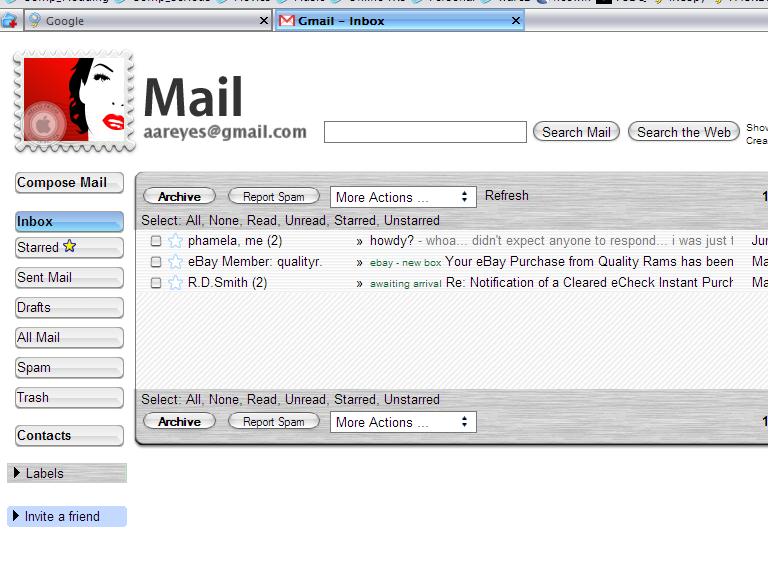
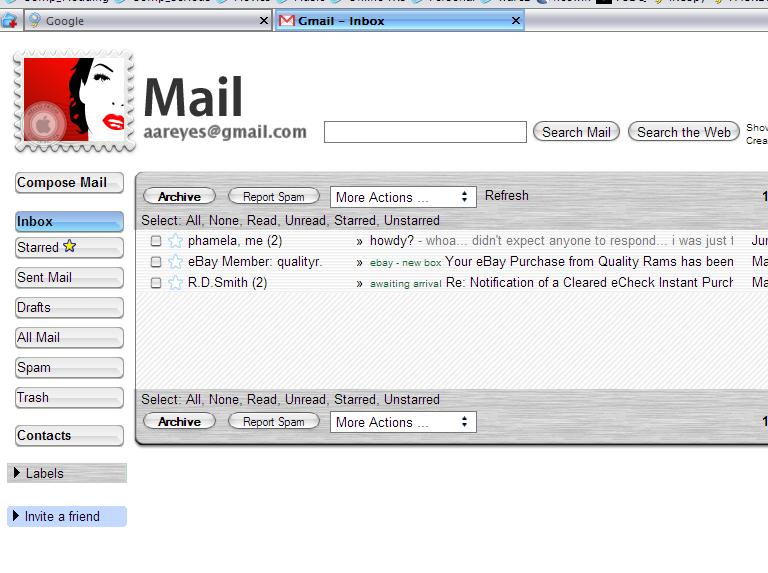
There's a problem...when your photobucket account goes over its bandwidth, everyone's skin will be broken.
I noticed that he was using photobucket as well so...
I copied all the image resources to my server and updated the CSS file so that won't be an issues for me.
I noticed that he was using photobucket as well so...I copied all the image resources to my server and updated the CSS file so that won't be an issues for me.
i uploaded mine to my own bucket
ok... it's nice and all... but how do i fix this:
in order for me to make it bigger... i need to go to rich text formatting and then go back to plain text... but the default is this small... how do i make it a bit bigger...
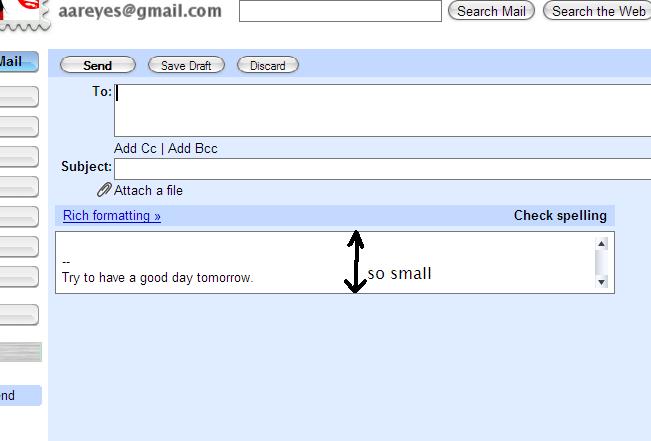
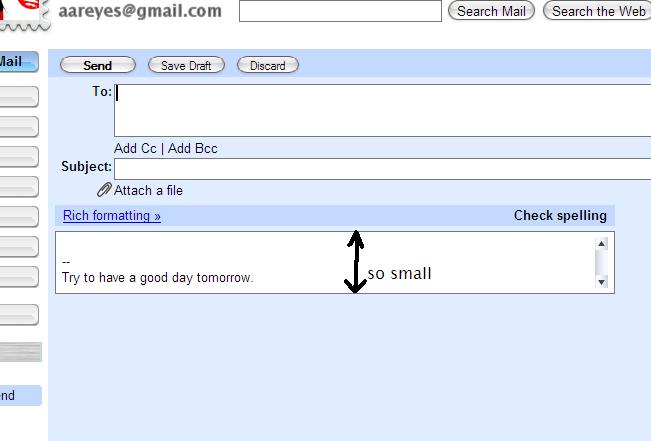
Unfortunately the compose email portion is driven by a javascript file.
It's not controlled by a CSS file.
Thanks! I really like this!!
I messed with it a little though. I moved all the images, changed the header, stretched it out to fit the whole page, and just some little tweaks to make the stretch look cleaner.
http://www.rawmade.com/host/screens/gmailscreenie.jpg
I just have two questions though. Anyone know how to change the entire pages' text size and is there a way to keep the compose button from moving up over the stamp on initial open.
Again Thanks! Also thanks wicked_innit for the header .psd.
The first link is down...anyone know where else to get the firefox plugin
The first link is down...anyone know where else to get the firefox plugin
i just went there and it's working... but here's the direct link:
So a Mac Theme/Skin for Gmail wow. Impressing that's good I'm gonna go add it right now to my Gmail account!
And I have 49 free Gmail account give aways left so post here if you wan't an account first 5 or ten to post will get an account.
:slant: 

The problem is that people usually use other computers when thay logging in to gmail through the browser. When I'm at home I use my pop mail access to read GMail account. And when u are using other computer you don't have this style sheet installed.
So you'de have to carry the *.css style arround (or your lap-top) to see the nice look.
Even though I think you've done a great job.
Its a good start any updates to this yet
webclips? please explain what part of it those are.

Hey!, This is reaaly interesting....I did finally figure out the mail-google-com thing. I kept looking at the URL difference & did a find and replace and all was well.
I have to say that this is ****ing amazing. I'm surprised it hasn't gotten more attention. I'm using rawmade's variant.BTW I used to have the climbing left buttons but it seems to have fixed itself.
Also how do you remove those damn webclips? I only have it on one of my accounts.
did i miss where he posted it or did he send it to you?... well the only real difference that i can see if that the message window goes all the way across the screen... so if anyone knows the code to change that id be very grateful 
Hey guys,
I really wanted the Gmail skin for my Firefox browser. But I am doing something wrong as it isnt working.
Let me tell you what i did. I installed the URLid.
After that I downloaded the css file. Since my XP PC has multiple user accounts, I wasnt so sure about where to put the CSS file. Since i found 2 chrome folders under my folder as well. Anyway i put it in the location as given below..
C:Documents and SettingsShumeyApplication DataMozillaFirefoxProfilesgykogjv9.defaultchrome
There was a css file there already, i just clicked to replace it. Can anyone point out what i am doing wrong? Thanks.. Really appreciate it..
He sent it to me.
could you please send me raws css ?
i'm still having problems with that button climbing on the header image.
edit:
I would like to know how to fix...

1) that weird overlapping compose email button... sometimes its on the place its supossed to be, sometimes not... i would love to know how you fixed this.
2) the weird > symbol that appears on top your email messages.
3) the colored borders.


.jpg)
Theoretically, yes.
Functional? No.
It would take a lot of work, and the "Move Message to" feature wouldn't work, among others.
You'd also have to take a look at the Google API for displaying the file size on the front page. In short, it's more work than it's worth.
-NC
woo.....Thx... Very beautiful. I like very much. Thank you for your work!
I would like to know how to fix...
i have the same problem with the blue and green borders. Anyone know how to fix this?
I asked my buddy thespook on DA about the problems some are haveing with this skin and this is what he had to say ...
"I had a read through the thread, the only problems i could pick up where that the left menu would be too high for some people, and something about 'webclips'...
shouldn't be too much of a problem to sort out, if you make use of the following bookmarklets: Mouse
Over Dom Inspector, show actual source (handy for javascript generated pages like gmail) you should be able to pinpoint the elements that need styling, and with test styles you can tinker around in realtime to see if the styles are right...
maybe pass those three links to them, and when i get a chance i'll check the thread again and if they still haven't sorted it i'll have a crack at it :thumbsup:"
Hope this can help.
I have used those 3 links to try and figure it out but im still none the wiser with this so if anyone can figure it out anad help me thnxs