Aqua-Soft Forums
Originally posted by Duckie@Jul 31 2004, 11:54 PMyes, it is the same size
<{POST_SNAPBACK}>
Here's proof.. 

Originally posted by Duckie@Jul 31 2004, 11:54 PMyes, it is the same size
<{POST_SNAPBACK}>
Here's proof..
HI,
Duckie:
Do i need to remember you that CRNI made a Konfabulator port for Samurize of Mini Weather and theres a lot more than 1 configuration ?
I dont see whats the problem of having more than 1 day of forecast.
Maybe im mising the point that a Supreme being like you can see.
Later..
no, what you're missing is that mini means mini.
and again, I remind you to relax while DZ makes the bigger one.
How do I take out the label on this???? >.
what label?
there's a text..."fog", in this case, under the weather icon..., doesn't have that label in the original screenshot...
thanks in advance!! 
never mind...I found it...in the Avedesk config..., select no label... :canadian:
Oh my, that is sexy. I'll see if I can get it to work *looks around*
*cough* Check PM *cough*
Nice job, thanks! 
Originally posted by deadzombie@Aug 1 2004, 07:34 AM*cough* Check PM *cough*
<{POST_SNAPBACK}>
Right back at you :naughty:.
Originally posted by deadzombie@Aug 1 2004, 07:25 AMOk, I have a working SysStats config, waiting to see if other people can get it to work
<{POST_SNAPBACK}>
That looks sweet, DZ. I'd love to give it a go.
Sorry but.. Hello again..
I have an VERY VERY VERY SMALL optional update!! :6
This justs adds a shadow under the text, that I stupidly forgot include in the release..
If you download this, then you gotta configure you weather stuff agian, so if you like it the way it is, then you dont gotta download this..

Download Attachment!
where can I find the konfabulator icons for this?
Originally posted by rolandx1@Aug 1 2004, 08:42 PMwhere can I find the konfabulator icons for this?
<{POST_SNAPBACK}>
This will help you...
Once again Nate No Brain has a question that is ridiculous but I already have all of the Konfabulator icons but what I didn't seem to get when I d/l the Miniweather config is the skin that goes with it. All I can see is a transparent skin but nothing like it should be??? Can someone please help???
Thanks,
Nate Dogg
I'm having the same issue as other people where I just get %s values instead of the temp. I also have no weather icon present. I've installed MSXML4, but weather has never worked for me with SysStats...
Any ideas anyone?
Chris
For the temperature to work:
- go to weather.com and find the weather conditions for your city
- in the url bar in your browser, you should see something like "USAZ0166?from=search_city" -copy the code just before the "?" mark, you'll need it later
Back to AveDesk:
- make sure the miniweather config file is in the config folder of systats..
- make sure the minibackground image is in the icons folder...
- make sure you have the konfabulator icons in a folder inside the icons folder...
- add a SysStats desklet from the AveDesk control panel
- right-click the desklet, choose Load.. and find the "miniweather" config file
- right-click the desklet again, choose "Configure meters"
- in the top-left pane, click on list item "Weather" then click the "Configure..." button
- in the address, find /local/xxxxx?cc=*&unit=m (replace xxxxx with the location code you copied earlier from weather.com, remember to keep the "?" mark)
- in the top-right pane, click on the "Temp" list item, then click on the "Configure..." button to the left
- in the new dialog, fill in the "Format" text box with the name of your city
Now you should have the temperature and name of your city.
For konfaulator icons:
-make sure the icons are in a folder ("konfabulator" is a good choice) inside the icons folder
- choose "Config meters..." from the right-click menu
- in the top-right pane of the config dialog, click on the "Weather Icons" list item and hit the "Configure..." button
- in the "Path" text box type in "icons\konfabulator\%s.png" ( assuming that the icons are in a folder called "konfabulator inside the icons folder of the AveDesk installation folder, make adjustments as needed)
Someone else can fill in any blanks I left out, I'm tired.
Thanks for your nice step by step guide, but I did already know that. The SysStats XMLMeter doesn't work for me anyways. I first thought that maybe I had to install MSXML 4 on my comp, but then I realised that I already have it.
Originally posted by deadzombie@Aug 1 2004, 03:25 AMOk, I have a working SysStats config, waiting to see if other people can get it to work
<{POST_SNAPBACK}>
check your PM damn you!
i still can't get the konfabulator icons still don't work for me  , i followed the instructions. At least the weather works.
Originally posted by Binary@Aug 1 2004, 10:15 PMI'm having the same issue as other people where I just get %s values instead of the temp. I also have no weather icon present. I've installed MSXML4, but weather has never worked for me with SysStats...
Any ideas anyone?
Chris
<{POST_SNAPBACK}>
Same prob here too
I am having trouble displaying the icons in my Avedesk/SysStats/MiniWeather. I have edited MiniWeather.ini and entered the correct path to them but still they won't show
Here is a link to a screenshot of what I've so far ...
Anybody Help please?
Originally posted by JuanBoy@Aug 11 2004, 09:35 AMI am having trouble displaying the icons in my Avedesk/SysStats/MiniWeather. I have edited MiniWeather.ini and entered the correct path to them but still they won't show
Here is a link to a screenshot of what I've so far ...
Anybody Help please?
<{POST_SNAPBACK}>
Your icon path is missing %s.png
Does the background image really exist in the location specified in your config?
[overlay-0-4]
Type=ImageOverlay Class
Name=Icon
MeterIndex=0
Mode=0
Visible=1
X=0
Y=0
Rotation=0
selector=//icon
HAlign=0
VAlign=0
CenterX=0
CenterY=0
HScale=0.5
VScale=0.5
Alpha=255
Path=icons\konfabulator\%s.png
ImageHeight=128
ImageWidth=128
[overlay-0-5]
Type=ImageOverlay Class
Name=Background
MeterIndex=-1
Mode=0
Visible=1
X=27
Y=21
Rotation=0
selector=
HAlign=0
VAlign=0
CenterX=0
CenterY=0
HScale=1
VScale=1
Alpha=255
Path=icons\Weather Backgrounds\Weather Mini background.png
ImageHeight=47
ImageWidth=78
i still cant get my Temp to change but i got most of it set up
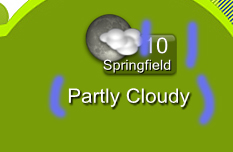
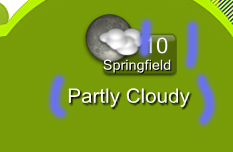
in the image how do i change the PARTLY CLOUDY ? and i really want to get my temp set right