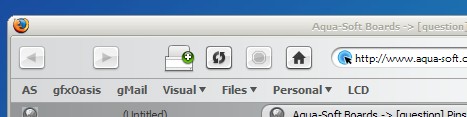
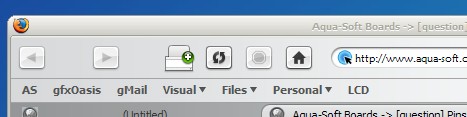
[question] Pinstripe Update For .9?

Originally posted by gone2far@Jun 20 2004, 09:58 AM

anyone know where compact.jar is 0.9? i cant find it in chrome.

If it installed correctly and you are looking in the right directory it should be there. My 0.9 install created a new profile directory in my user directory\Application Data\Mozilla\Firefox\profiles\default (my previous profiles were under Phoenix instead of Mozilla\Firefox) and I have compact.jar in the chrome directory in the new profile where I replaced that nasty shark icon just fine. :D

BTW everyone, I installed 0.9 in a new directory, it imported my settings from 0.8 and all I had to do was install the compact.jar I was using in 0.8 and the new pinstripe theme posted here and everything works flawlessly except for the fact that the compact menu extension does not show in the extensions list, but at least it works. I also have no problems with tab icons and I even have the rotating throbber on the tabs, something I never had before. Guess I got lucky!

#179451

i've checked and even searched my hd, but i can't find compact.jar. The compact menu shows up in firefox tho. Reason why i'm looking gor it is to change the ugly fish icon!!

EDIT:

Don't worry i found it. It's residing is a strange place tho:

Application Data\Mozilla\Firefox\Profiles\xxxxxxxx\extensions\{535bbd25-7a7c-4f9a-80fb-bd832ae22386}\chrome

#179457

No idea about the icon issue.

If you want the throbber on the tabs, you need to add following code into your \profile_directory\chrome\userChrome.css (create one if there's no such file):

CODE

.tabbrowser-tabs *|tab[busy=true] .tab-icon {

list-style-image: url("chrome://communicator/skin/icons/loading.gif") !important;

}

Hi Kyods, I tried what you suggested, but it doesn't seem to recognize the css file. I put it in the "...\Application Data\Mozilla\Firefox\Profiles\default.rel\chrome" folder. is this the right place? thanks!

#179744

Hm... have I messed up something in the theme? Open the jar, navigate to /communicator/icons and replace the loading.gif with this one.

loading.gif

Also try

ChromEdit if in doubt of the location of the userChrome.css.

Edit:

Strange. Looks like file attaching is broken. The correct loading gif is here.

#179822

Download MetalXP.jar

The file im supposed to host.. If that system doesnt work, somebody PM me and I will quickly fix it :-p

Updated: 6/21/04

#179850

MetalXP looks so... so nice and metal :D

I like it!

Can anyone help me with this problem, I only have this with this theme so I think its in the .jar file?

Its the huge spaces between the back and forward buttons and the drop-down arrow...

#179858

Happens to the best of us :D

post-1294-1087828504_thumb.jpg

Screenshot6_21_2004_7.34.23_AM.jpg

#179862

Hehe, I think I'll have to go snooping in the .jar file and see if I can workout what's what :D It must be a simple image placement thingywhatsit somewhere hehe

I have no idea what I'm doing, but I'm examining the browser.css in the browser dir... can anyone point me in the right direction, there's a whole section here about the buttons, but I'm overwhelmed with the number of things in here?

#179865

Hmm... What do you think is the best way to notify people of changes to the jar? Perhaps a changelog.txt in the same directory?

#179869

I think that's a good idea, just put it in the root of the .jar file

#179871

Dav...

Check your Gmail, I just sent an update.

*Edit: For those running 20040620+ builds, you may notice a slight change in how site security levels are displayed. :D

#179974

Updated, see above post

#180003

The update fixed that problem I had earlier, thanks it looks fantastic :D

#180071