 Aqua-Soft Forums
June 2004 Screenshots

Originally posted by LoofyGun@Jun 12 2004, 10:12 PMColourful, eh?
AHHHHHHHHHHHHHHHHHHHHHHHHHHHHHHHH
lol i guess.
Holy **** LoofyGun, please release that VS, it looks soooooooooo sick!!! And that awesome blue wallpaper! So minimalistic!!!!!!!! Dooooooood!
Originally posted by hax0r_foX@Jun 12 2004, 10:36 PMHoly **** LoofyGun, please release that VS, it looks soooooooooo sick!!! And that awesome blue wallpaper! So minimalistic!!!!!!!! Dooooooood!
OMFG AND TELL US WHERE YOU GOT THOSE L337 ICON3Z THEZ\ LUK SW33T!!
digital, is your dock backbround default ? If not, where can I d/l a background like that for OB or y'z dock ? :s
Originally posted by mecca@Jun 12 2004, 07:45 PMdigital, is your dock backbround default ? If not, where can I d/l a background like that for OB or y'z dock ? :s
It's a mac using Cleardock.....
Originally posted by zone@Jun 13 2004, 04:07 AMhow did you managed to hide the window "background" in ps?

Rolled PS up with the roll up/down button
Originally posted by Kej0@Jun 13 2004, 07:51 AMRolled PS up with the roll up/down button
where should this button be in a pc version?
B²

wallpaper=>hannah modded by me
icons=>h30
samurize=>weather_taskbar by me
vs=>prolcd blue by bubbabyte

Enjoy


Posts Removed.
Do not posts screenshots with unreleased materials in them without express permission of the original author.
Don't ask members posting such content to provide you with it.
Don't debate what should and shouldn't happen - just tell a member of staff, in future.
-----------------------
Stevie BM
Originally posted by Brainbug@Jun 13 2004, 11:21 AMwhere should this button be in a pc version?
B²
Well if you have Windowsblind, if the theme has it, it's the single button on either side, if you're not using Windowsblind, you'll have to get a 3rd party app to make it roll up. Those are activated by double clicking the titlebar
This is my Current Desk 
For Bubbabyte's port of ProLCD.
wallpaper was from here in the wallpaper/mac section.
icons were from a 20Mb tar.gz file i got ages ago... converted with Aveiconifier
iTunes is playing
and that is Firefox 0.8 with the ProLCD theme by Lynchknot
mills where can I get the wall in ur pro lcd screen shot?
VS: CrystalXP
System Files: CrystalXP
Icons: CrystalXP
Wallpaper: you guessed it CrystalXP
download all from http://www.crystalxp.net
PearPC
Stock Panther Running Version .3pre with time fix and fullscreen option

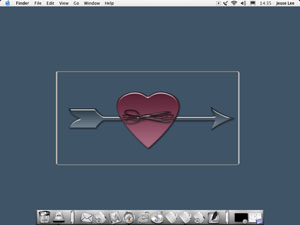
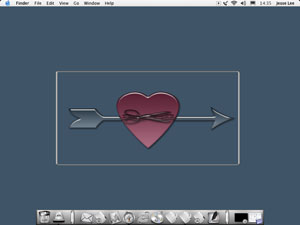


new desk
VS = ProLCD blue by Bubbabyte
icons same as other post
Wall = Prolcd circles by Me
http://designxtreme.gotdns.com/images/junenew640.jpg


Post Edited.
Don't post huge images inline.
Please limit inline images to 500px wide and 375px high.
---------------
Stevie BM
Yet more Posts Removed.
Do not post screenshots of your desktop without explicit permission of the original author. Oh, and make sure you get permission from the right original author.
This applies to everything anyone wishes to post here, not just icons.
Next time, people will be warned.
------------------------
Stevie BM
Anyone who sees people posting stuff of this nature, please PM me as soon as possible, and I will deal with the matter personally.