Madotate Is An Awesome Program

man I am in love with this program

kinda like sun systems project looking glass..

2 problems

1.) it doesnt like YZ Shadow

2.) it may not like Samurize(doesnt on mine but some say no problems)

but I like it, it is in japanese but until someone can decode it to english I found if ya drop the old english versions(google it) config file into the new japanese version it works perfect..

anyways check out the screenshot..

awesome awesome awesome

Click For Bigger

thumb-12924.jpg

#141893

wow neat, whats the performance like on what specs?

-bolero

#141894

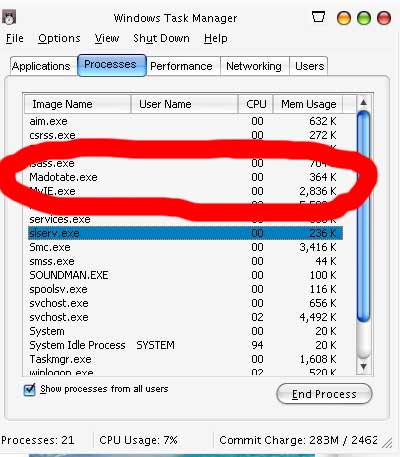
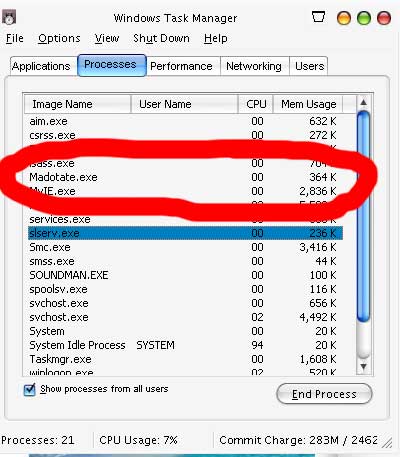
amd athlon 2200 with a gig of ram runs fine as can be

barely any ram used at all

post-8352-1081486528_thumb.jpg

Untitled_1.jpg
Untitled_1.jpg

#141897

wow verry nice it runs great

how do you get the window labels to not show when you make them um... tilt in the background? cause its all japanese lol

-bolero

#141899

if someone has webspace to provide the english config I have let me know

its 600k

to install it just replace the same named config file in the japanese version with the one I have

then right click the taskbar icon go to the 3rd one down

and now your config will be in english

ok here is the run down on the right click of the task bar

first one is to move them all to 3d

second one is to restore them all to normal

third is config

fourth is about

and fifth one down is to exit

#141901

Originally posted by juno@Apr 9 2004, 12:05 AM

I have space!

hlgardner (AT) earthlink.net

Wow....very cool. that is actually something I can use!

PLEAASE EMAIL ME!!!

email sent

#141911

thanks juno we owe ya

see junos post below

#141912

I am just going to mod the file and zip it up and upload it, under the same name. No need to search the web anymore just download my modded file.

Just install it to desktop and then move the file where you wish, after you replace the cfg file with the one in the zip.

Here is the link again:

http://ihost.it-mate.co.uk/users/juno/files%5Cmtatecfg.zip

#141913

k I deleted the other link

#141917

Yeah its on the front page now*.

#141918

wow, that is just too neat! i'll have to check this out. thanks for sharing! :)

english version here as well: http://shellcity.net/dl/madotateenglish.zip

#141922

this program is off the hooook. thanks a lot :rock: :rock: :rock: :rock:

#141923

Originally posted by dreamz@Apr 9 2004, 12:33 AM

wow, that is just too neat!  i'll have to check this out.  thanks for sharing! :)

english version here as well: http://shellcity.net/dl/madotateenglish.zip

that version doesnt have all the options the one juno posted does..

#141925

Wow!

when you have a window "flipped" try giving your mouse scroll wheel a roll. Neat eh?

#141926

wow :cry: this prog is making me cry and the smoothwheel effect is is :blink:

I am going nuts already :lol:

how about a translation for the system tray menu?

#141927

ok here is the run down on the right click of the tray icon

first one is to move them all to 3d

second one is to restore them all to normal

third is config

fourth is about

and fifth one down is to exit

#141929

Wha is he problem wih samurize?

mine works jus fine...

#141930

mine bogged down like crazy with samurize

<--- might just be me

#141931

Great Work and effort to share this with the comunity!

Now, I know people are gonna hate me for this, should we try- dare i say- "project Looking Glass emulation"? I hope I don't cause many people to loose sleep over this we have Aqua-Soft for that :lol:

#141943

Yeah, but the english version configuration on that site is wayyyy out of date. The newest (Japanese) version has transparency and possibly other features. You can't just copy the old configuration exe over the newer one because it doesn't support the newer features.

Newest (Japanese version)

http://www.ksky.ne.jp/~seahorse/mtate2/file/mtate20202.exe

If anyone can translate the Japanese config of this one, that'd be great.

#141948

i was wondering what this was, saw it a couple of day ago. very nice find.

its not the genie effect. but its still pritty cool.

#141952

Right click on the japanese version of this program icon in systray > choose '(s) '; which is for settings panel.

the first option which you see with the '(N)' at the back of the sentence = disabling and enabling of fade effect of the windows (default = on)

second option (T) = transparency effect. After checking it, the slider bar is enabled and you can set the transparency level.

third option © = showing of labels if i'm not wrong, coz the labels ceased to show beside the program when i unchecked it.

fourth (H) = the options are "exact " or "elongated", when i tried the option, the window kinda looked stretched.

-----------------------------------------------

The 2 options below are :

1.(I) For setting the angle of perspective of the "3Ded" window.

2. (D) For the 'distance' perspective setting for the '3Ded' window.

The three buttons at the bottom right are : 'OK ' 'cancel' & 'APLLY'

This is all the translations for now.

#141957

my desktop thanks you..

now its got me sparked as to what else it can do..

and its effiecent as hell.. 4megs and I was maxing it out during this screenshot

ALOT BIGGER HERE

thumb-12941.jpg

#141959

This program Look really great :D works good on my comp

#141962

Anyone ever try this???

http://www.hamar.sk/sphere/

#141978