 Aqua-Soft Forums
Who wants Jetblack skin for Felix? Alilm, feel free to add it to your next release if you want 
[release] Felix 8 Public Beta
Love the skin
Originally posted by Reedy@Mar 23 2004, 01:50 PMRocks! :rock:
Is there a possibility to resize the icons?
You have to manually edit toolbar.psd file which is attached in my skin, in 'sidebar' folder.
I'll be happy to host a mirror for you. PM me with how you would like to go about this. :canadian:
Absolutly beutiful  i love this Finder. And Peter very nicely done of the jetblack skin. I love it. Keep up the great work.
{I have not got the chance to talk on the forum much cause my motherboard that i had was faulty. So i have to wait for a new one Sucks  }
}
great job alilm cant wait for the next version
finished off the fathom suite theme for it will release when theme does
teaser
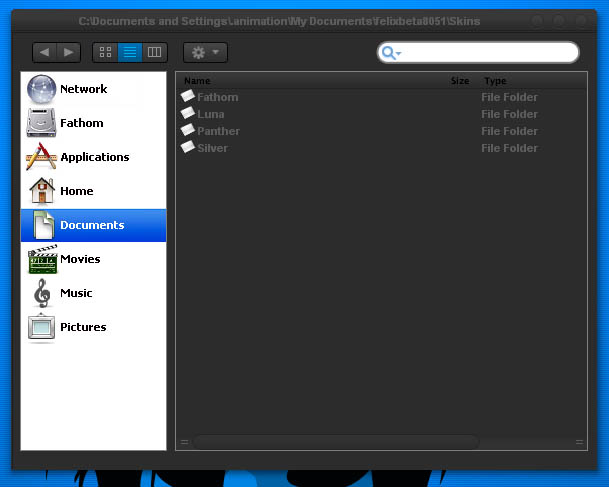

I'll be uplaoding a minor update tonight that will fix some bugs and add some small features.
it's a little slow because it's not integrated isn't it ?
at least that's what i noticed when i used it otherwise it's cool.
oh that and my back button on my mouse doesn't work with it :\
This is so easy to customize, I threw this togeth in like 20 minutes:
Cappichino, using the Orbital Icons...
Thanks alilm! Great App!
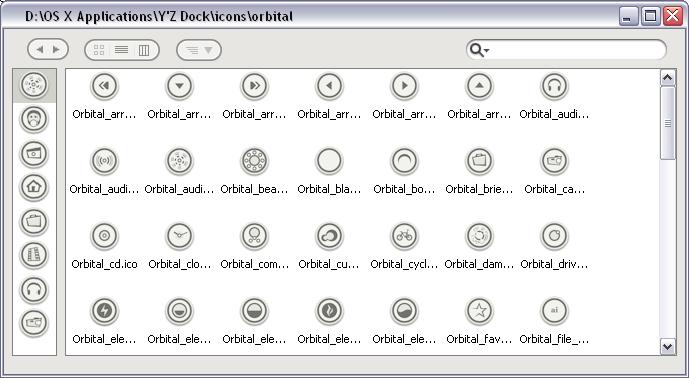

Originally posted by oct00@Mar 26 2004, 05:30 PMThis is so easy to customize, I threw this togeth in like 20 minutes:
Cappichino, using the Orbital Icons...
Thanks alilm! Great App!
Looks nice! :woot:
Thanks m8, I don;t know if I should go through the trouble of getting premission, would any of you use it?
I'd use it, looks awesome
:woot: :woot: :woot: :woot: :woot:


Theres a new (minor) update of Felix 8 out. Heres the new features:
-Now draws not selected images on start up
-Fixed the bug of adding 3 pixels to the sidebar on saving
-Apply skin button now redraws entire skin
-Users can now change the colour of the border and background colour of the sidebar and the file browsing window (border only). Go to the preferences > colours for more information
-Changed the font on the sidebar to a more realistic Lucida Grande (size 9)
-Added a Performance tabs in the preferences dialog
-Title bar text now shows Folder name instead of path
-Background picture now resizes with app (i.e. Brushed backgrounds now look good)
Get it at the new Felix8 dev page:
http://www.parkerinnovations.com/~alilm/felix/
~alilm
Hey Alim - this build seems alot quicker and more stable than the last one. It also feels a bit smoother.
I also like the background scaling feature - although in the prefs we can define the colours - but they use some code I've never seen - could you replace it with a RGB or Hex code box or even a colour picker like in windows?
Keep up the superb work
Originally posted by DoubleD@Mar 27 2004, 05:52 PMHey Alim - this build seems alot quicker and more stable than the last one. It also feels a bit smoother.
I also like the background scaling feature - although in the prefs we can define the colours - but they use some code I've never seen - could you replace it with a RGB or Hex code box or even a colour picker like in windows?
Keep up the superb work
Thanks. There is a colour picker simply click Pick next to where the number is. Yeah i'll probably exchange it for a hex code next version
~alilm
Originally posted by alilm@Mar 27 2004, 05:56 PMThanks. There is a colour picker
~alilm
Damn! I swear that wasn't there the first time I looked  - my bad!
But the border on left and right side are a little bit to big. Is there a way to make it smaller?
Wow! great update! Keep it up m8!
Do Ya Need A Design for you Developmentpage? - just PM me. I would be proud to Do On For A so great programmer for free.
I luv Felix