[release] Xplore 1.0.3 !

Hey guys,

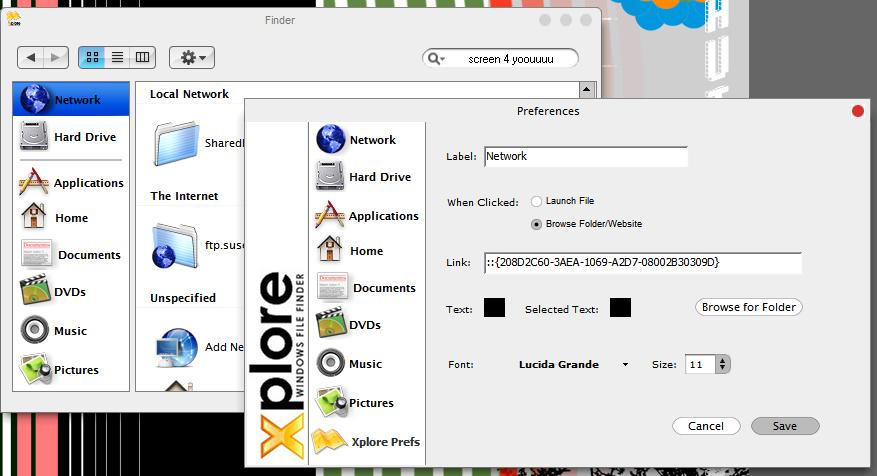
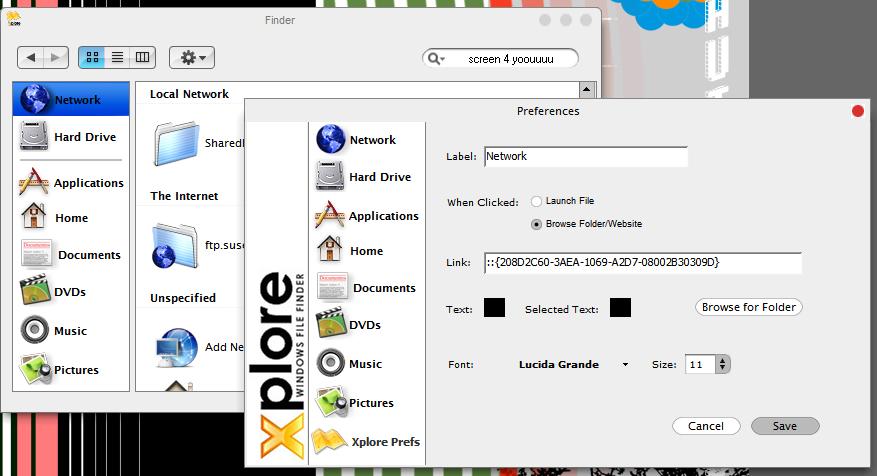
I know you have been waiting for this for a few days and so sorry for the delay but I got kinda busy. In this release there are MANY bug fixes and some new options in the preferences menu for you guys to play with.

I also tried to speed it up a bit and reduce the memory load.

The buttons were all replaced with the ACTUAL Panther buttons (Thank you duckie) and all visuals were cleaned up. I know that 1 pixel issue was pissing some of you off. :lol:

Well, enough of me, here ya go!

Xplore 1.0.3 Beta

TiG4

(It is the same URL as the original so not to screw up all the other links on the board and to keep everyone up 2 date)

#131770

:woot: :woot: :woot:

#131771

alo, i don't mean to be the bad guy... i don't notice anything different on this version. the preferences has only the option to rename it from Xplore... the buttons seem to be the same as well. are you sure you uploaded the updated version?

unless it's just me.

#131772

wierd lemme check

#131775

Is not updated.

#131776

sorry guys im reuploading to a diff server now. :(

#131779

Ok try this

Xplore 1.0.3 Download

BTW: The preferences file has totally changed so expect to see some wierd results when you start the app. You HAVE TO RECONFIGURE or delete your old prefs which are located in:

C:\Documents and Settings\Username\Application Data\XplorePrefs

#131781

much better, thanks much :D

#131782

Ohhhhhh verry nice! Screen is a comin!

here is the screen

these arent the original icons!

post-2937-1079672617_thumb.jpg

untitled.JPG
untitled.JPG

#131783

or u can get this precious off of this Emulation Hub Website

Aqua Emulation

#131785

ok, so i had this bug in the last version, and i just thought it was my computer... and it may be. When i switch applications to Xplore by clicking in the files part of Xplore, it greys out some of that pane of the window... i dont know if that makes any sense or not, because I dont know how to explain it

edit: image is at http://rooskee.netfirms.com/error.jpg

you have to copy and paste the link

#131789

i can finally get rid of window explorer.

#131790

One bug here, last version too....

it seems to not like My Pictures folder, it just doesnt show up when you link to it and then click the icon...

Great job! I recommend Lucida Grande (yes, the one with a space :D ) for the font

EDIT

Thanks for fixin the pictures bug!!!!!

#131792

Yet another beautiful screenshot from Juno!

Thnx dude :woot:

#131794

I'm still having problems linking to my picture folder. I've saved the settings, the correct path shows up in the xploreprefs file but when I click on the icon, it sends me to shell:NetworkFolder instead.

#131798

;) PICTURES BUG FIXED PLEASE REDOWNLOAD ZIP FILE!!!
I had the pictures button link to the same as the network button by accident! Sorry:D

#131799

"ok, so i had this bug in the last version, and i just thought it was my computer... and it may be. When i switch applications to Xplore by clicking in the files part of Xplore, it greys out some of that pane of the window... i dont know if that makes any sense or not, because I dont know how to explain it"

I get it too.

I have some major bugs with this version. The preferences menu takes very long to open and it takes forever to close. I may have to revert to last version.

#131803

can someone either repost or link to the thread that had the list of system folders. (e.g. network, documents, my computer, etc.) i can't seem to find it, there's about 50 pages worth of Xplore divided into about 5 different threads.

#131805

can we have a feature that change the search bar image? cause mine look kinda jag with my current VS.

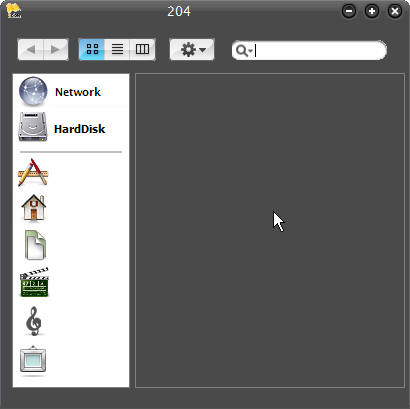
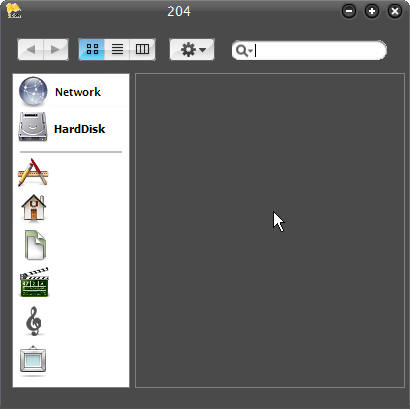
and what is the 204 in the title bar? :rolleyes:

post-304-1079674251_thumb.jpg

xplore.jpg
xplore.jpg

#131806

Originally posted by ChiLam@Mar 19 2004, 04:00 PM

and what is the 204 in the title bar?  :rolleyes:

because the settings file format has changed, this is caused because you havent removed the old one before updating.

goto "%appdata%" (just put it in the address bar in explorer) and delete the "XplorePrefs" file.

-The Unknown

#131810

Originally posted by wookietv@Mar 19 2004, 05:30 AM

can someone either repost or link to the thread that had the list of system folders.  (e.g. network, documents, my computer, etc.)  i can't seem to find it, there's about 50 pages worth of Xplore divided into about 5 different threads.

http://www.aqua-soft.org/board/index.php?showtopic=13473

#131811

Originally posted by Cruzn15@Mar 19 2004, 05:28 AM

I have some major bugs with this version. The preferences menu takes very long to open and it takes forever to close. I may have to revert to last version.

That is very wierd...

Is anyone else having this problem? Did you delete yur prefs file prior to launching it?

#131812

i am having all of the same issues cruzn is

#131814

yup, mee too. exiting the prog takes me bout 4sec

-pref file deleted- same outcome

#131815

mine keeps crashing

EDIT

I deleted my prefs file and that fixed it

#131817