 Aqua-Soft Forums
I was wondering how I could change the icon (the big "X") and replace it with an icon of my own?
Thanks!
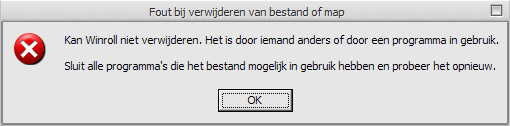
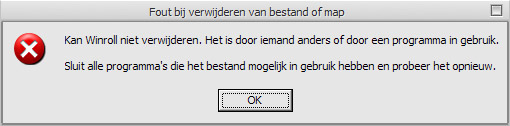
I was wondering how I could change the icon (the big "X") and replace it with an icon of my own?
Thanks!
Installing one's set of System Files should replace it with a nicer image, but you'd need to ask someone a bit more knowledgable which exact file contains that resource.
Sorry I can't help more. >.<
I like my current set, I only want to know how to replace those dialog box icons 
you should then prolly talk to stefanka, he could give you an instance of a reshacked file... sorry i cant help you.
users.dll, i think. i'm not 100% sure though.
user32.dll
but it is a really dangeres dll. You must replace the Icons with the same resoulotion
and colors. 16x16 256 colors with 16x16 256 colors. If you make a mistake, than your system will not boot more.
Enjoy my fine english! 
Originally posted by StefanKa@Jan 26 2004, 02:17 PMuser32.dll
but it is a really dangeres dll. You must replace the Icons with the same resoulotion
and colors. 16x16 256 colors with 16x16 256 colors. If you make a mistake, than your system will not boot more.
Enjoy my fine english!
I guess I'll leave them alone then :6 
I've seen someone with bigger dialog icons in their screenshot (and it was XP). I wonder how they did it?
includet Bitmaps
That doesn't make any sense. You have to "include bitmaps"? Do you mean include them into the screenshot by copying and pasting them with photoshop? :6
So what file do you have to "include bitmaps" into in order to make the dialog icons bigger.