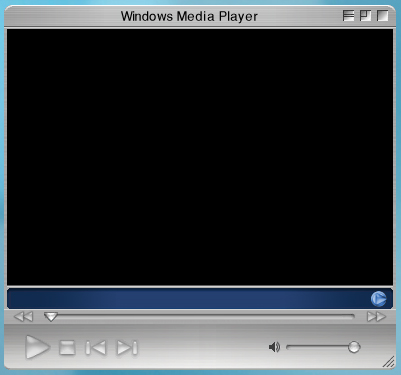
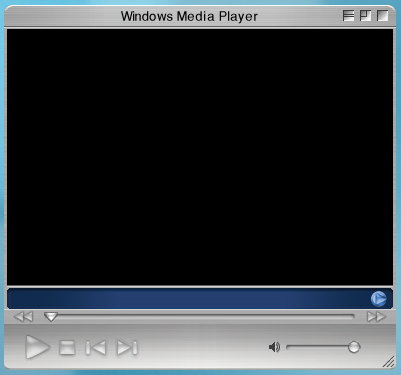
[release] Windows Media Player X 9.0

Hi, i'm come back! :who's your daddy:

I've update my skin and fixed all video-visualization bugs!

- New color for control buttons (like the original)

- Little modification to playlist

- Add function to change visualization effects (click on video)

- ADDED 6 BRUSHED STYLES!!!

GO TO MY FIRST POST TO DOWNLOAD!

@ALL: To solve other little problems like these:

Bugs1.jpg

there is only one solution:

copy directly the .wmz file in ...\Windows Media Player\Skins , before apply!

#102792

Great news.

#102930

AKIRA!!!!!

I LOVE THAT ANIME!!!

great skin, i`ve been looking for something similar to to with my WMP!

How about a Mac QuickTime skin for WMP? ;)

thanks once again :D

#102951

Great skin! Thanks! (Y)

One question:

How to add shadow on skin with WindowFX together Addshadow?

#102972

Originally posted by Darth Maul@Jan 20 2004, 10:06 PM

Great skin! Thanks!  (Y)

One question:

How to add shadow on skin with WindowFX together Addshadow?

Caption=Windows Media Player

Class=WMP Skin Host

#102984

Thanks for making a version with the buttons on the right side!

This is why I needed it, to match my Rhapsodized style.. :naughty:

post-1379-1074642884_thumb.jpg

Untitled_2.jpg
Untitled_2.jpg

#103055

It's almost a perfect copy of the real thing, the only thing you really need to look at is the background. It's way to dark :(

(see original wmp 9 for OS X on the pic.)

post-1379-1074643054_thumb.png

Afbeelding_6.png
Afbeelding_6.png

#103058

Originally posted by Panther@Jan 20 2004, 07:25 PM

Caption=Windows Media Player

Class=WMP Skin Host

It´s no work for me. :(

#103119

It's working good for me.

post-51-1074651102.png

#103128

Originally posted by altoprofilo@Jan 20 2004, 11:01 AM

@ALL: To solve other little problems like these:

Bugs1.jpg

there is only one solution:

copy directly the .wmz file in ...\Windows Media Player\Skins , before apply!

I put the .wmz file in the skins folder before I even opened windows media player but I stall have the problem with the play button. Are there anyother possible solutions to this problem? cause this is a wonderful skin and it would be perfect if this little bug could be fixed somehow.

#103140

So i've no idea for the play button :dunno:

Any other have the same problem? (but it's permanent?)

P.S. YOU MUST HAVE A LITTLE BIT OF PATIENCE,

THIS IS MY FIRST WMP SKIN, I'VE TO STUDY!!! :nerd:

#103206

Originally posted by altoprofilo@Jan 22 2004, 06:20 AM

So i've no idea for the play button    :dunno:

Any other have the same problem? (but it's permanent?)

P.S. YOU MUST HAVE A LITTLE BIT OF PATIENCE,

THIS IS MY FIRST WMP SKIN, I'VE TO STUDY!!!    :nerd:

sorry if I came off harsh or demanding in my post this is an awesome skin and the play button bug may just be something with my computer so unless other people are having the same problem don't worry about it. Keep up the excellent work.

#104235

Finally i've fixed also the play button problem! :rule:

I think this is the final update!

DeviantART

Here the version with the buttons on the right side (for my friend XP_2003) ;)

#107703

Excellent work. This is beautiful!

#107709

Originally posted by altoprofilo@Jan 30 2004, 11:16 AM

Here the version with the buttom on the right side (for my friend XP_2003)  ;)

LOL thanks man! :lol: Great skin (Y)

#107741

yes... this skin kicks ass

#107742

:blink: Cant say it anymore ..........

Its a great skin :woot: :woot: :woot:

Thanks altoprofilo.... new archive for aqualovers-WMP-Skin

(Y) (Y)

#107762

terrific skin. thanx.

#111721

Superb!!! My default skin for my WMP now!!! (Y)

#113671

Excelent skin for your 1st try, Altoprofilo!! keep up the good work :rule:

Thanks

#113952

beauitfull skin indeed..........

just two things: could be possible ObjecBar support and shadows with Y'z Shadow?

#121355

any chance of an update for wmp 10 or if anyone knows of a mode for 10

#256468

It works just fine with WMP 10.

#256603

Nice work . Noproblems with wmp10 to me too .

Thanks alot .

#256684