 Aqua-Soft Forums
i made a few modifications on Stefanka's VS, & i was wandering if anyone was interested in having this theme ?
[preview] Snow Panther Mod
what happened to the fonts??!
which fonts ?
These fonts, is it me or do they look blurry? is it the jpg compression maybe?
Nice take at a great VS, youve actually made it better, ill be expecting a release... (Y)


@seph : indeed you're right, i've set the font to 15 insted of 14 and go figure why the lucida mac bold font looks jaggy while using "impair" (sorry i don't know the word, numbers like 1, 3, 5, 7, etc...instead of 2, 4, 6, etc...) numbers.
@others: i'll release if enough people wants it :6 j/k i'm currently polishing it & zipping it...soon to come.
Odd numbers 

thx, this is a very nice one (Y)
very nice, thanks for porting it, could you please skin the control panel?
Originally posted by judge@Jan 13 2004, 04:21 AMCan you add a dialog background and an MDI background?
done, link updated
thanks ieub,
Just a note... there's a problem with the transparency on your titlebars... theres a tiny bit of pink which i guess isnt quite 255,255,255 index showing through. Any chance of correcting it?
Oh, and IMO the font in the titlebar is rather too big, but never mind 
Cheers,
as for the titlebar, i checked and there is nothing which is 255,0,255, i'm sure of this however, it sometimes happens that if you unload then launch again wb it disappear, i had this prob before...
as for the titlebar, there's an option in the wbconfig that lets you set the titlebar font and font size (i'm using 1600x1200 so i need a big one)
Originally posted by onlyone@Jan 13 2004, 05:41 PMThank you!
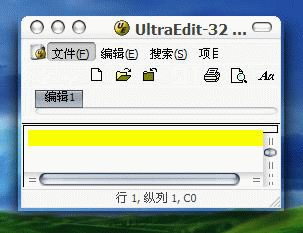
Why my windows look like this?
Is it the problem of WFX2.11 or WB4.2?
Please help!
looks like what ?
The shadow can not match the windows border.
(Why I cann't attach a picture?)
shadow||windows border
^
|---- there some pixel transparence area between shadow and border,
but, I want effect like your screen:
ShadowWindows border
^----no empty area.
please help!!
please!
are you using Yzshadow, if yes, i don't know about it...but if you use wnFX, be sure to check the option "adjust for rounded wndows"
*ieub: thank you very much! you are so kindly! appreciate for your quickly response!
It is OK! (Y)


Originally posted by onlyone@Jan 13 2004, 09:18 PMThe shadow can not match the windows border.
(Why I cann't attach a picture?)
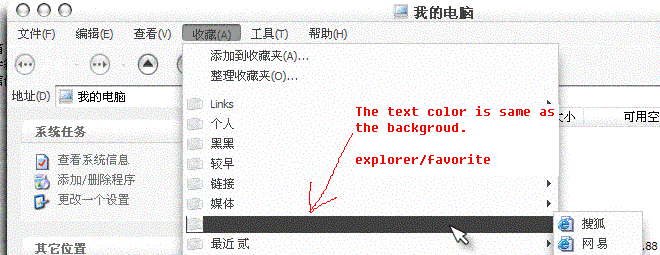
If you're using Y'z Shadow, go into Settings and then under Drop Shadow tab, look for 'offsets to inner side'. Adjust this to fit your need.
(By the way, I only did this for the VS that Stefanka did and not the WB port. Dunno if it'll work both ways)