
Config ?

Ok.. I'll post a question... ? :) When using the v1.3 setup .. How do I make the " Last Updated: 00/00/00 00:00 AM Local Time " Shorter.. I would imagine it would be in the .vbs file? Or no? Like say " Last Updated: 00:00 AM " I've attached a pic to show you what I mean...
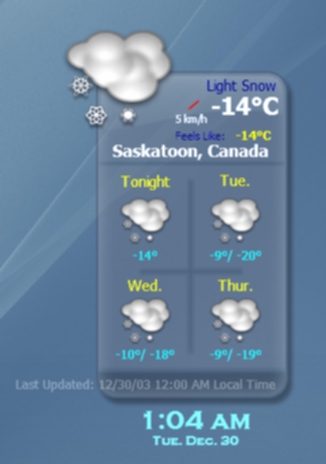
post-4704-1072915320_thumb.jpg

Samurize_setup.jpg
Samurize_setup.jpg

#93849

hmm, i always made my own configs, so i never had that issue, but you can try this.

open up the config in the config editor. can you find the meter with the last update? if you select that meter, are you able to edit it? if you can, just remove the output that you don't want.

#93915

You can align the text to the left and just resize "Local Time" out of view.

Also, you can eliminate "Last Updated:" from appearing at all; however, I don't believe you will be able to alter the rest without editing the script.

#93962

Ok.... I think I have it figured out now... I had the ' Select Function to Run ' so that it would ' getlastupdate ' .... I changed it to ' getTime ' ... It looks like that was it.. :) Thanks people for ideas... :) I'm loving this weather stuff for samurize.. :)

#93983