 Aqua-Soft Forums
everything is bold in firebird. i don't know which entry i changed. does anyone have any ideas?
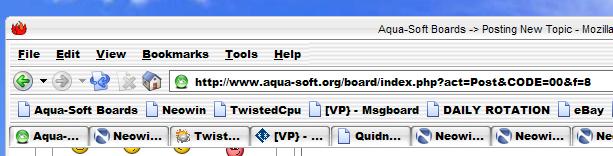
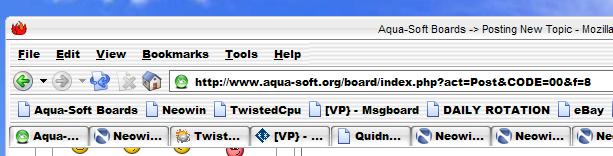
everything is bold in firebird. i don't know which entry i changed. does anyone have any ideas?
did you do a custom userchrome(in your applications settings folder)? or maybe its defaulted to a bold font(check your fonts in the options-webfeature-fonts&colors... section).
i just can't figure out how you got your menus to be bold... i tried mine, and i can't get it to change the menu... changing the fonts only affected the pages, not the browser. did this just change?
firebird uses your icon font.
Originally posted by DinoJr@Dec 12 2003, 12:03 AMfirebird uses your icon font.
but you can always change it in the browser...
If you go to desktop properties, appearence, then advanced, you can customize ALL your texts from there including Mozilla and everything else in Windows. I use this on almost every theme I use to set all my Windows fonts to LucidaMAC. Be aware that changing fonts from those that come with a theme, can mess up the button placement in Mozilla/IE, if that happens, just adjust the size of the "active title bar" font to about 20, hope this helps.
thanks for all the suggestions. i went to about:config and changed the font, and it was fine for a while, but i guess i must have changed something else.
in any case, i did a fresh unzip of firebird, and copied over some of the files, and everything is fine now.
any ideas about changing firebird fonts, though?
i went to about:config and tried again, but once i change the default font from serif to arial or tahoma, everything goes bold.