
Displaying Japanese Fonts In Objectbar

Objectbar won't display the system fonts of Japanese XP.

Whenever the focus is on a system folder/app (My Docs or Regedit) the menu bar displays crazy (see attachment).

The tutorial at this page is the closest I've come to solving the problem, but after following the regedit there, and modding the skin ini, it's still unreadable.

Searches long and far have yeilded no results, nor has messing around with Skinstudio. Any ideas? I'm stuck.
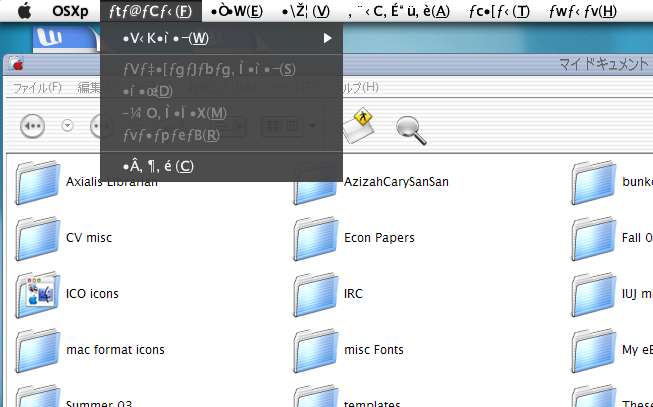
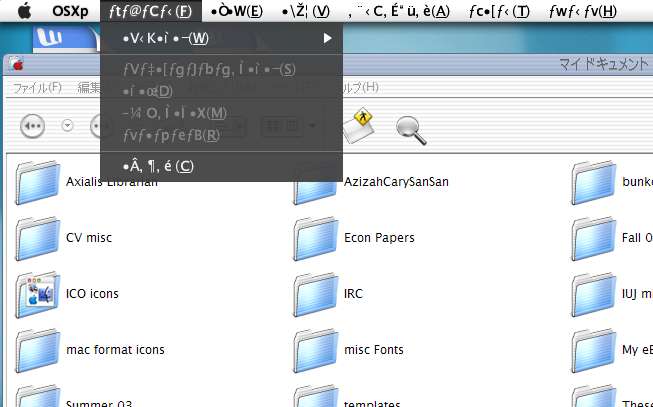
post-5545-1070770331_thumb.jpg

Clipboard02.jpg
Clipboard02.jpg

#86753

I'm afraid we can't do anything with it now. Objectbar doesn't support Unicode, which (as I believe) is needed to display custom glyphs. Don't worry I suffer the same thing. OB displays sh!t instead of specific Polish letters like ąęźłóżć. We have to wait for OB 2.0 (I heard that they are working on it).

#86835

Originally posted by Pe7er@Dec 9 2003, 07:12 AM

I'm afraid we can't do anything with it now. Objectbar doesn't support Unicode, which (as I believe) is needed to display custom glyphs. Don't worry I suffer the same thing. OB displays sh!t instead of specific Polish letters like ????ó??. We have to wait for OB 2.0 (I heard that they are working on it).

I've gotten some support from people at the Japanese AquaXP forum, but my Japanese is not good enough to participate deeply in that forum. The thing is, the people over there seem able to make it work. In fact, if you look at Susumu's desktops or Chimpo's or Rainbow2000's, you can often see Objectbar functioning there. So a workaround does exist, but I'm not skilled enough to figure it out. Still, I'm in no large rush to lose the taskbar, so if it means waiting for OB2, so be it. Thanks for the reply Pe7er.

Ji Eun

#87518

No probs...maybe these Japanese guys made this tutorial work...I tried it once and failed. Now I am patiently waiting -_-

#87523