Aqua-Soft Forums
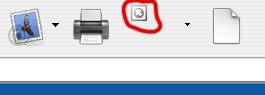
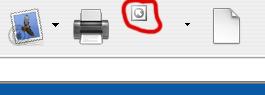
The attached shot is from Internet Explorer when the Option to "Edit With Frontpage" is available. Other than just deleting the edit with funcion from my toolbar, I was wondering if there would be a way to fix this icon looking out of place. It's a shame to have everything else looking so sweet and it looking like the ugly duckling.
Are there themes available that address this or is this a limitation of the application itself? Perhaps I do not have the most recent version of the app?
by the way i'm using ie 6 and yz toolbar 1.3 under win xp