[help] Need To Make A Shortcut To Prtscn

Hello guys...

You might be wondering why is this on OB forum?

Well i would like to know if there is a way to call a print screen, either through the built in on windows or trough snagit to make a screenshot by clicking on a shortcut.

Now, this shorcut will go in the window menu on OB, thats why, didnt know anywhere else to put it.

So yeah, Thats about it...

Cheers

Seph

PS: Yes ive googled it and looked here and AquaXP and annoyances.org and neowin...

#80487

C'mooon? noone knows?

#80667

Moooooooo!

No I don't. Happy? :)

How about a docklet/thingie/script/whateverthehellOBuses that takes a screeshot. Or do you have a fetish with the Print Key?

#80671

hahaha, Wizard, read again... i want to implement it on my OB

#80675

ObjectBar, ObjectDock... It's so confusing... :cry:

#80679

BUMP :byecry:

Sorry to bring it up again but someone surely knows how... Please? :cry:

#81552

We really don't know :sorry: :)

#81560

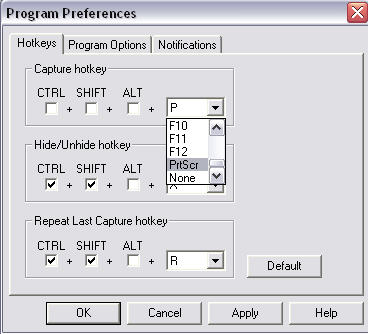
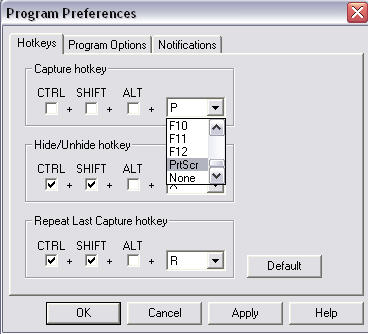
do you mean a shortcut in the bar to automatically take the pic or the keyboard command?

if it's the kb command you want in snagit, that's simple

oops, i just read the details better and i think it's the shortcut in the bar that you want...

I'm not sure about that.

Sorry.

*this post is irrelevant now :banging:

post-141-1069776536_thumb.jpg

snagit.jpg
snagit.jpg

#82712

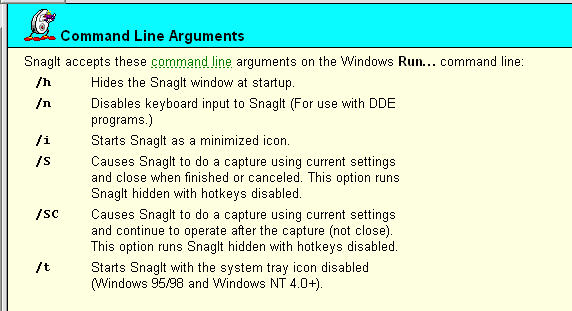
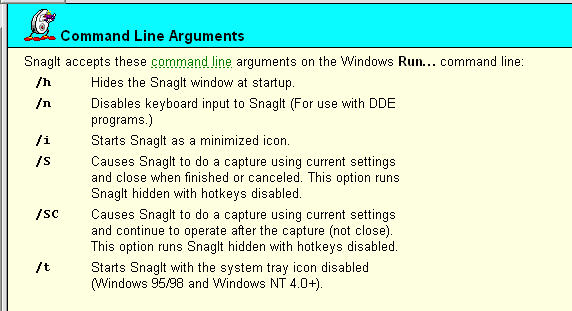
found this in the snagit help:

arguements within the windows run command...

/S Causes SnagIt to do a capture using current settings and close when finished or canceled. This option runs SnagIt hidden with hotkeys disabled.

create a shortcut to SnagIt32.exe /s

and that should fix your problem... I hope.

by the way, SnagIt is the coolest app...I use it like crazy at work.

good luck.

post-141-1069777319_thumb.jpg

snagit2.jpg
snagit2.jpg

#82718