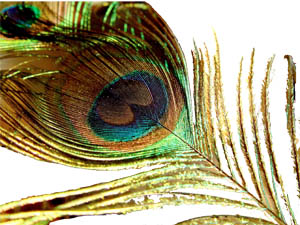
New Adobe Photoshop Cs Icon (well...sort Of)

ok, this icon looks like crap right now because it isnt anywhere near finished. you will NOT BELIEVE how hard it is to take every piece of a multi-colored background out of the delicate threads of a peacocks feather. i have been making progress, the only reason im posting it right now is to know if you guys like it at all. im going to do loads of other stuff to it before its done ( partially transparent background, maybe text.. more colors etc)

hah!

ok here it is
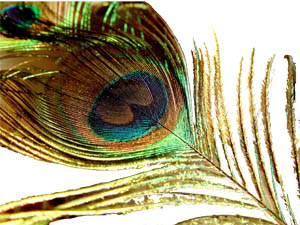
post-2937-1068850373_thumb.jpg

Shot_for_AS.jpg
Shot_for_AS.jpg

#78210

For future refrence, you micht want to check our corel knockout. Its specialy made to knock out the background out of a picture. It does an uncany job, even going so far as to do glass and clear stuff.

#78238

wow...corel, eh? ill look into. it would save me lots of tedious work. im using adobe photoshop cs, wonder if there is a tool i could get for it to do that....

#78243

Theres a few tools that might be usefull for you... use the Magic Eraser tool to remove all of a certain color of a background, magic wand (if your erasing using a selection) and yeah... its pretty simple.

Josh

#78267

yeah, the magic wand was my friends, i knew about it already. i ended up using a couple masks too.

well, its done! i dont know how to make it an icon so if someone could do that for me, it would be cool. here it is!

Feathers_Wind_Preview.jpg

uh, i think i might make a wallpaper out of this too. what do you think?

#78293