Aqua-Soft Forums
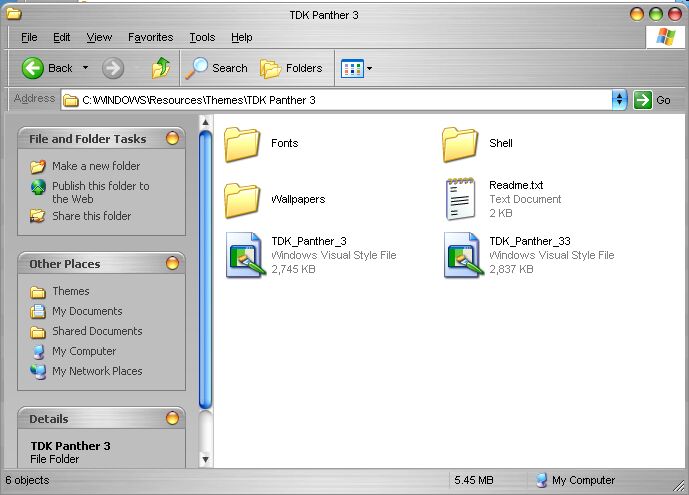
I have downloaded the above referenced theme and unzipped it to the proper directory but for some reasons it's not showing up?
I'm sure it's me but for the life of me I can't figure out what I'm doing wrong. Any help will be appreciated.
I have downloaded the above referenced theme and unzipped it to the proper directory but for some reasons it's not showing up?
I'm sure it's me but for the life of me I can't figure out what I'm doing wrong. Any help will be appreciated.
Did you try simply double-clicking the .msstyles file?
it's because the file and the folder are not named properly.
the file name must be the same as the folder name, so the file should be called "TDK Panther 3" and it'll show up.
Thank you, dreamz. It's working now. BTW....as long as I'm on a "dumb question" roll......where do I put the "shell" folder and/or the .dll file within said folder?
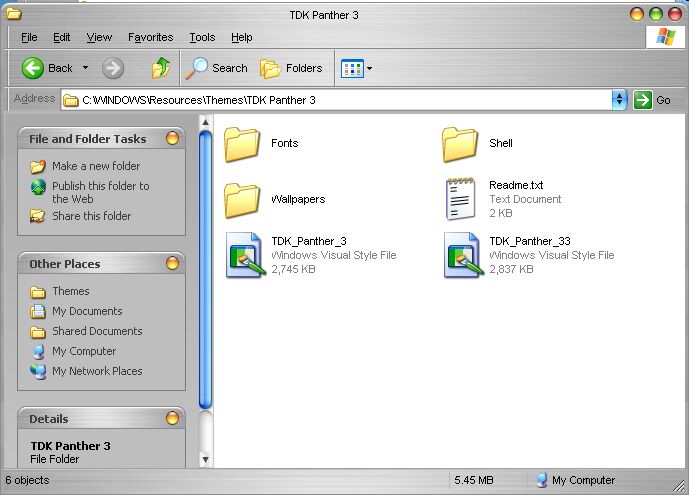
it's right. it goes in the tdk panther 3 folder, just like you have it in that shot. no need to move anything. 
Thanks, dreamz. I appreciate your help.
no problem. glad everything's working.
hi, i just downloaded the above file and unzipped into the themes folder in windows but the thing is, it is now showing up in my theme list. i even renamed the file so that it is the same as the folder name... hmm, is there something i missed out as well? will it conflict with my current theme as i am using iceman's jaguar?
hmm, if you unzipped it to the correct location, if all folders are properly named and placed, and if the folder and file name are the same, there's no reason why it shouldn't show up. can you double-click the msstyles and load it?
and there should be no conflict.
yeah! thanks dreamz, it worked! i didn't know clicked on the visual.. that's y it didn't appeared. 
great!