 Aqua-Soft Forums
escuse me for the quality of the pic. but ....... it is only 60 kb pic.....
click the pic those are the folders i want to hide or whatever i just don`t want then to be there .... (i won`t delete them).
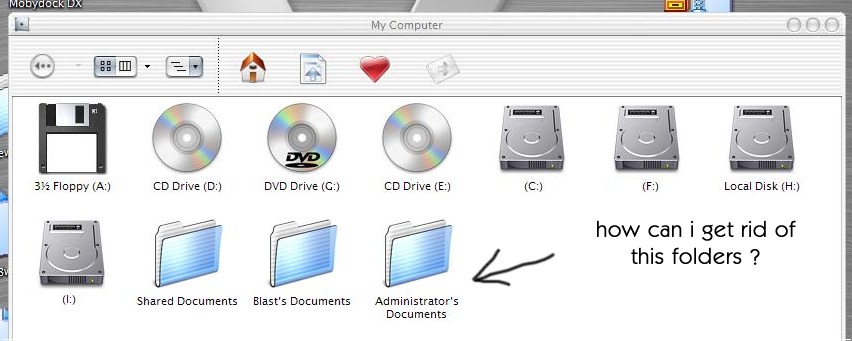
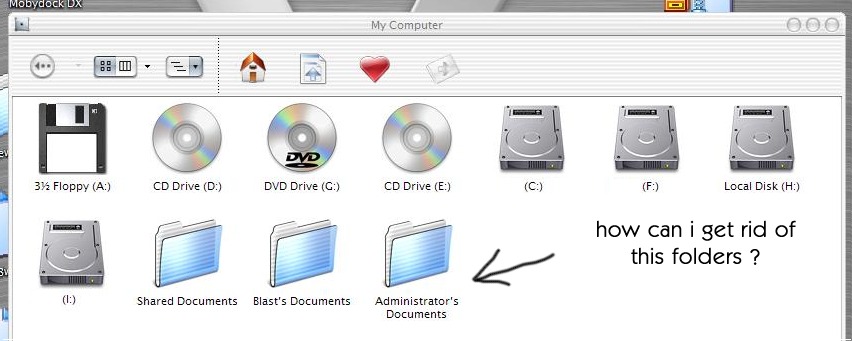
escuse me for the quality of the pic. but ....... it is only 60 kb pic.....
click the pic those are the folders i want to hide or whatever i just don`t want then to be there .... (i won`t delete them).
tweak ui. never worked on my pc  ... is there another way ?
Press delete? 
@contra ..... i don`t want to be rude... but .. can`t you read first ?
.... (i won`t delete them).
Just move your files to another folder, and THEN delete.
You shouldn't keep stuff in "My Documents" anyway, that's the first place hackers/virus's attack.
hdie the Administrator account from the desktop and it should dissapear
Can you hide it? Just right click > properties > attributes, check hidden.
@nate i can hide the subfolders but not the main folder itself
@peteross how can i hide the account from my desktop ? i don`t get it ...
Delete the subfolder of:
HKEY_LOCAL_MACHINE\SOFTWARE\Microsoft\Windows\CurrentVersion\Explorer\MyComputer\NameSpace\DelegateFolders
and the folders are gone.
Well, just hidden from your "My Computer"-View. 
WoWwwwwwwwww Thankss Netzpilot2000 you are the ma !!! thanks a lot 
Originally posted by IngeneerMind@Nov 7 2003, 10:35 PMWoWwwwwwwwww Thankss Netzpilot2000 you are the ma !!! thanks a lot
Netzpilot2000 is the Mom? :shy:
* Copy * Paste * Save for later use *
Thank you Netz.
lol no the mom .... well atleast not mine the "MAN" it is this Savanna explorer...... well.... it always eats my letters !