[help]problems With Mac Icons>windows

So im trying to convert mac icons to windows...

This happens with every mac set ive tried, i extracted the .sit, got the standard "error 3", changed the file names form .rsrc to .rsc, opened them with Aixalis (spelling?) Icon Workshop, & saved them as 128x128

They look distorted & w/ major jaggies :blink:

please & thx

#74011

Are you previewing them as icons under the folder view? If so, what icon resolution do you have Windows set to use and are the icons you've converted encoded to properly preview at that resolution?

#74032

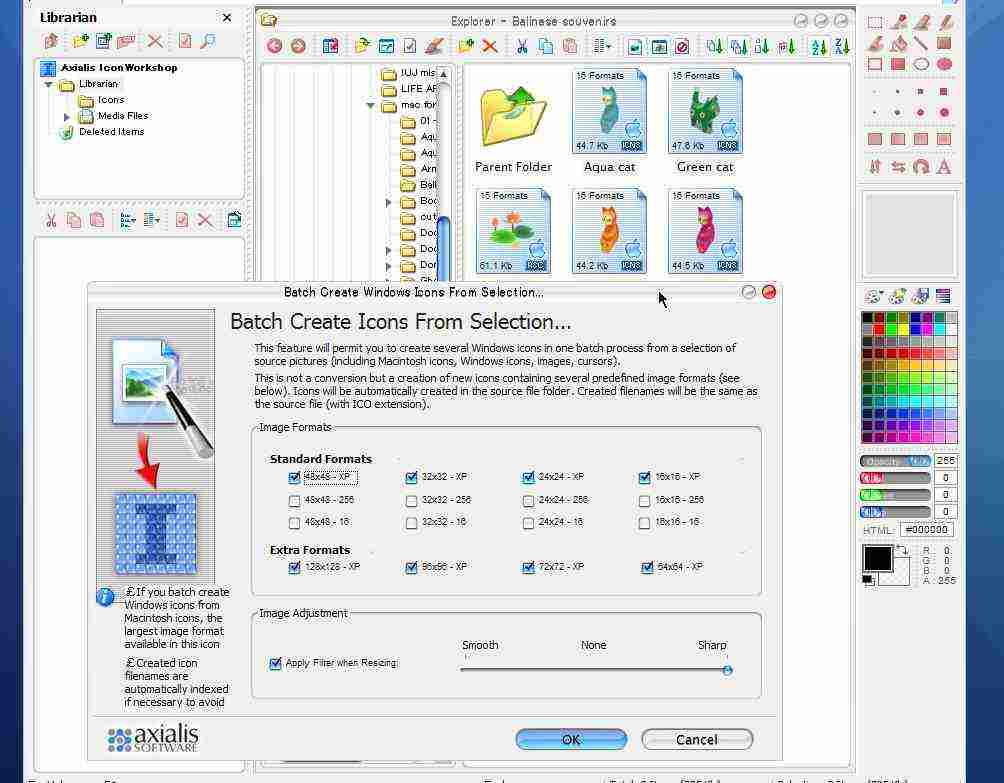
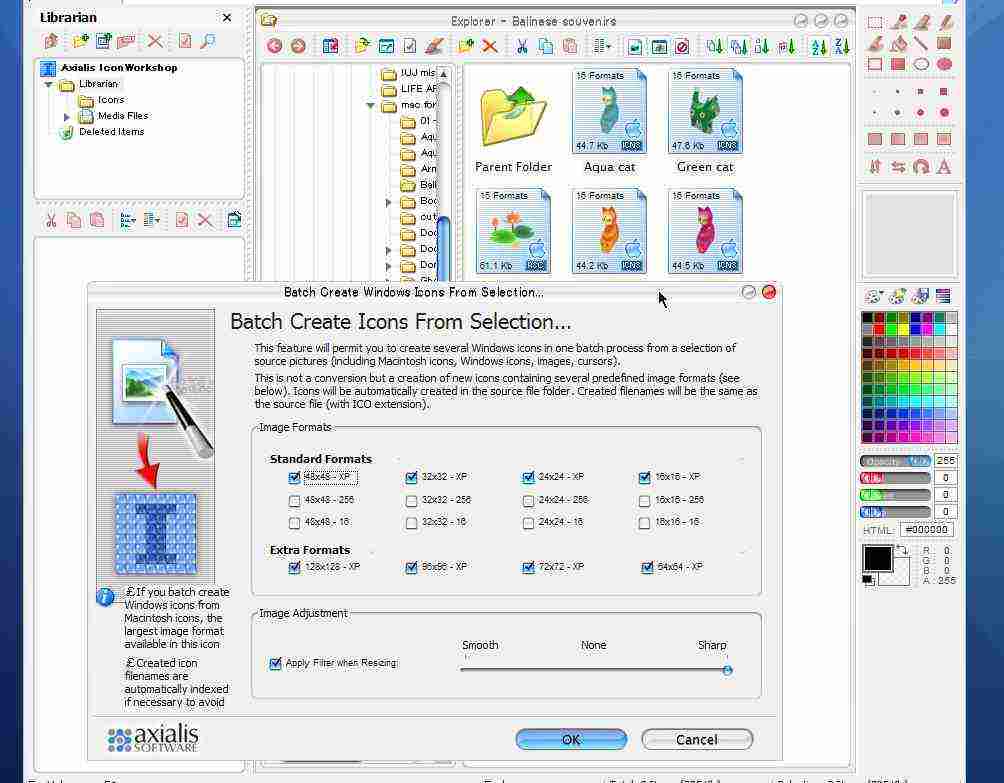
When you're converting the mac icons to windows icons in IW, make sure you're doing 'batch create' then checking all the sizes from 16 up to 128. Saved like that, all resolutions should view clearly regardless of icon view size in explorer (i.e. preview, icon, list), desktop and etc. I've got default icon size set to 96, but view lower rez beautifully in explorer.

edit: sorry for the crappy jpeg

post-5545-1068090421_thumb.jpg

Clipboard.jpg
Clipboard.jpg

#74058

@Smith: im viewing 128 size icons w/ settings set to view as 128 (biiig! :P)

they look like they should in yz dock but not on the desktop or in explorer

@ji eun: thx i didnt know that you could convert more than 1 at a time :D

---------------------------

EDIT:converting .png to .ico has the same problem

#74389

Actually, as your preview shows you are viewing the icons under a "Tiles" view. Only that view gives the px. information. I was trying to get more information like are they pixelated at all preview sizes? As ji eun outlined, in conversion are you making sure you have more than just 128 checked?

-Smith

#74415

Originally posted by Smith@Nov 6 2003, 05:16 PM

Actually, as your preview shows you are viewing the icons under a "Tiles" view. Only that view gives the px. information. I was trying to get more information like are they pixelated at all preview sizes? As ji eun outlined, in conversion are you making sure you have more than just 128 checked?

-Smith

it only works in thumbnail view

and why do i need to make multiple sizes?

#74479

If you don't encode the icon to multiple formats it will not display correctly under XP. If you have icons encoded to display only at 128px. and an icon size setting of 32/48/64/72 it will not properly display the icons with clarity, but instead pixelated. You don't have to encode the icon with all the formats, but at least encode it with the format sizes you use. For me it's no less than: 16/48/72/128

-Smith

#74495

thanks for all your help! :D

#74531