 Aqua-Soft Forums
Check this out, spawn a plylist window by double clicking on the source icon in the source pane of the iTunes main window.
Can someone tell me what is the use of this?
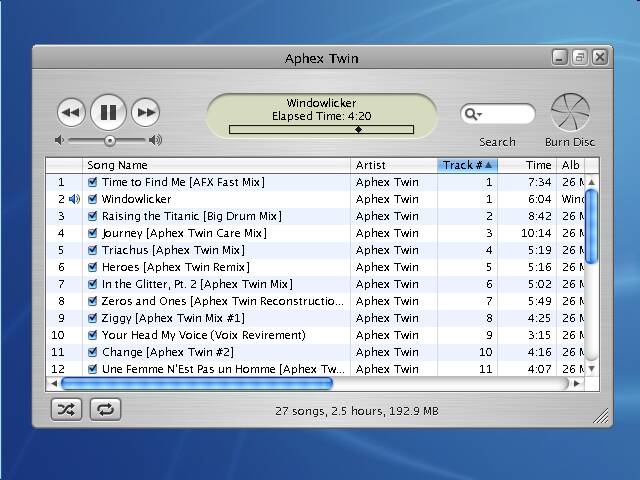

Check this out, spawn a plylist window by double clicking on the source icon in the source pane of the iTunes main window.
Can someone tell me what is the use of this?
Well i use it to import a folder a t a time so i can modify the ID tags at once for the whole batch (ie making sure all the files in a cd have the same artist name)...
Other than that, manipulating two playlists a t atime sounds like a good idea.. dont you think?
CHeers
Seph
Yea, a playlis window also works nice with a visulizer running alongside.
PS: Someone help i think im in love with iTunes
Yea, a playlist window also works nice with a visulizer running alongside.
PS: Someone help i think im in love with iTunes
 i think you might... i think you might...
Originally posted by mwdsl55@Oct 31 2003, 07:23 PMCheck this out, spawn a plylist window by double clicking on the source icon in the source pane of the iTunes main window.
Can someone tell me what is the use of this?
How did you do that?. I have double clicked on gray bit where it says Source. But nothing happens.
Skt
