Orbit 0.2

Hello all!

some of you might know me from the "New Desktop Idea" thread on the AquaXP forums. for those who don't: my name is Lucas Menge and I am developing (for 3 months now) a round AND floating dock-style program for Windows!

the name of the program is Orbit. and the initial idea was from ScoobyDD (which i'd like to thank very much).

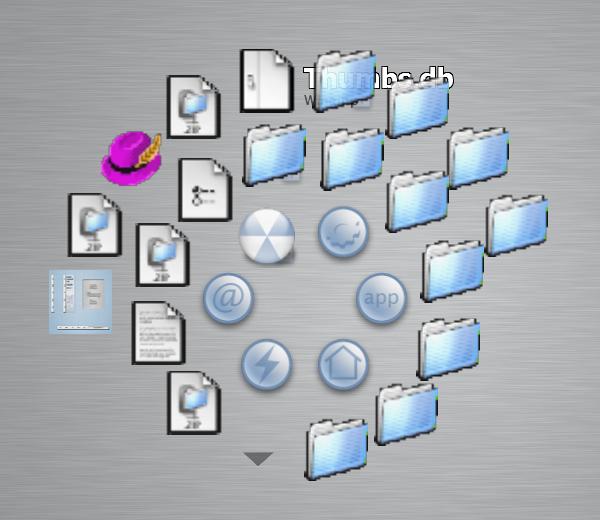
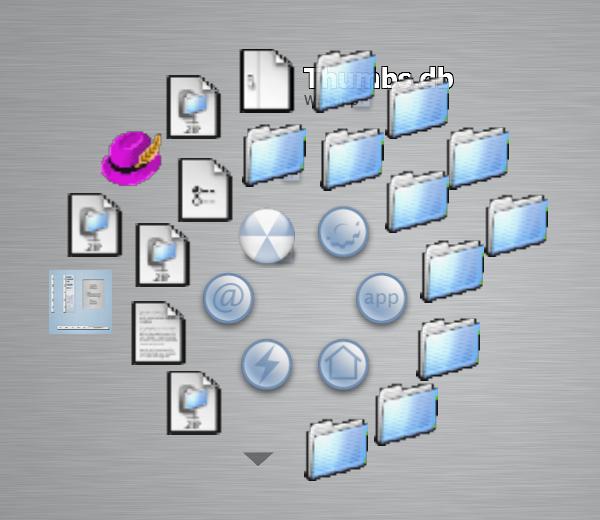
the program works much like the usual docks. but it is different in the sense that it stays hidden (does not take up space onscreen) and only pops up when you call it by pressing the chosen mouse button. the other thing is that it's round and all the items which are called Orbit Folders open on subsequent loops!

Here's a screenshot of it in action:

screen.jpg

Click here to go to the Orbit Official Homepage and download it!

#66656

nice, but i dont like it taking up a whole mouse button, as i dotn have egnouf of them already. I think it would be cool if it were like a wiget on the desktop :)

#66660

Looks great, although over here, it's very, very slow, and when calling up the dock, my entiire screen goes black.

I'd personally prefer to have an option to have it stay statically on my desktop, and responding to mouseover.

#66682

wow this is a really interesting idea im checking it out now

EditUh oh this is what i get when i try to run it

uhoh.jpg

#66684

Hmm, I think I might check this out. Could this be the running task display some of us have longed after?

Grusic

This is .Net Framework dependant.

BZZZZZZZZZZTTTT Well, that blows it for me. I refuse to install a 20 meg pack just to run a 500K program.

#66687

bolero: install the required files at the bottom of the download page. ;)

It's a really nice idea. I don't like how it takes up the whole mouse button either. XD Maybe if it only worked when I clicked the desktop background. I need all my buttons for other things too. :D

The black screen is a tad annoying too. Fix these two problems, and I'll love this app. (Y)

#66688

okay that fixed it.. now when i click the mouse button orbit shows but the whole desktop goes black

#66690

hello guys

PLEASE read the help file (the online manual). it tells EVERYTHING you need to customize Orbit (there's lots that you can customize, y'know). you have options to make it really transparent (like a dock). the black background is the compatibility-mode and its WAAAAAY faster than all docks... that's why i kept it (i particularly prefer it since its much smoother than anything around).

here's what you guys need to run Orbit:

- .Net Framework version 1.1

- DirectX 9.0

- Managed DirectX Libraries (which are supplied at the Orbit homepage and should be unzipped on the same directory as Orbit)

Sorry for any incovenience.

#66735

Originally posted by Menge@Oct 19 2003, 06:21 AM

- .Net Framework version 1.1

- DirectX 9.0

I can stand/support DX9 for mobydock... But this...

and .NET... No way. No way... :nuts: (that frameworks needs a lot of work and I dont like the concept of "framework" (its like to back to the past))

Thanks anyways///

#66888

I don't get it.

What's the big problem with installing a couple of little things that are going to be increasingly used in new app development? Any new version of XP is going to come with it all installed and you can bet you pants that Longhorn will come with it all. .Net is here to stay as a development tool, resistance is futile.. :scarry:

#67027

It's a very good program that obviously took a LOT of work. It's very impressive and if you reach your "goal" its going to be awesome!!! The screen going blank is a little hard to get used to but if your computer can handle all the transparency and animation use it in the normal mode, haha. I'm liking it a lot though!! I haven't had a single problem with it yet.

GOOD JOB

#67118

Originally posted by Blade+Oct 19 2003, 10:45 AM-->
QUOTE(Blade @ Oct 19 2003, 10:45 AM)

#67123

//off topic

And imho that Java is way more of a pain in the ass than .NET...I seriously don't see why people support Java just because it's 'alternative'-all those applets are horribly slow, buggy, and let's face it, Sun is a huge company who would do the same sh## as MS if they would dominate a market...just look at the prices for SPARC workstations&stuff.

//off-topic

Anyways, great job you did on this little app!

#67126

okay i finaly got this thing to work out nice and let me say this is extreamly nice

the effects are very well done and im extreamly impressed with what i see

i noticed though when real transparency is on.. and its default size makes it run extreamly slow

but i made it less transparent and lowerd the overal size and its running great

i think a great idea would be if this was like a Task switcher if you know? like the Alt tab feature.. if somthing like tha twas added

but wow.. im impressed with what im seeing

keep it up.. do what "you" want with it as its your baby.. hehehe

-bolero

#67129

hello guys,

i'd like to thank all the feedback i'm getting here.

@Chi Chi Rodriguez,

as i answered to Shak on the AquaXP forums, the screen going blank is due to the fact that you are using either the Non Transparent mode or the Fake transparent mode. to get straight a transparent Orbit, go to the Config, under Appearance and check the "Use Transparent Mode" box. that'll make it fully transparent. this mode is much slower than the other ones but its really transparent.

@lecter,

thanks, man! :)

@bolero

thanks for all the comments :) about the task switcher thing, it's a great idea! i like that! :P i had researched around before (back when goku was trying to get someone to do a OSX alt tab dialog) on how to replace the alt+tab dialog but didn't find anything really useful (as in reference). i'll look at it again.

i really think i need your guys' opinion. that's more important for me since this whole thing was started by a post on the AquaXP forums. and i started building it asking ppl what would be best and such. so feedback is essential, i'd say :)

thanks again!!

#67151

What am i doing wrong i have all the stuff to run the app but when i click my middle mouse button (on the mouse wheel) it does nothing? how come can i bind it to another button or key or somthing?

#67222

I must say I'm impressed. So impressed that I'm wondering if there's an OS X equivalent of this app!

Keep up the good work!

#67235

This definitely is a great app. For all those that are not sure whether it's worth the trouble, trust me IT IS!

I promise .NET won't hurt your computer, I was in this boat for quite a while but honestly its not that big a deal. Just download it and see. As for the Managed DirectX files download from the Orbit site and unzip into your Orbit folder.

Trust me you'll be pleasantly suprised. As for the developer, Menge, I gotta say that he takes on board all suggestions and is not in the least bit 'spoilt' as some of you may know what I mean :lol:.

@Menge

I like the new option that allows you create a shortcut to a folder and then to display and scroll through that folder with your mouse scroller.

I found a slight problem with the icon transparency when browising folders though, not sure exactly what the problem is but the icons look distorted (see attachment)

Keep up the good work!

post-3229-1066657447_thumb.jpg

Orbit.JPG
Orbit.JPG

#67274

Originally posted by contrasutra@Oct 20 2003, 01:57 AM

2. A "Framework" is actually a MODERN idea, as opposed to the archaic C/++.

[snip]

I doubt you complain about installing the JAVA framework.

hahaha... Modern idea... hahahaha

have you any idea about runtimes?... well... Modern idea...

and this framework is absolutely different of JAVA :staffs here: ... absolutely. Java is multiplatform. You can run it on any system. Without any major difference. No code translation, and a long etc that I dont have to arge here because I dont have the time.

.Net framework what is it?. Even M$ dont knows... So give me a break.

And may be you are right about that .net is the future... becaue M$ say that, isnt?.

Remember this, more powerful hardware makes more dummies programmers. Im sure that you will understand ;)

@Menge, btw, nice work. Im saying that because the pics. Looks nice.

#67290

Very nice app! :D

Had a little trouble finding .NET framework, but i think i got it now. I'l just have to download and see :)

#67311

Originally posted by Blade+Oct 20 2003, 10:09 AM-->
QUOTE(Blade @ Oct 20 2003, 10:09 AM)

#67353

Wow nice program! I'll be sure to watch it's progress! (Y)

#67495

This is wicked and very original. I like you creativity! (Y)

Now where did I put those powder doughnuts?!?

#67498

Hi,

i tried to get orbit to work but it won´t show. When i start it, there is for a second or less a black screen than i get back my desktop. When do the middle mouse button click nothing happens. Task Manager shows that orbit is running. There are no error messages. What i´am doing wrong?

My Config: AMD XP 2000+, 512MB,WinXP SP1, .Net Framework, DX 9b, Managed DirectX ..., Geforce 4 64MB.

Please Help i like the idea of orbit and i would like to test it.

#67595

@loser, knipslicht,

you 2 can bind it to another key. for instance, IF you don't have a Config.ini file, then create one and write

PopKey=1

this will bind it to the left mouse button. after that all u need is go into Orbit and on the config dialog change it to any other button. i you still are having problems, please e-mail me so we can better discuss this. :)

@fireball,

thanks, man! :)

@Tadis,

thanks man! really appreciate that :)

i like that feature too. lol

and about the icons, that happened before... but i don't really know what it is. Maybe it's because the available icons on Windows are too small and don't resize well... dont know. .Net doesn't handle Windows ICOs very well either (hence the black border on some XP-styled icons)

@B3nd1k,

hope u like it!

@DrEaMs In DiGiTaL,

thanks :)

@wizard,

the initial idea wasn't mine! thank a guy called ScoobyDD on the AquaXP forums :) i just coded and added stuff that ppl asked

I'll be taking a look at the problems most ppl are getting and see if i can solve them. thanks all :)

#67639