Reshacking Pngs

Guys, have you tried that new Nero 6 with that glossy welcome app? I tried to reshack it and replace the images to make it brushed, but i stumbled upon PNGs in that EXE. Reshacker won't consider they're images, and I can't perform Save or Replace Resource actions.

Is there any workaround or do we have to take it as it is?

#65231

you could try resbuilder, which allows you to edit directly (i.e. without extracting first) in an image editor of your choice, so you can edit pngs as well. :)

get it here.

#65263

Hm i know about that nero startup center screen its horrible...

If you do get around skinning it, please do share !! ;)

Seph

#65356

this can be a pain in the ass, but the way to edit PNG's is to open the tree u want, goto Action and Save As A Binary Resource, and giv it the suffix *.png.

then to put the edited PNG back in, u goto Action and Replace Other Resource. u then browse to the New PNG file, in the Resource Type Field u put "PNG" in the Resource Name Field u put the Name ie "276" and in the language field u put the language code, english would b "1033".

hope this makes scense.

-The Unknown

#65392

sh## that does sound like apain in the ass!!

Come to think about it... it doesnt look as bad anymore! hahahahhaha

#65394

individually its not a problem, but its when u have 100+ resources to replace it becomes tedeous. however after a while u learn a few tricks to save time, so if someone wants to do the graphic work, ill edit all the resources 4 them? just a thought.

-The Unknown

#65396

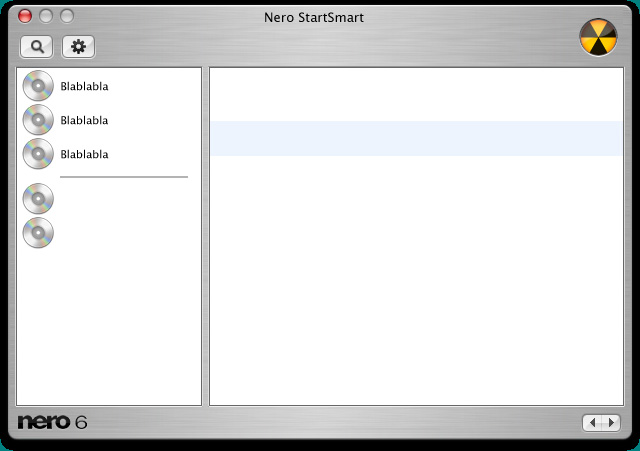
How's this for a teaser? ;)

theunknown, if you're willing to help me with this hack, it would be so welcomed! But there are some thing that would need to be relocated (buttons/fields), so I'm not sure if it will work after all. but we can try, can't we?

post-1336-1066262435_thumb.jpg

NeroStartSmart.jpg
NeroStartSmart.jpg

#65613

i would b glad to help (Y) . tell me what your thinking about and ill c what i can do.

-The Unknown

#65968

Originally posted by miSka@Oct 15 2003, 04:00 PM

How's this for a teaser? ;)

theunknown, if you're willing to help me with this hack, it would be so welcomed! But there are some thing that would need to be relocated (buttons/fields), so I'm not sure if it will work after all. but we can try, can't we?

is that the welcome image?

#65975

when everyone talks about the "start image" r they refering to the splash screen? if not could u please post a screeny?

@miSKa, i have extracted all the PNG files and have determined repositioning the buttons, fields etc is beyond my ability. however i think with some decent graphic work you could get close to your "teaser". if u havent already extracted the images, giv me an email and ill save u a bit of time.

-The Unknown

#66059

The Unknown, could you send the PNGs to m dot fedoseev at mail dot ru? And for thе whole layout, I don't know if I'm gonna move anything or not, but I'll try to.

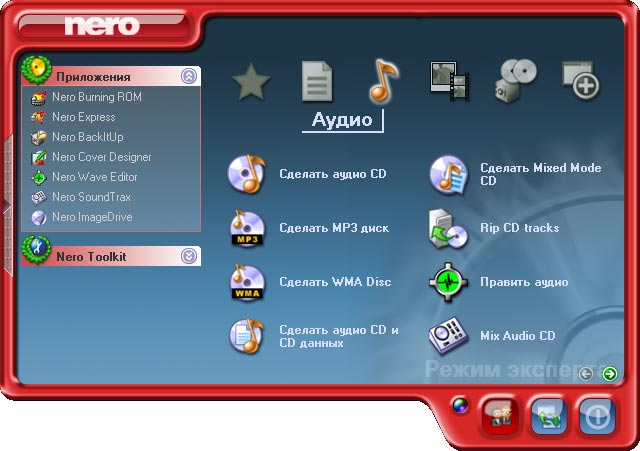
And for all those who haven't yet seen Nero 6, there's this welcome app, StartSmart, you can see it's default look in the picture attached to this post. And I'm gonna turn it into the one seen in the previous post. :rolleyes:

post-1336-1066432830_thumb.jpg

NeroStartSmartOrig.jpg

#66228

Originally posted by Seph@Oct 15 2003, 06:56 AM

Hm i know about that nero startup center screen its horrible...

If you do get around skinning it, please do share !! ;)

Seph

yeah i agree with you ...

#66317

Originally posted by miSka@Oct 16 2003, 04:00 AM

How's this for a teaser? ;)

theunknown, if you're willing to help me with this hack, it would be so welcomed! But there are some thing that would need to be relocated (buttons/fields), so I'm not sure if it will work after all. but we can try, can't we?

That looks wicked man!! Keep it up!!!

Cheers

Seph

#66333