Additional User Agents

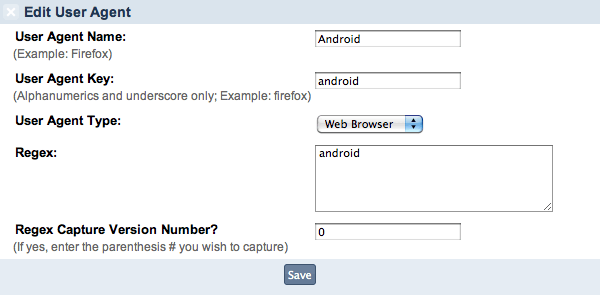
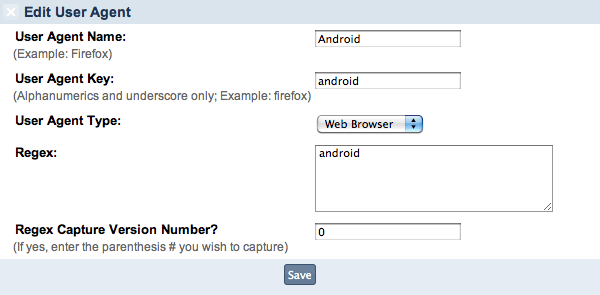
List of additional user agents you can use with the skin. (iPhone, iPod Touch & Blackberry already built into ipb)

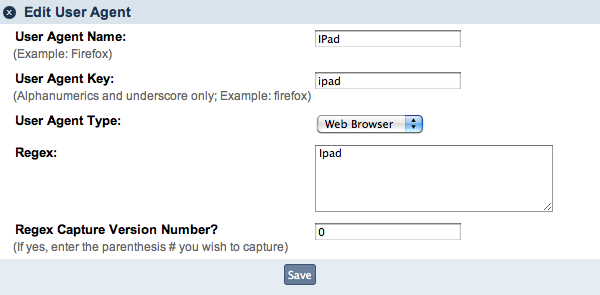
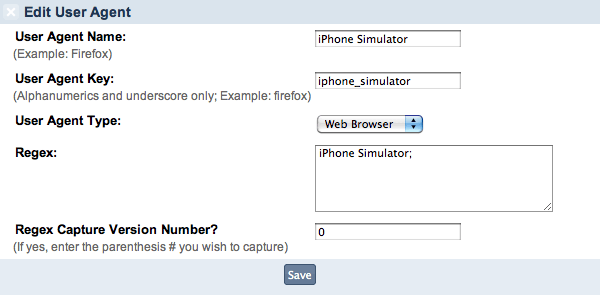
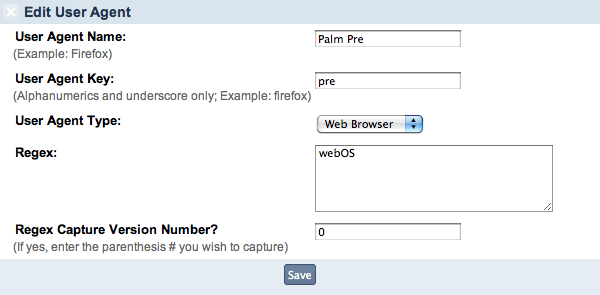
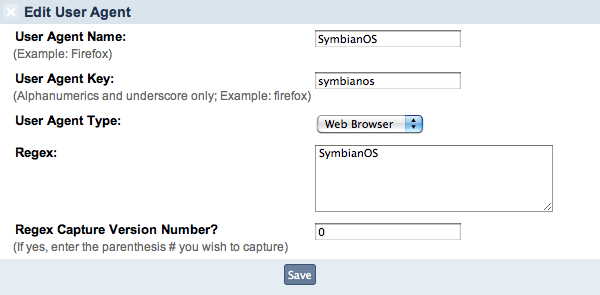
Note: Must be "EXACTLY" as shown in the picture.

Android
post-1-126511337255_thumb.png

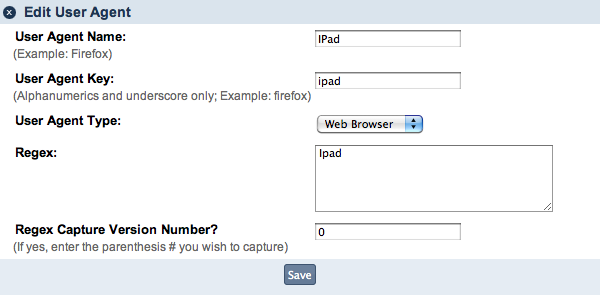
iPad

post-1-127047901789_thumb.png

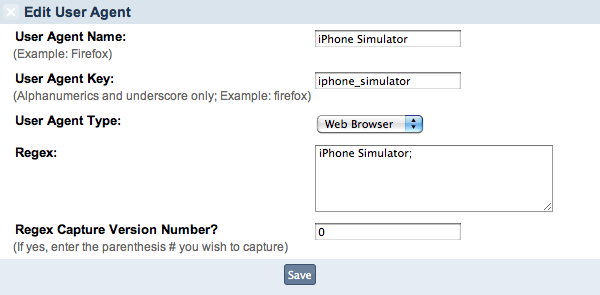
iPhone Simulator

post-1-126511337342_thumb.png

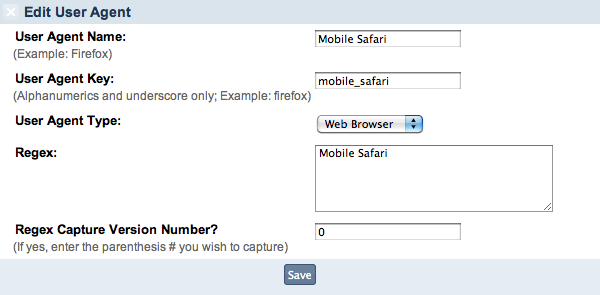
Mobile Safari (misc mobile devices that use safari)

post-1-12651133743_thumb.png

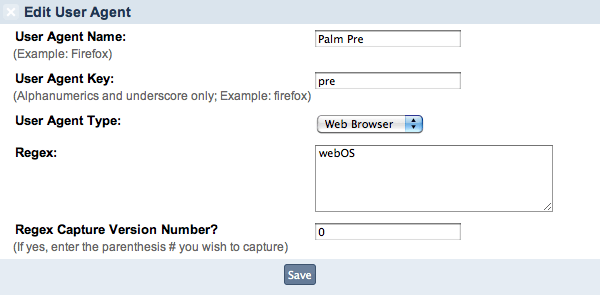
Palm Pre/Pixie

post-1-126511337681_thumb.png

Windows Phone

post-1-0-00458600-1289467631_thumb.png

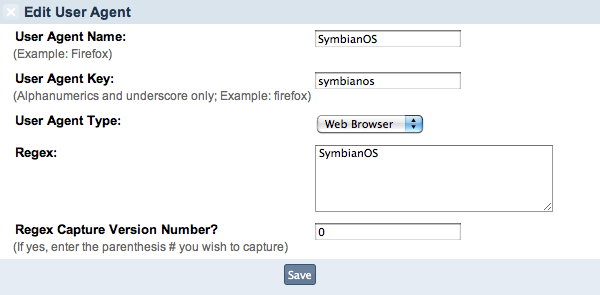
Symbian (nokia phones)

post-1-126511337768_thumb.png

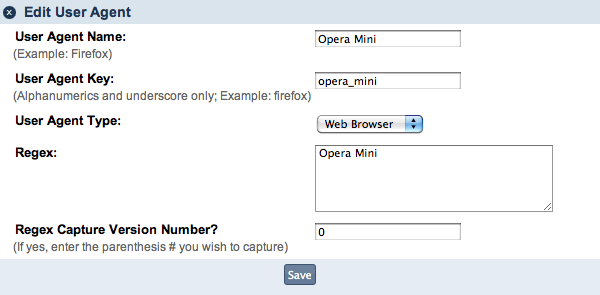
Opera Mini

post-1-126511337511_thumb.png

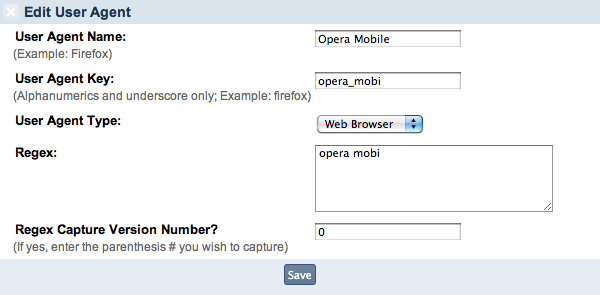
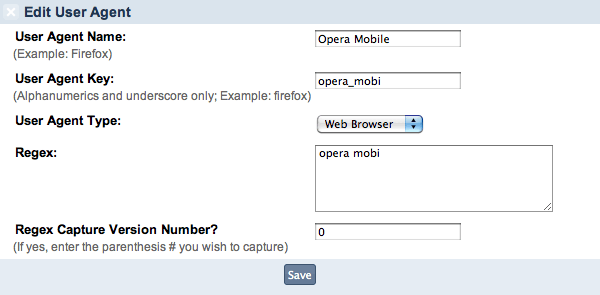
Opera Mobile

post-1-126511337599_thumb.png

How to "add" user agents to IPB3

[media]http://www.youtube.com/watch?v=gGyAxEskki8

How to "assign" user agents to the Aqua-Soft Mobile skin

[media]http://www.youtube.com/watch?v=mXIYUA3u1wg
android.png
android.png
iphonesimulator.png
iphonesimulator.png
mobilesafari.png
mobilesafari.png
operamini.png
operamini.png
operamobile.png
operamobile.png
palmpre.png
palmpre.png
symbian.png
symbian.png
ipad.png
ipad.png
windows_phone.png
windows_phone.png

#534499

Good list Timan, you think you can find one for the PSP & Wii?

I have a PSP one but I don't know if it is working correctly

Name: Sony PSP

Agent key: sonypsp

Regex: Playstation Portable;psp;

is what I have, but i don't have a psp to test it lol

#534538

Windows Mobile?

#535920

Are you sure that the iPad user agent is correct? I've tried it in the way it is in the image above as well as every variation I can think of but nothing works.

#537515

Just tested it again, works fine.


/>http://qkpic.com/0ad35

#537520

Just tested it again, works fine.

http://qkpic.com/0ad35

I must have missed that combination somehow. You may want to switch out the original screenshot for this one as they're different. This new screenshot works great, the old one not so much. ;)

#537522