Windows 7 Msstyle

Howdy, Yesterday i installed windows 7 and loved the way it works but i really hate the way it looks.

So is there a way to edit msstyle like in windows XP in an more advanced way then resedit? (and i know about windowblinds, i don't really like that it eats up all my memory/cpu)

I've got most of the pictures needed for creating a new msstyle in windows 7 and would love some help!

And here is the style i'm working on.

11lps15.png

#532147

Wow...very nice.. Mac stuff...love it..When you put this style at download?

I love how it seen on Win7...

#532158

*0* Wonderful

W7 Visual Styles support left buttons on title bar? ._.

Its basic, aero or both? :o

#532165

Well as soon as i create it :), i'm afraid that was just a mockup I'm just trying to find a good program that edits msstyles. I really want to create this style so any help is great :)

#532199

well, I already tested Ave's style builder, but i still have to learn the fundamentals/ how to apply it wo windows 7 ^^ I'm a really slow learner so do you know if there is a FAQ or some sort of help file? :)

#532336

just an update.

i'm starting to get the hang of Vista style builder, but have a few questions for the editing tool

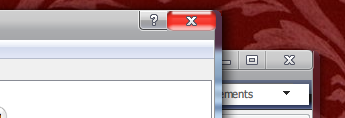
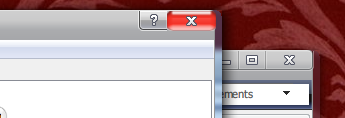
1.As seen in the picture, there is a line of blur next to the frame, is there anyway to delete the blur feature in windows 7 using Aves vista style builder?

post-65110-1257867150_thumb.png

2.And also, as seen in the picture, the exit-button is distorted and stretched, is there any way to (without making the picture a higher resolution) delete the stretch?

Mac7.png
Mac7.png

#532353

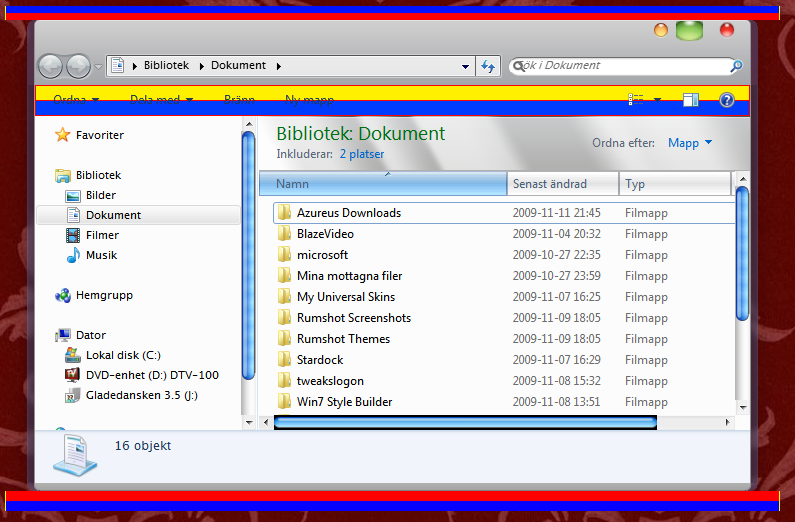
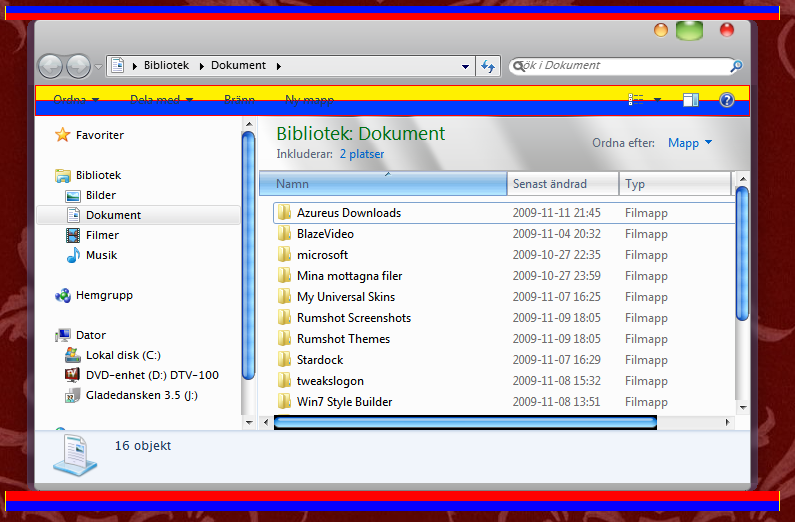
here's a little preview on how far i've come.

And if anyone has any experience with windows 7 msstyling ( Vista style builder ) I would love some tips :)

post-65110-1258158213_thumb.png

Preview.png
Preview.png

#532464

Looking forward to this :)

Please, please make 0 / 1 pixel window borders.

#532722