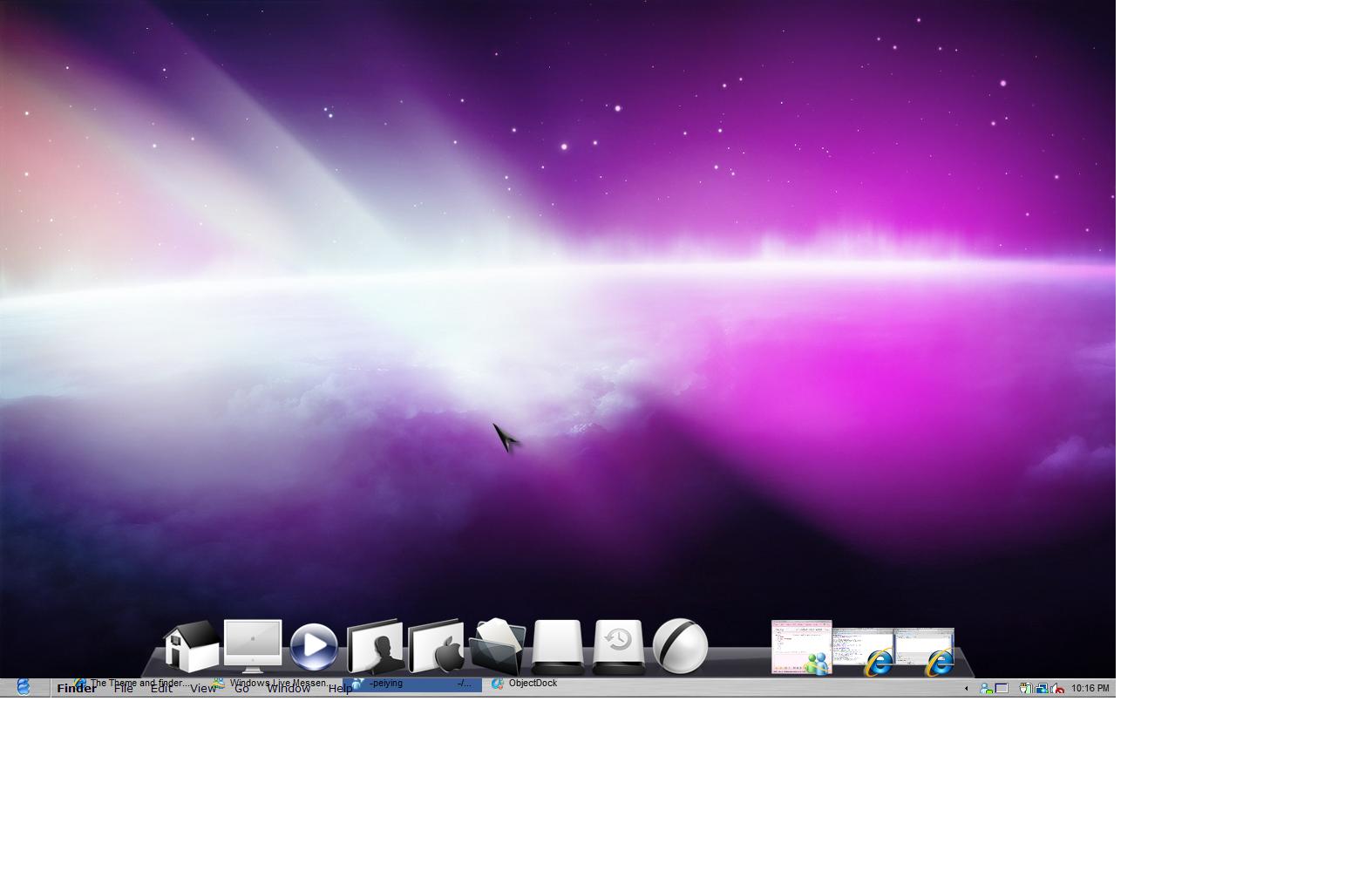
My Finderbar Is Overlapping With My Windows Taskbar!

My OS is Windows Vista SP1, and im currently using WindowsBlind theme, and Objeck dock and RocketDock.

The finderbar i have downloaded should be applicable for Vista, but i dont know what happened, the Finderbar overlapped my taskbar at the bottom of the screen.

I tried moving the Finderbar but failed, and nor has any setting which enables to position the Finderbar.

Any experienced know what went wrong? T.T
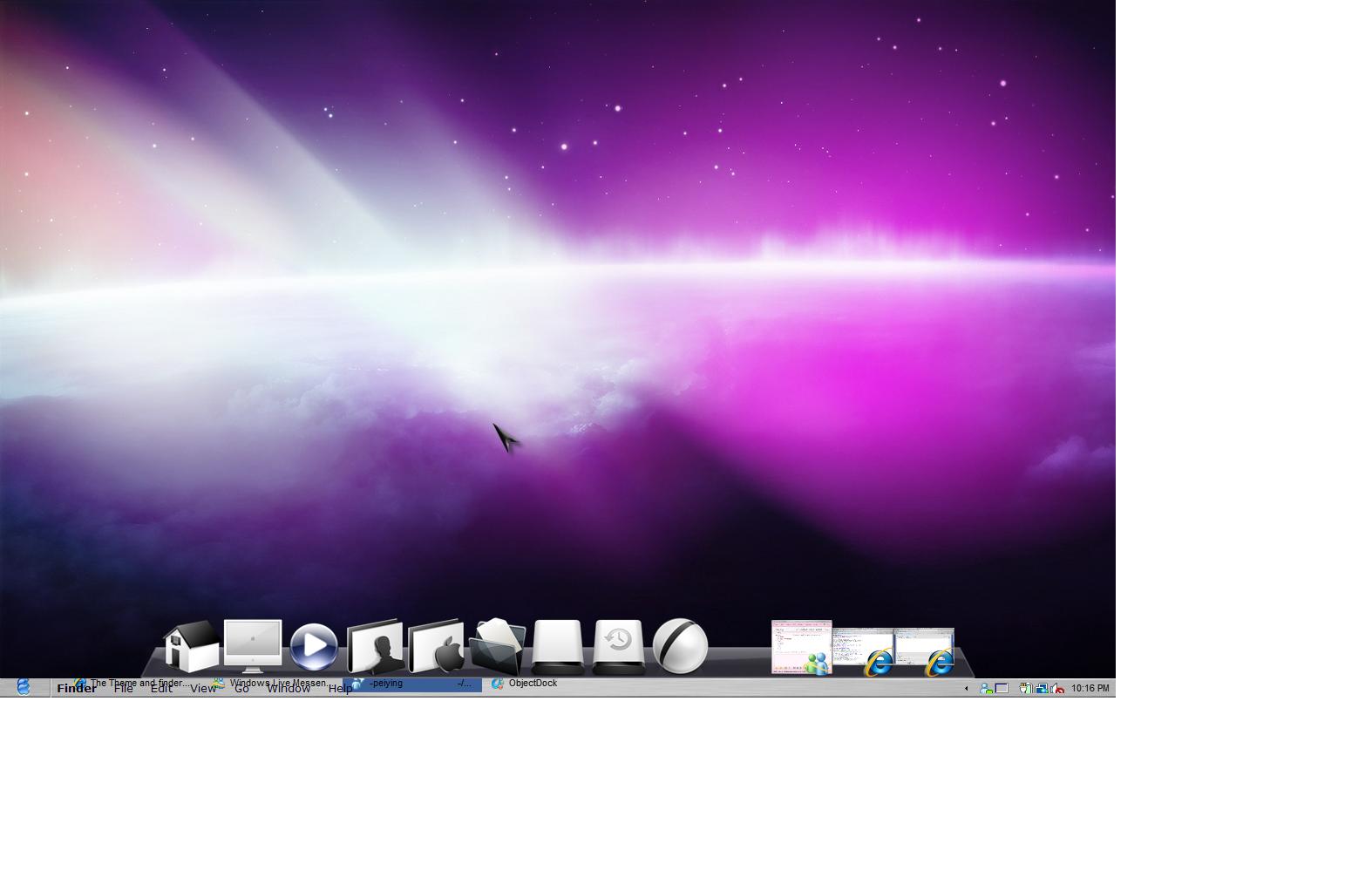
post-103067-1245680414_thumb.jpg

overlapp.jpg
overlapp.jpg

#529020

Normally I'd say move the task bar to the top of the screen, but it's up to you. ;)

If you right click the finderbar and select Skin it, this should solve your problem.

#529021

Normally I'd say move the task bar to the top of the screen, but it's up to you. ;)

If you right click the finderbar and select Skin it, this should solve your problem.

it dosent work, dont know why.

after i click skin it! , the Finderbar just disappear for awhile, and the windows Start button was automatically pressed, and close after 1sec. After that the Finderbar just went back to the same state

Normally I'd say move the task bar to the top of the screen, but it's up to you. ;)

If you right click the finderbar and select Skin it, this should solve your problem.

How do you move the taskbar?

Right click on it dosen't work

Do not double post use the edit function - mps69

#529022

it dosent work, dont know why.

after i click skin it! , the Finderbar just disappear for awhile, and the windows Start button was automatically pressed, and close after 1sec. After that the Finderbar just went back to the same state

How do you move the taskbar?

Right click on it dosen't work

Do not double post use the edit function - mps69

To move the taskbar, right click it, just to make sure it's not locked, if it is unlock it. Then just grab the taskbar and move it from bottom to the top of the screen. Right click again and lock it.

Open the finderbar folder, and there should be 2 files called background.png and background_press.png delete these.

Make sure you have no windows open, then do the skin it thing again.

Failing that, jump over to the Finderbar thread, if you search for it, there is hints and tip how to get finderbar to work fully.

#529024

I think you have to look at your display settings first.. some don't support high resolution...

#529037