 Aqua-Soft Forums
I finally got sick of seeing the Google Talk login page displayed in Arial and decided to do something about it. I opened googletalk.exe in Resource Hacker and set to work.
The login screen is contained in dialog 130. As soon as I replaced Arial with MS Shell Dlg and hit 'Compile Script' I received an error message (see attached screenshot). I didn't change any text in the dialog apart from the font name. I can't understand why I'm getting this error. Funnily enough, a few other dialogs in the same EXE contained Arial too. Those dialogs compiled just fine after I replaced the font name.
Can someone please suggest what to do? Seeing Arial is just so annoying!
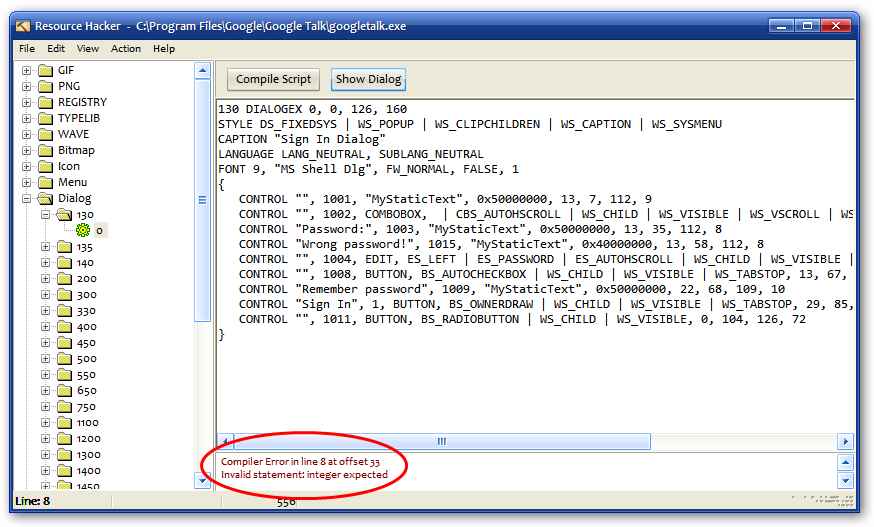
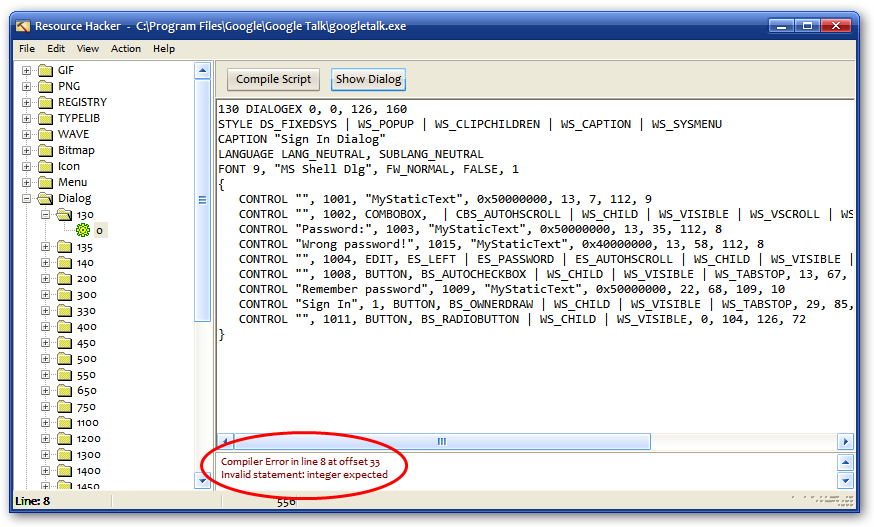
 remove the | before CBS_AUTOHSCROLL in line 8.