
Problem With Bookmark Toolbar In Firefox 3

I use FF 3 with Grafire skin. After adding the CompactMenu icon in the Bookmark toolbar the highlighted bookmarks look "broken", ie. the left rounded end is slightly higher than the rest of the highlight (as in the picture below). Is it possible to fix it with Stylish or some other way?
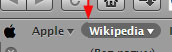
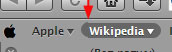
post-86687-1234659378_thumb.jpg

CompactMenu.jpg
CompactMenu.jpg

#523689

If you're just attempting to hide the toolbar menu, how about trying a different addon to see if it has better compatibility with the rest of your setup. There are quite a few apps that do this. The first one that I can think of is Personal Menu: https://addons.mozilla.org/en-US/firefox/addon/3895

EDIT: remember to restore your toolbar before uninstalling CompactMenu first. :)

#523690

...Or why not try to move your CM2 button to the Toolbar instead?

...or use an image with a 16px height...

#523691

another firefox menu hiding extension: http://lifehacker.com/5149707/hide-menubar...ar-out-of-sight

Thank you, it was good solution. This way my FF looks much better.

#523721