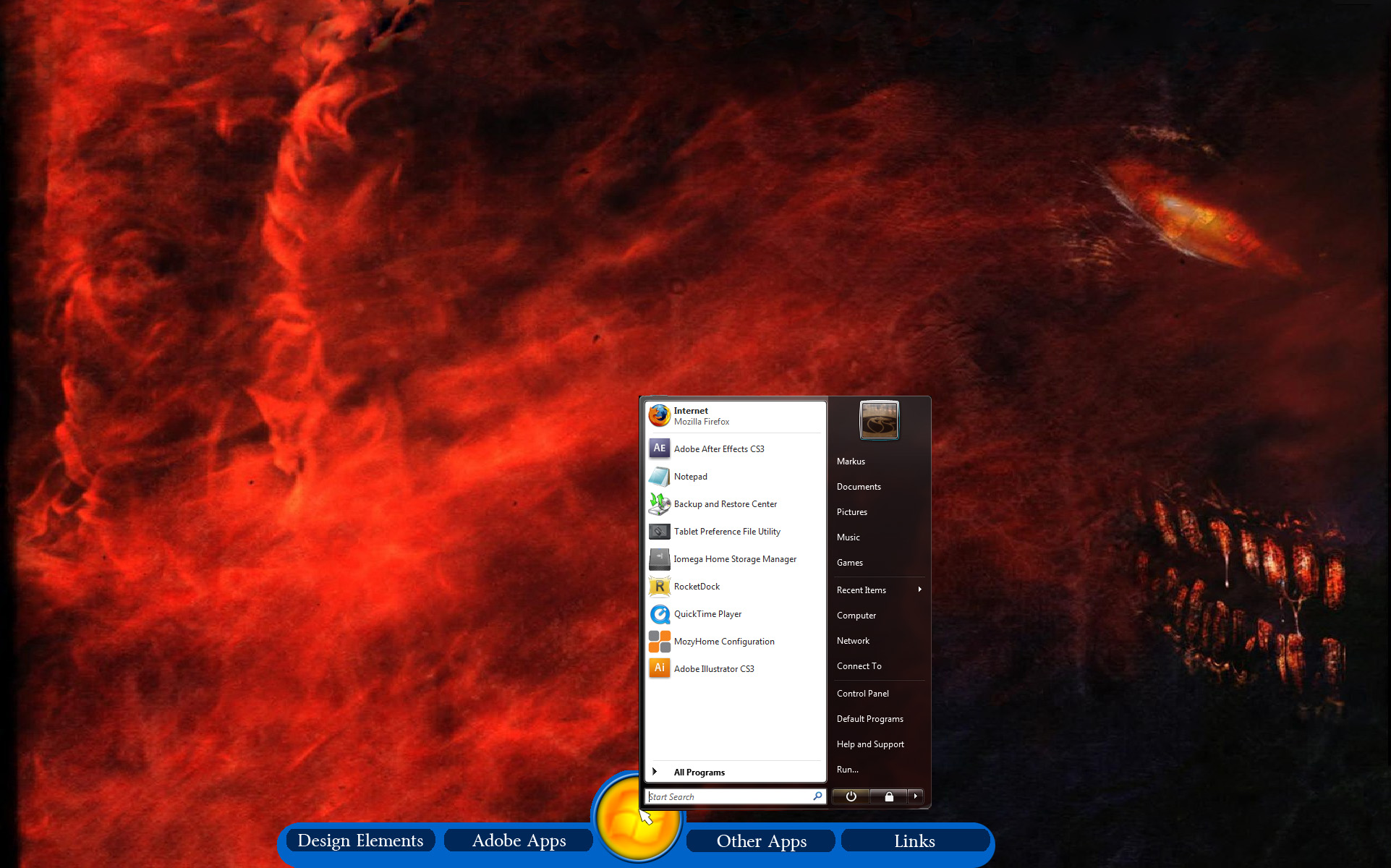
Desktop tabs/drawers/shelves

is there anything that lets you make tabs on your desktop, sorta like a dock, except they are small tabs on the edge of your screen, and you click on one, and it opens up into a drawer where you can access your icons? (wow, runon, lol) I've looked dor desktop drawers app and desktop shelves app and desktop tabs on google (if i left out app it would bring me to places to buy drawers and shelves... google can automatically translate app to application if you didn't know) . If you could find one (or make one) i'd be greatly appreciative

Here are photoshoped images of my desktop with what im serching for (the BG is from a digital book that i got on iTunes -- I do not know how to link images here):

1) the first one is what I am at least looking for (if no one wants to sit down and write an application for the community) (the side by side icons i only did in that image because i made it real wide)

2) Though the second one is much cooler and if someone wanted to sit down and make that (and use XML and images to make a skin, I'll happily make skins for it (image wise, and obviously slicker looking than that flat one i put on there) but i am not a good coder at all...

P.S. I just made my account here recently, and this is my first post, HI all!

post-52-1233710256_thumb.jpg

post-94260-1233710256_thumb.jpg

Desktop.jpg
Desktop.jpg
DesktopST2.jpg
DesktopST2.jpg

#522778

To answer your question you can do this a couple ways, the first one that comes to mind is downloading objectdock, then downloading or making .pngs that just have words instead of pictures. Then using Matonga's stack docklet for the shelves. Then making objectdock completely transparent so only your shelves show. That would be the easiest way in my opinion but I'm sure more experienced members here have even better apps, personally thats a good one though.

#522779

see, i thought about that, but thats what i don't want to do, i want an app where they are like drawers that slide out for the applications and actually have customizable backgrounds and stuff, i don't just want stacks that fly out... thats what im using right now, and personally am sick of it

#522781

So you've tried grid mode?

Ok for a customizable background I'm not exactly sure of a program like that. I know of one that works like a start menu with a customizable background? KK Menu is a good one for that.

If you want like the grid mode of stacks to have a custom background you might wanna talk to matonga, as he is re-writing his stacks docklet currently and he might be able to give options for the background. He's an excellent guy, and possibly later down the line when he's adding some of the functionality he could add a background changer perhaps?

http://www.aqua-soft.org/board/showthread.php?t=51289

Send him a PM once he's released the new beta vers. of it.

Otherwise I'm sure some other more experienced members can help you out.

#522783

What about RunMe and the other launchers from KSoft?

Maybe they will fit better for this drawer stuff.

#522791

quick question about RunMe (im at school so i can't get to their site and check it out, i saw some pictures of it on google though) can you have them in a horizontal row? and also, how thin can you make the buttons to open it?

also (as a side note) any ideas on how to get information out of an XML file and bring the data into C++? and also, if you start out with a blank project in Microsfts VC++, how do you make the Command Prompt now show? I'm attempting on making my own, as a little project to learn more C++, since i know so little... you may say start with something easier, but i am starting simple and gonna build on it so yah :D

#522840

quick question about RunMe (im at school so i can't get to their site and check it out, i saw some pictures of it on google though) can you have them in a horizontal row? and also, how thin can you make the buttons to open it?

Mmm... no idea.

also (as a side note) any ideas on how to get information out of an XML file and bring the data into C++? and also, if you start out with a blank project in Microsfts VC++, how do you make the Command Prompt now show? I'm attempting on making my own, as a little project to learn more C++, since i know so little... you may say start with something easier, but i am starting simple and gonna build on it so yah :D

Smaky is a genius with C++. He wrote a lot of docklets for ObjectDock. You can find him here at Aqua-Soft (check the members list). He also knows how to write GUI apps.

When you start with blank project in C++, there is a setting you must change, which tells the compiler to build either a console application or a gui/win32 application. Check the project properties, etc...

You'll know you did it right when, with a blank project, nothing happens (instead of a flashing command line).

#522859