Finderbar visual glitch

I've been using it for only a little while and it all looked very cool. Until one day my computer crashed and when I came back and started Finderbar I got this: Glitched Finderbar

I have no idea how to get it back to functioning again...Could someone please help me with this?

Thank you in advance.

#519126

Right-click and go to "skin it".

#519127

Right-click goes to only grayed out Finderbar and ERROR which I can click on for me.

And most things show up as ERROR too, like some options...what is this?

#519128

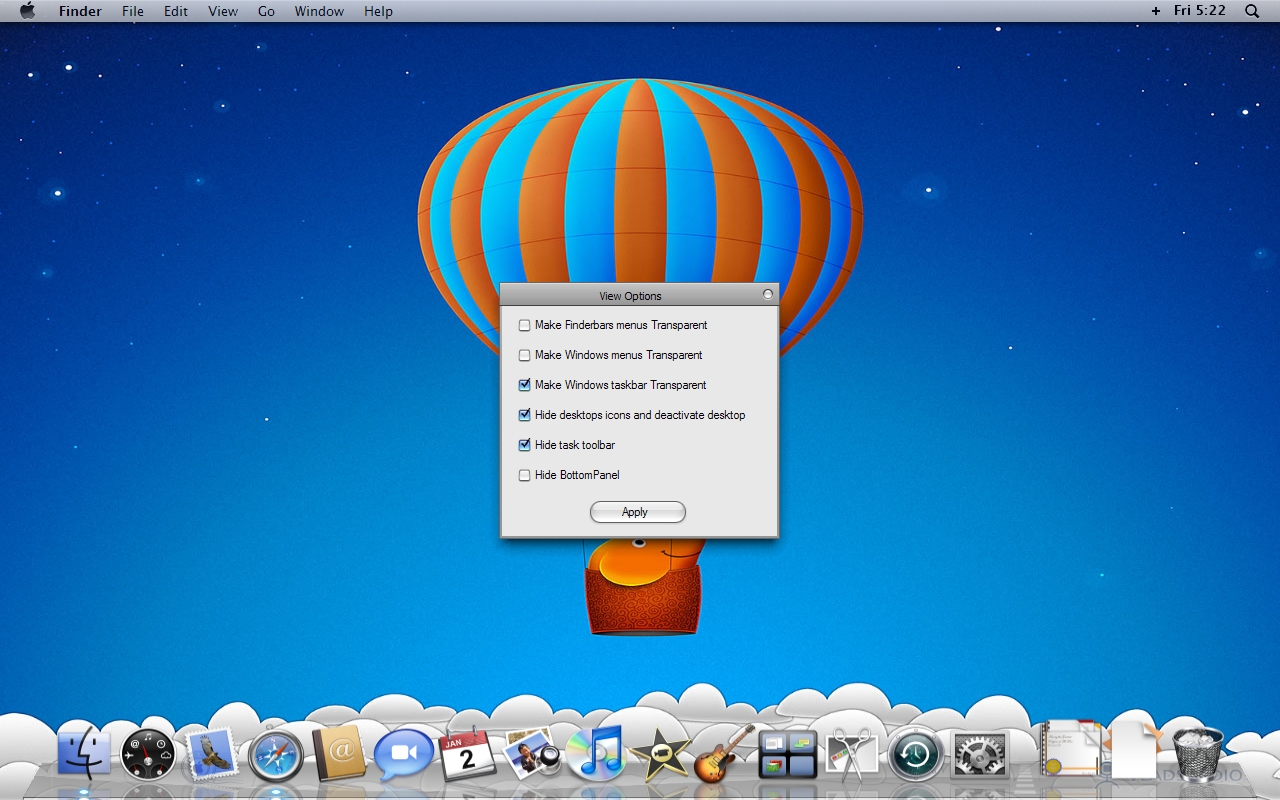
Make sure your view options look like in my screenshot then reload the Finderbar.

post-84755-1230938603_thumb.jpg

Screenshot-20090102-4.jpg

#519129

Only changed appearance but everything is still glitched.

#519130

What do you mean it only changed the appearance? You have to be more specific, does it still look the same?

If that didn't help, then if you have Windowblinds, reapply your theme. Or if your using a visual style, reapply that and then exit and restart Finderbar.

If this doesn't help then maybe Windowblinds is having conflict with it, I has the same problem.

#519132

What do you mean it only changed the appearance? You have to be more specific, does it still look the same?

If that didn't help, then if you have Windowblinds, reapply your theme. Or if your using a visual style, reapply that and then exit and restart Finderbar.

If this doesn't help then maybe Windowblinds is having conflict with it, I has the same problem.

Don't have Windowblinds, reapplied my visual style but still it looks like this

#519133

Okay, you should try reinstalling Finderbar completely then.

#519134

Okay, you should try reinstalling Finderbar completely then.

Already tried that a couple of times, doesn't work either.

#519137

Try to make a screenshot of your desktop (no open tasks in the taskbar) and save it as background.png to the finderbar folder.

#519138

Try to make a screenshot of your desktop (no open tasks in the taskbar) and save it as background.png to the finderbar folder.

Worked....still a little bit glitchy but it looks better...

Thanks.

#519140

Make sure your view options look like in my screenshot then reload the Finderbar.

whoa!

what kind of dock are you using? :D looks awesome

#525909

Hey what sort of finderbar are you using?

Matt

#526233

Hey what sort of finderbar are you using?

Matt

http://landvermesser.tripod.com/

#526242