RSS Daily Comic Strip Docklet for ObjectDock

Well this one is a request by Ghostwalker. This docklet is based on my previous work with the Daily Dilbert Docklet (http://www.aqua-soft.org/board/showthread.php?t=50775) which grown to accomodate other RSS Feed based comic strips, hece I decide to rename the docklet and start a new thread for it.

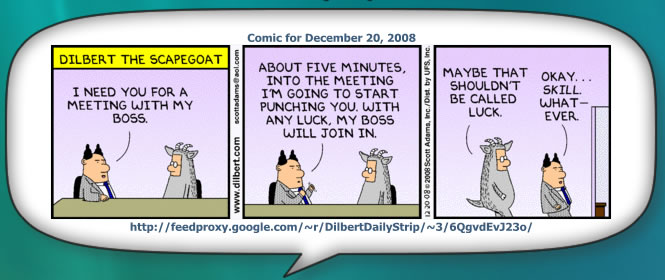
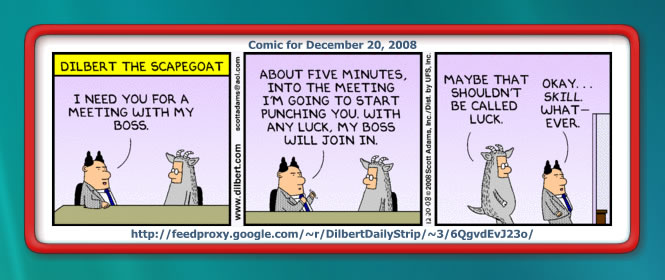
This docklet will let you download & display the current comic strip from a compatible RSS feed based comic strip (like Daily Dilbert Strip which is the one configured by default). It downloads the feed, parses it and let you select any stip from the ones included in the feed.

When you click on the docklet icon the currently selected strip (today by default) will be shown. You can select previous strips using the conext menu. The comic strip window will be shown, displaying the comic strip selected; you can drag the window around and hide it by clicking on the docklet again. The last position of the comic strip window will be saved (by default) so new strips will be shown wherever you left the window before.

The docklet includes many configuration options that let you tailor the information shown at the docklet icon and label, and at the comic strip window. You can also configure the icons used by the docklet and the skin for the comic strip window frame.

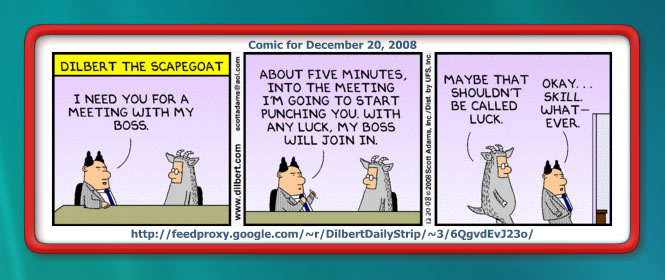
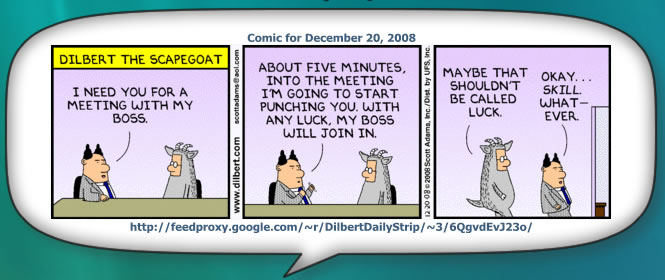
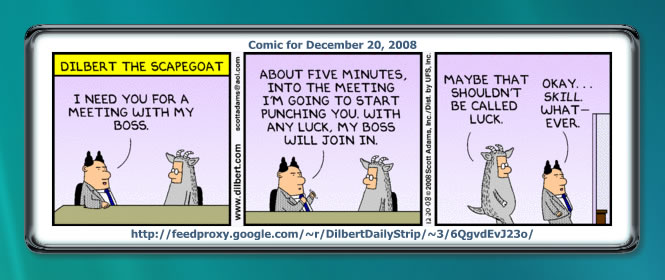
The docklet includes three skins created by me (remeber, I am no Graphics designer), two stretchable skins and one for absolute dimension. A sepparate download includying several skins contributed by Ghostwalker is available, they should be saved on individual folders under the "icons" folder of the docklet.

Updates:

- 22/12/2008 : Added multiple profile support. Now it is possible to configure multiple source RSS Feeds for comic strips, you may select the one the docklet will be showing by using the context menu (right-click). Now it shows two areas, the first one is the available profiles, the second. the comic strips available from the currently selected profile. You can configure different background icons for each profile.

- 23/12/2008: Improved compatibility with several RSS Feeds that caused problems, see second post for info on feeds.

- 27/12/2008: Added additional parameters to extract RSS Feed data out of element's attributes (previously only element values where retrieved). This led to more feeds to be compatible with the docklet (look the feeds post).

- 29/12/2008: Added GoComics strips support by includying a new profile type. Added BackUp/Restore for the Docklet's configuration setings.

- 29/12/2008: Fixed bug that corrupted profile titles.

- 05/01/2009: Fixed a bug that prevented some stip titles from showing.

- 16/01/2009: Fixed a few bugs that were uncovered while developing the RSS Reader Docklet (which used this one as its basis).

- 06/03/2009: Added options to arrange feeds and to backup & restore docklet configuration (I do not remeber if this docklet already had this last functionallity, but anyway).

- 26/03/2010: Fixed a few minor bugs and tested under Windows 7. A small face-lift to the settings dialog.

Known Issues:

- The feed should inclide the image to be shown, if the image is not included on the feed the RSS Feed entry will be discarded. If you have ideas on how to overcome this... please advise. The same goes for feeds that include more than one image... any ideas are welcome.

Any comments & suggestions are surely welcome.

Thanks Ghostwalker for the skin set file.

post-79521-1229846285_thumb.jpg

post-25-1229846285_thumb.jpg

post-25-1229846286_thumb.jpg

post-25-1229846287_thumb.jpg

RSSDailyStrip - 0.1.0.2e.zip

FullSkinSet.zip

preview.jpg
preview.jpg
balloon-preview.jpg
balloon-preview.jpg
default-preview.jpg
default-preview.jpg
red-preview.jpg
red-preview.jpg

Attachment: RSSDailyStrip - 0.1.0.2e.zip

Attachment: FullSkinSet.zip

#517851

Here are some other feeds that were confirmed to work with the docklet... I will edit this post as new feeds are identified:

Working - with default parameters:

Working - with customized parameters:

  • Snap-O-Mania!

Working - with issues:

Not working:

Tip: for gocomics.com comic strips look "featureCode" in source view while displaying yor prefered comic strip. Use this data as the <comic_strip> data that should be set for the profile. (Thanks to silkshadow for the info)
A few icons you can use for your strips...

post-25-1229846648.png

post-25-1229846650.png

post-25-1229846652.png

post-25-1229846653_thumb.png

post-25-1229846654.png

post-79521-1229846647_thumb.png

post-25-1229846655_thumb.png

post-25-1229846656.png

post-25-1229846657_thumb.png

post-25-1229846658.png

post-25-1229846647_thumb.png

post-25-1229846651_thumb.png

post-25-1229846649_thumb.png

pinkpanther_menu.png
menu_garfiled.png
menu_garfiled.png
menu_bc.png
menu_bc.png
dilbert.png
dilbert.png
menu_dilbert.png
menu_dilbert.png
phd.png
phd.png
phd2.png
phd2.png
phd_menu.png
phd_menu.png
comics.png
comics.png
comics_menu.png
comics_menu.png
pinkpanther.png
pinkpanther.png
bc.png
bc.png
garfield.png
garfield.png

#517853

Here is a whole list of comic feeds, I have not tested any of them.

http://www.tapestrycomics.com/

#517856

Here is one for AppleGeeks it displays properly in the context menu but says the comic is not found when you try to view one.

<item>

<category>Comic</category>
<title><![CDATA[Issue 490 | Stupid Fence]]></title>
<description><![CDATA[<a href="http://www.applegeeks.com/comics/viewcomic.php?issue=490"><img src="http://applegeeks.com/comics/issue490thumb.gif" /></a>
]]></description>
<link><![CDATA[http://www.applegeeks.com/comics/viewcomic.php?issue=490]]></link>
<pubDate>Wed, 17 Dec 2008 23:49:00 EST</pubDate>
</item>

EDITED

Well it seems to work after restarting the dock.

#517857

When I change the Docklet icon the skins fail. I have to restart the dock for it to take effect.

#517859

A nice feature if it can be done would be to save each feed added to the docklet to an .ini file then to be able to change feeds from a drop down menu.

#517861

This will display in the menu but cannot find the comic..

http://www.gocomics.com/bc/rss.pxml

#517862

Do you have the URL for it? Because,

http://www.applegeeks.com/rss/?cat=lite and http://www.applegeeks.com/rss/

are working fine here...

Here is one for AppleGeeks it displays properly in the context menu but says the comic is not found when you try to view one...

EDITED

Well it seems to work after restarting the dock.

#517863

Indeed, if you look at the RSS feed this one does not inclide the image in their feed... I have found some feeds like these, unfortunately, the docklet expects the image URL to be somewhere among the "Description" tag's contents.

This will display in the menu but cannot find the comic..

http://www.gocomics.com/bc/rss.pxml

#517864

Well... you can have several docklet consigured each for a different comic... I am not sure if adding something like comic "accounts" would be easy... or at least... very useful.

A nice feature if it can be done would be to save each feed added to the docklet to an .ini file then to be able to change feeds from a drop down menu.

#517865

I did not get this one... does it fails whenever you change the skin, the docklet icon or menu icon?

When I change the Docklet icon the skins fail. I have to restart the dock for it to take effect.

#517866

The docklet icon, it does it every time.

P.S. Working on a new docklet icon for you (more generic)

EDITED

Seems to do it even when I change the context menu icon. Also I'm getting a blue background with the context menu icon I made yours seems fine.

#517868

Seems to be working fine now it only done it the first time I added it.

Do you have the URL for it? Because,

http://www.applegeeks.com/rss/?cat=lite and http://www.applegeeks.com/rss/

are working fine here...

#517869

That is a shame my two favorites are like that.

Indeed, if you look at the RSS feed this one does not inclide the image in their feed... I have found some feeds like these, unfortunately, the docklet expects the image URL to be somewhere among the "Description" tag's contents.

#517871

Shame because if there are ten comics you like that would be ten docklets (more ram for the dock)you would have to run. And if you just add one docklet at a time to view them it resets to Dilbert.

Well... you can have several docklet consigured each for a different comic... I am not sure if adding something like comic "accounts" would be easy... or at least... very useful.

#517873

One like this creates to big of image for a resolution of 1024x768...

http://feeds.feedburner.com/tapestryripleys

#517874

@Ghostwalker,

1. I am not able to reproduce the error in ObjectDock or ObjectDock+ here, I changed to the icons you made without problems... are you using RD or DK? --- EDIT: Recoded the icon configuration code, please test again.

Seems to do it even when I change the context menu icon. Also I'm getting a blue background with the context menu icon I made yours seems fine.

2. I may scale the comic strip image if it is larger than certain threshold, of course that would mean to loose a bit of quality... I could add a parameter to scale the image and another one to act as a threshold... or it might simply be calculated automatically if the image dimensions are larger than the current screen resolution. Either case, quality would suffer.

One like this creates to big of image for a resolution of 1024x768...

3. I am not sure how to solve this... these feeds contain only a link to their web sites... I would have to do some HTML scrapping or something else... but it would not be easily "generalized"... I was thinking on creating a "gocomics" docklet since I have found a way to retrieve the strip on the day... but it would not be as flexible or "nice" as the RSS feed approach.

That is a shame my two favorites are like that.

4. Since this is a docklet by request (your request actually)... I think I will add the mentioned "account" support. It is not really hard... it's just a bit of work... but I will do it (eventually). --- EDIT: Done.

#517917

I'm using ObjectDock+ with a 512px png for the dock icon it is strange because it does it every time I change the dock icon or the menu icon it cannot find the path to the skins folder. Maybe we should wait till someone else test it to make sure it is not something on my end.

1. I am not able to reproduce the error in ObjectDock or ObjectDock+ here, I changed to the icons you made without problems... are you using RD or DK?

#517930

I have just added multiple profile support to the docket. Now you can configure many RSS Feeds and select the one to show using the context menu (right-click). In the process I have recoded the icon selection code... so it may solve the issues that were reported with icons.

#518013

Another update... I have been testing several feeds for compatibility problems (and found a few actually), so a small update that fixes some issues with feeds that did not worked well.

#518108

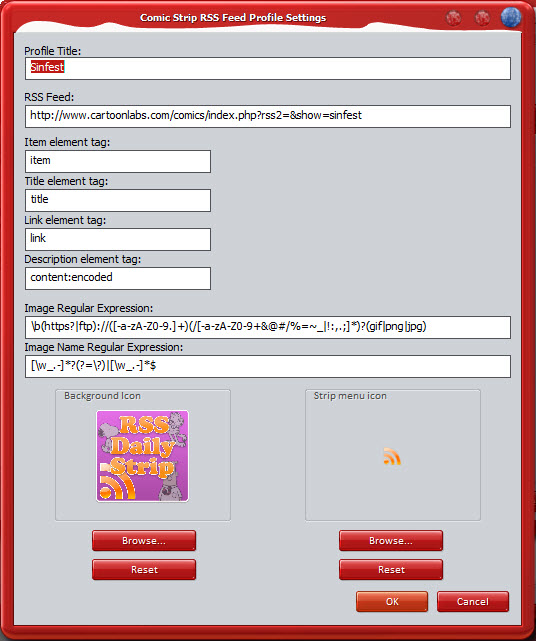
Hi Smaky...Great Docklet! could you describe how to get sinfest to work with it, thanks in advance.

thank you Smaky and Merry Christmas... you've just made me and my girl's day.

#518123

It's just a matter of changing the Description element tag... look at the snapshot of the proper profile.
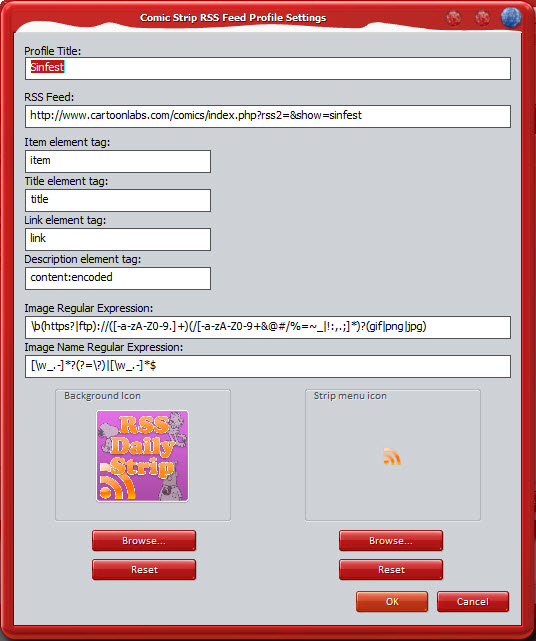
Hi Smaky...Great Docklet! could you describe how to get sinfest to work with it, thanks in advance.

post-79521-1230141653_thumb.jpg

Sinfest - Profile.jpg

#518140

Two things I would like to see added...

1. Save all profiles to an ini and load the ini on startup. Otherwise if you remove the docklet and put it back you have to add all the feeds again.

2. An option to have the comic appear in the middle of the screen like it used to be.

#518265

Also the label over the icon is offset to the right by 1 or 2 pixels. I can get you a screenshot if you need.

#518266

If yopu uncheck the option "Save window position" in the general settings tab the window will show at the middle of the screen.

Two things I would like to see added...

1. Save all profiles to an ini and load the ini on startup. Otherwise if you remove the docklet and put it back you have to add all the feeds again.

2. An option to have the comic appear in the middle of the screen like it used to be.

#518307