 Aqua-Soft Forums
hey guys, is there anyway for me to change the icon in firefox in the first screenshot(pointed to it in red) to the icon in the second screenshot(pointed to it in black)
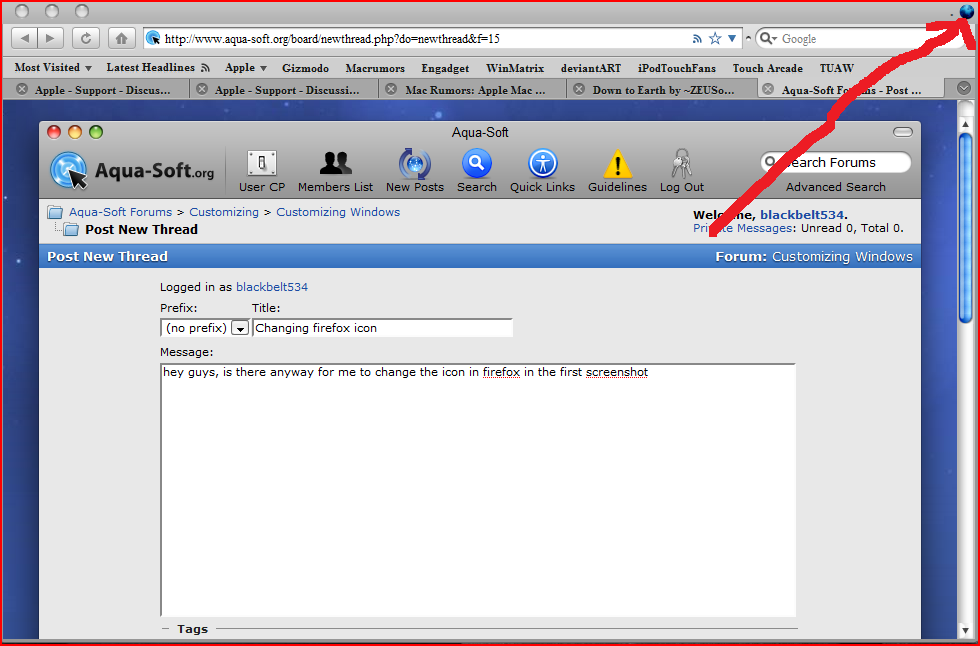
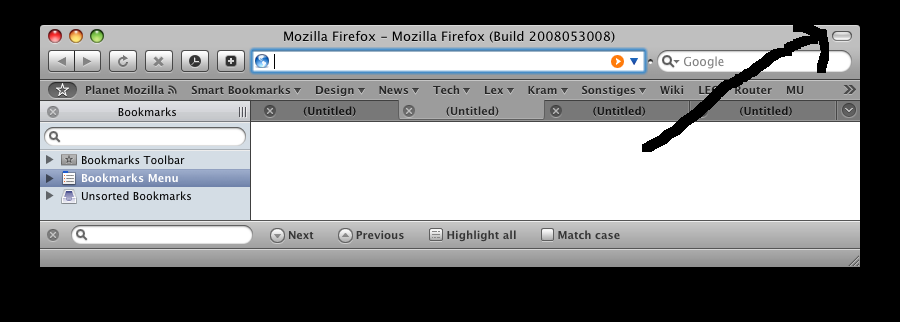
hey guys, is there anyway for me to change the icon in firefox in the first screenshot(pointed to it in red) to the icon in the second screenshot(pointed to it in black)
first of all thats not a icon, it a button to hide all the back, refresh and stop buttons, and yes you can change the icon so ill look like you had that button, its called ResHaker, search it in the furums, hope I was good help
Are you sure ResHacker is able to hack a probably protected resource like firefox.exe?
€: Alrite, it's able to do it 
yes it can be done, ive been able to do it, ive changed mine to a black and blue fire fox icon
the only programs I havent been able to change with reshaker are office 2007 icons =(
I was pretty sure Firefox 3 had integrated anti-phishing and anti-malware features. At least I remember it not letting me navigate sites such as www.keygem.vs
i'm looking for powerful add-on at fire fox for securing my browsing activities from phishing.
The best addon against these criminal tactics are YOU my friend ;-)
Just remember: No respectable institution would ask for passwords and TANs and PINs. If anybody or any website asks for something like this just press close and type in the adress to this page manually. If you keep on getting to this site you should consider a DNS-hack by virus or other malware.