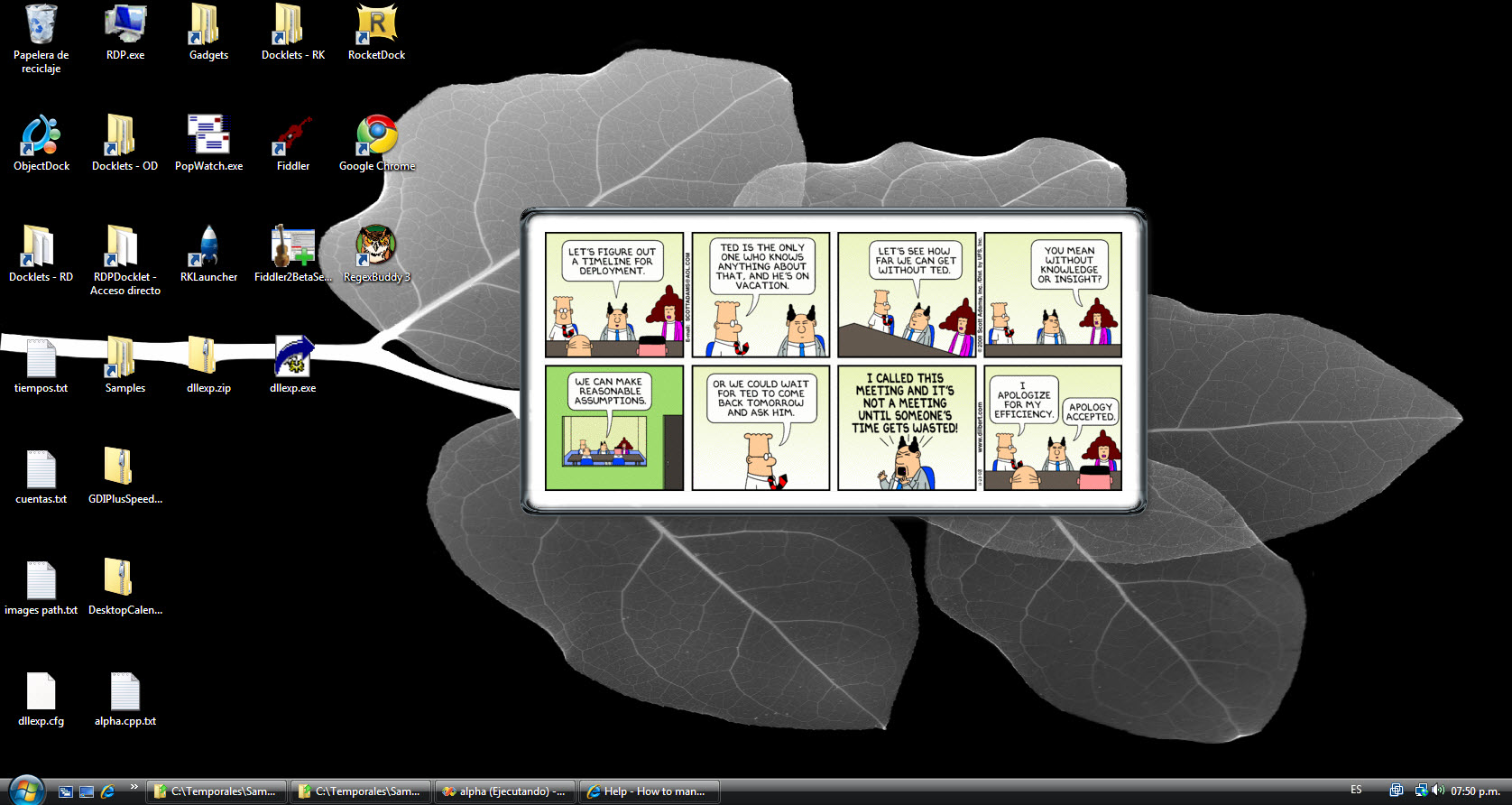
How to manually draw to a transparent dialog

Thanks matonga... I really appreciate all your help. You've been more than helpful.

When you told me about multiple PNG's (which is what I really need to do) by you mean that I should create a Gdiplus::Bitmap which size is the sum of all bitmaps needed, then render the independent bitmaps to that one using maybe Gdiplus::Grpahics and then that resulting bitmap will be passed to the GetAlphaChannelBitmap function I created in the sample code?

Or should I do that with the HBITMAPS? The situation here is that some of these bitmaps should be "stretched" (for covering the borders), when using Gdipus::Graphics.DrawImage the bitmap was streched accordingly to "cover" the designated area... but I am not sure that if I do this the bitmap created that will be passed to GetAlphaChannelBitmap would already have lost the alphachannel information.

Anyway... you have been such a great coder pal! Thanks.

BTW: (Off-topic) I just love alfajores!!! Specially the ones filled with dulce de leche (milk candy)!

Edit: I tried to create the combined bitmap as I proposed before but found that the composed bitmap do losses the alphachannel information... the window is correctly shown but all alphachanned data is shown as opaque... how could I combine the HBITMAPS?

#516772

That's because winuser.h includes the following definition:

[SIZE=2][COLOR=#0000ff][SIZE=2][COLOR=#0000ff]#if[/COLOR][/SIZE][/COLOR][/SIZE][SIZE=2](_WIN32_WINNT >= 0x0500)[/SIZE]
[SIZE=2][COLOR=#0000ff][SIZE=2][COLOR=#0000ff]#define[/COLOR][/SIZE][/COLOR][/SIZE][SIZE=2] WS_EX_LAYERED 0x00080000[/SIZE]
[SIZE=2][COLOR=#0000ff][SIZE=2][COLOR=#0000ff]#endif[/COLOR][/SIZE][/COLOR][/SIZE][SIZE=2][COLOR=#008000][SIZE=2][COLOR=#008000]/* _WIN32_WINNT >= 0x0500 */[/COLOR][/SIZE]
[/COLOR][/SIZE]

Hi, yes I had to add the #define in StdAfx.h... don't know why.

Originally I compiled this with Visual Stuido 2008, which C++ compiler I believe defines that for a value grater than 0x0500... but Visual Stuido's 2005 C++ compiler does not. I think they were preventing to use that style in pre-win 2000 platforms... so VisualStudio 2008 by default assumes that nobody is going to code against something that old!

#516774

To not loose alpha channel information change the compositing mode to CompositingModeSourceCopy.

GpGraphics->SetCompositingMode (CompositingModeSourceCopy);

Then blit all the PNGs to the GpBitmap as usual.

Then just pass the GpBitmap to GetAlphaChannelBitmap and UpdateDialog as usual ;)

Alfajores!!! They're here in every drugstore, mostly in two variants: black and white chocolate. All of them with dulce de leche :P

#516787

Yes! That was it! It was just a single line needed:

GpGraphics->SetCompositingMode (CompositingModeSourceCopy);

and voila! The comic strip is on it's way!

Thanks so much... I now will review your other comments... specially the tip for laying out child controls.

There's so much I would like to do next, like adding some kind of animation to show the strip comming out of the docklet... but, hey! thanks... I really, really aprreciate your help.

Alfajores... yes! I think I will go some argentinian specialty store and get a couple! A tu salud!

post-79521-1228527959_thumb.jpg

dilbert-screenshot..jpg

#516803