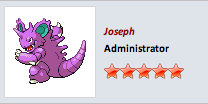
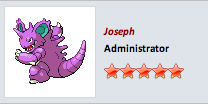
How do I make the user names bigger?
Hmm, it should be large by default (is here when we use the vertical postbit.
Could you post a link to your forum so I can see what is causing it?
It looks as if the part of the CSS is missing, under Aqua-Soft v4 -> Main CSS -> Additional CSS Definitions
You have 2 text boxes, the top one should have the following.
.bigusername { font-size: 15px; }
td.thead, th.thead, div.thead { padding: 4px; }
.pagenav a { text-decoration: none; }
.pagenav td { padding: 2px 4px 2px 4px; }
.shade, a.shade:link, a.shade:visited { color: #777777; text-decoration: none; }
a.shade:active, a.shade:hover { color: #ff4400; text-decoration: underline; }
.tcat .shade, .thead .shade, .tfoot .shade { color: #dddddd; }
.fieldset { border-color: #8b8b8b; border-style: solid none none none; border-width: 1px 0px 0px 0px; margin-bottom: 6px; }
.fieldset legend { padding-left: 8px; padding-right: 8px; }
.fieldset, .fieldset td, .fieldset p, .fieldset li { font-size: 11px; }And the botton one should have the rest of the css. See if that is the case on your end.
Yup, that did the trick. Thanks for your help. However, I haven't changed the CSS at all since downloading your skin, so it might be that by default, that part of the CSS is missing?
Shouldn't be, that bit is from the default vb skin. Every time I've installed the skin and tested it, it was brought over.
Though if anyone else has had this issue do post here and let me know.
Aqua-Soft Forums