 Aqua-Soft Forums
I am using Objectbar on Windows XP. And I realized when you use a Mac OS X style finderbar, some menu items don't change. Help? (I'll send you some pictures to see what the problem is.)
Objectbar help
On '2.png' the objectbar menu doesn't change when iTunes is opened, but it changes when running Google Sketchup. Why does this happen?
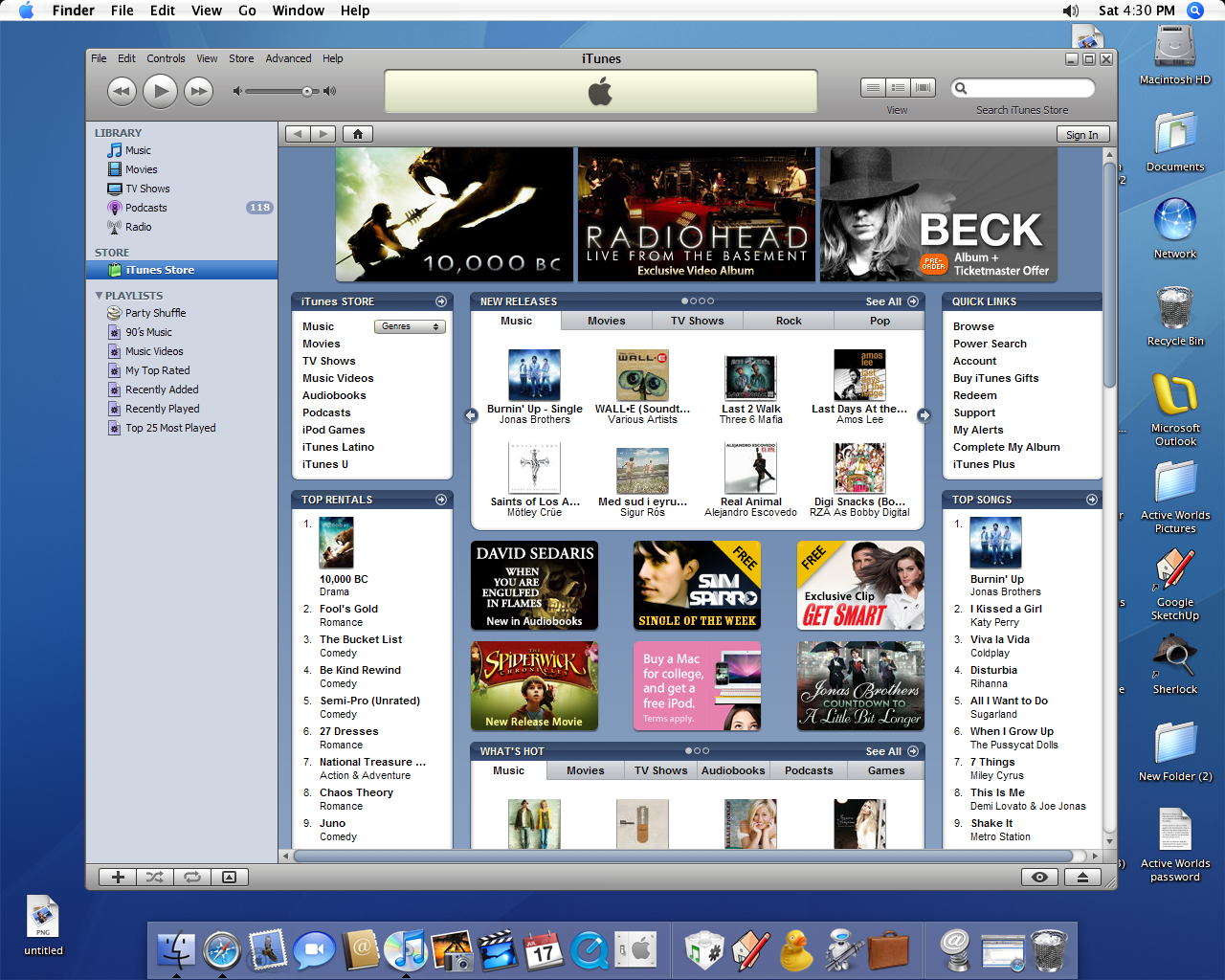
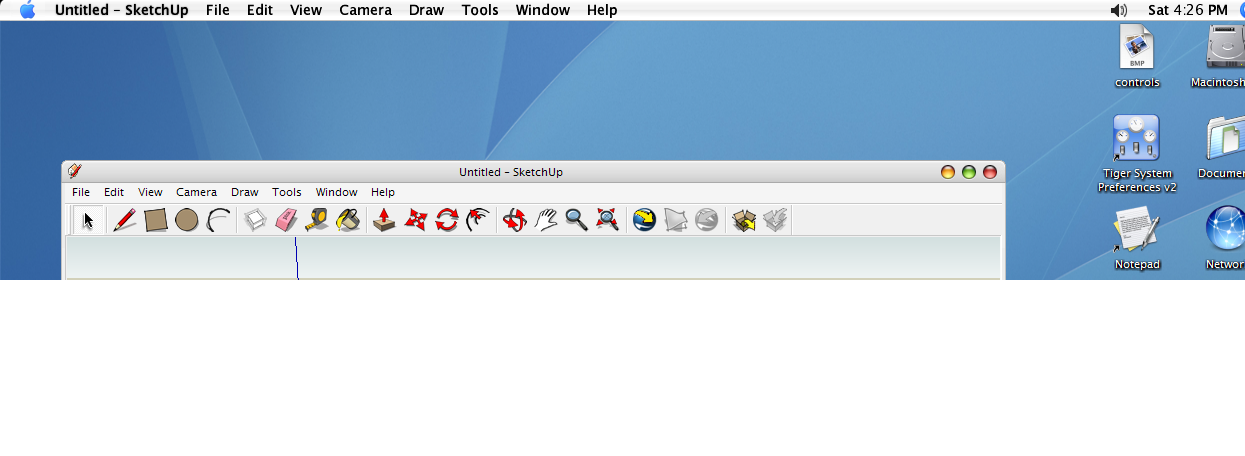

On '2.png' the objectbar menu doesn't change when iTunes is opened, but it changes when running Google Sketchup. Why does this happen?
I realized that problem too since I use Objectbar also -thanks for bringing that to my attn.
It's because those apps don't use the windows way of creating their menus, they just mimic it.
As such, OB doesn't recognise them as menus, and so can't deal with them.
Pity, as it also happens on FF.
Idd...
Unfortunately, Object Bar doesn't always take over the menus.
The problem occurs with Firefox and there's also a bug when using Adobe Flash.
Idd...Unfortunately, Object Bar doesn't always take over the menus.
The problem occurs with Firefox and there's also a bug when using Adobe Flash.
Actually its simple to get OB to list your chosen application.
Open your Objectbar.ini (or if you are using OB_Mod, then open the OB_Mod.ini) file in your Program FilesStardockObject DesktopObjectBar folder with notepad.
You will see a number of apps listed there:
explorer.exe=Finder
Notepad=TextEdit
WinRAR.exe=StuffIt
eMule.exe=eMule
Microsoft Visual Studio .NET 2003=Visual Studio .NET
calc.exe=Calculator
sysprefs.exe=System Preferences
ResHacker.exe=ResHacker
setup.exe=Setup Assistant
install.exe=Setup Assistant
ObjectDock=Dock
Windows TaskManager=Activity Monitor
If you want to add any application to the list, then you simply add the *.exe and give it a name
eg. Firefox=Safari
Then save.
Everytime Firefox opens, then OB will list it as "Safari"
Raats, thanks so much for this info., mate. I've been wondering how to fix this for a long time. My Safari always displayed "Safari Web Browser", drove me crazy! Again, thanks for this and all of your wonderful creations! Cheers.
Actually its simple to get OB to list your chosen application.Open your Objectbar.ini (or if you are using OB_Mod, then open the OB_Mod.ini) file in your Program FilesStardockObject DesktopObjectBar folder with notepad.
You will see a number of apps listed there:
explorer.exe=Finder
Notepad=TextEdit
WinRAR.exe=StuffIt
eMule.exe=eMule
Microsoft Visual Studio .NET 2003=Visual Studio .NET
calc.exe=Calculator
sysprefs.exe=System Preferences
ResHacker.exe=ResHacker
setup.exe=Setup Assistant
install.exe=Setup Assistant
ObjectDock=Dock
Windows TaskManager=Activity Monitor
If you want to add any application to the list, then you simply add the *.exe and give it a name
eg. Firefox=Safari
Then save.
Everytime Firefox opens, then OB will list it as "Safari"
Yes I know that 
I mean that it doesn't always really take over the menus like "file", "edit", "view",... (like with Frefox, Safari, Adobe Flash,...)
With Live Messenger it does change into "file",..., "contacts",...
But apparently I've read the question wrong  lol
lol
Actually its simple to get OB to list your chosen application.Open your Objectbar.ini (or if you are using OB_Mod, then open the OB_Mod.ini) file in your Program FilesStardockObject DesktopObjectBar folder with notepad.
You will see a number of apps listed there:
explorer.exe=Finder
Notepad=TextEdit
WinRAR.exe=StuffIt
eMule.exe=eMule
Microsoft Visual Studio .NET 2003=Visual Studio .NET
calc.exe=Calculator
sysprefs.exe=System Preferences
ResHacker.exe=ResHacker
setup.exe=Setup Assistant
install.exe=Setup Assistant
ObjectDock=Dock
Windows TaskManager=Activity Monitor
If you want to add any application to the list, then you simply add the *.exe and give it a name
eg. Firefox=Safari
Then save.
Everytime Firefox opens, then OB will list it as "Safari"
I don't know if I understand, but I tried to past it in Objectbar.ini and it doesn't work (apps names didn't change on OB).
I don't know if I understand, but I tried to past it in Objectbar.ini and it doesn't work (apps names didn't change on OB).
If you are using the ObjectBar Mod version (http://www.aqua-soft.org/board/showthread.php?t=27172), then you MUST make the changes to the OB_Mod.ini file NOT the Objectbar.ini file