 Aqua-Soft Forums
Have been installed the latest version 0.5.1, and input the location:Hong Kong, China in it. But it still show "Invaild information received"
Could anyone solve it?
thanks
Have been installed the latest version 0.5.1, and input the location:Hong Kong, China in it. But it still show "Invaild information received"
Could anyone solve it?
thanks
I'm in bucharest romania and I'm getting the same "invalid information received", it might be from weather chanel, site or rss problems, or we have to pay for this
I'm having the same problem. This just started happening this week I think. Any way to fix this?
WeatherDocklet 1.10 for ObjectDock by Judge work fine in RKLauncher.
i am in manchester UK, i am having the same problem, "invalid information" displayed
but when i click on the icon i get taken to the correct page at weather.com
is there a fix?
I think the weather channel changed the way they send the feed. I'm in Canada and for me it was City, Province. Now it looks like City, Country.
WeatherDocklet 1.10 for ObjectDock by Judge work fine in RKLauncher.
Ditto, that docklet works for me. The forum won't let me post a url so try this:
Search for "XML Weather" (by Judge) at wincustomize.com
Add the ini file and icon folder from the 0.5.1 docklet to the folder with xml weather (weatherdocklet.dll) and you basically get the same docklet.
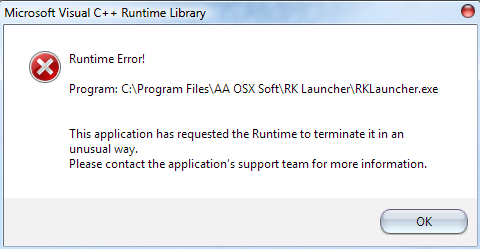
i have just done what you suggested and now everytime i start RK launcher i get this error, please see screenshot!!
RK Launcher now crashes everytime i load it!!!!
please help!!!

I was just about to make a thread on this but instead I did a search to make sure if anyone done already made and sure nuff.. here it is. Saved me the time.
Ditto, that docklet works for me. The forum won't let me post a url so try this:Search for "XML Weather" (by Judge) at wincustomize.com
Add the ini file and icon folder from the 0.5.1 docklet to the folder with xml weather (weatherdocklet.dll) and you basically get the same docklet.
Good looks on this..
I received an e-mail from weather.com that may be the problem to all this. I think I once signed up with them for the SDK or something but can't remember. Anyways read the attachment. I just hope AveDesk/SysStats weather doesn't stop working. 
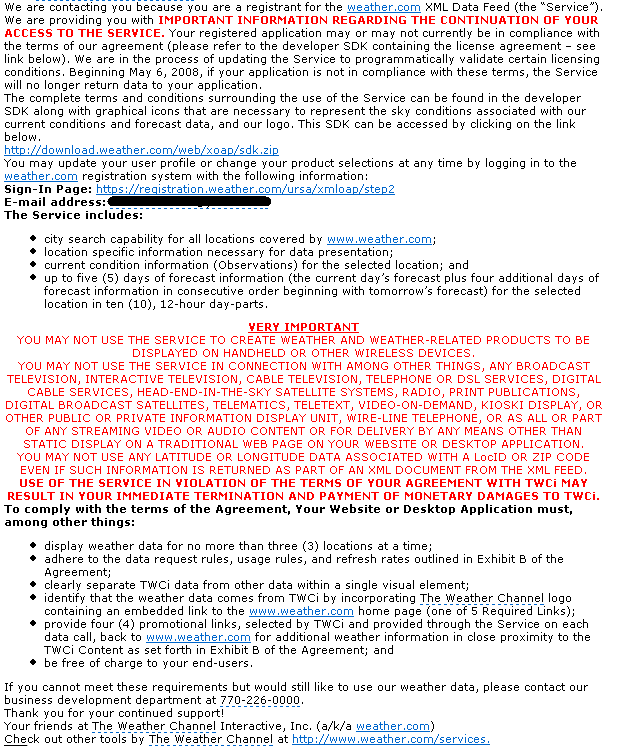
Tried many methods, it still doesn't work at all, I think should be the weather.com problem.
@.@!
Ditto, that docklet works for me. The forum won't let me post a url so try this:Search for "XML Weather" (by Judge) at wincustomize.com
Add the ini file and icon folder from the 0.5.1 docklet to the folder with xml weather (weatherdocklet.dll) and you basically get the same docklet.
tried that but RKLauncher is not showing any weather docklet in the add docklet... window 
am I missing something ?
Had the same problem this week with Y'z... it's weather.com, fo sho.
Anybody has solved this problem yet?