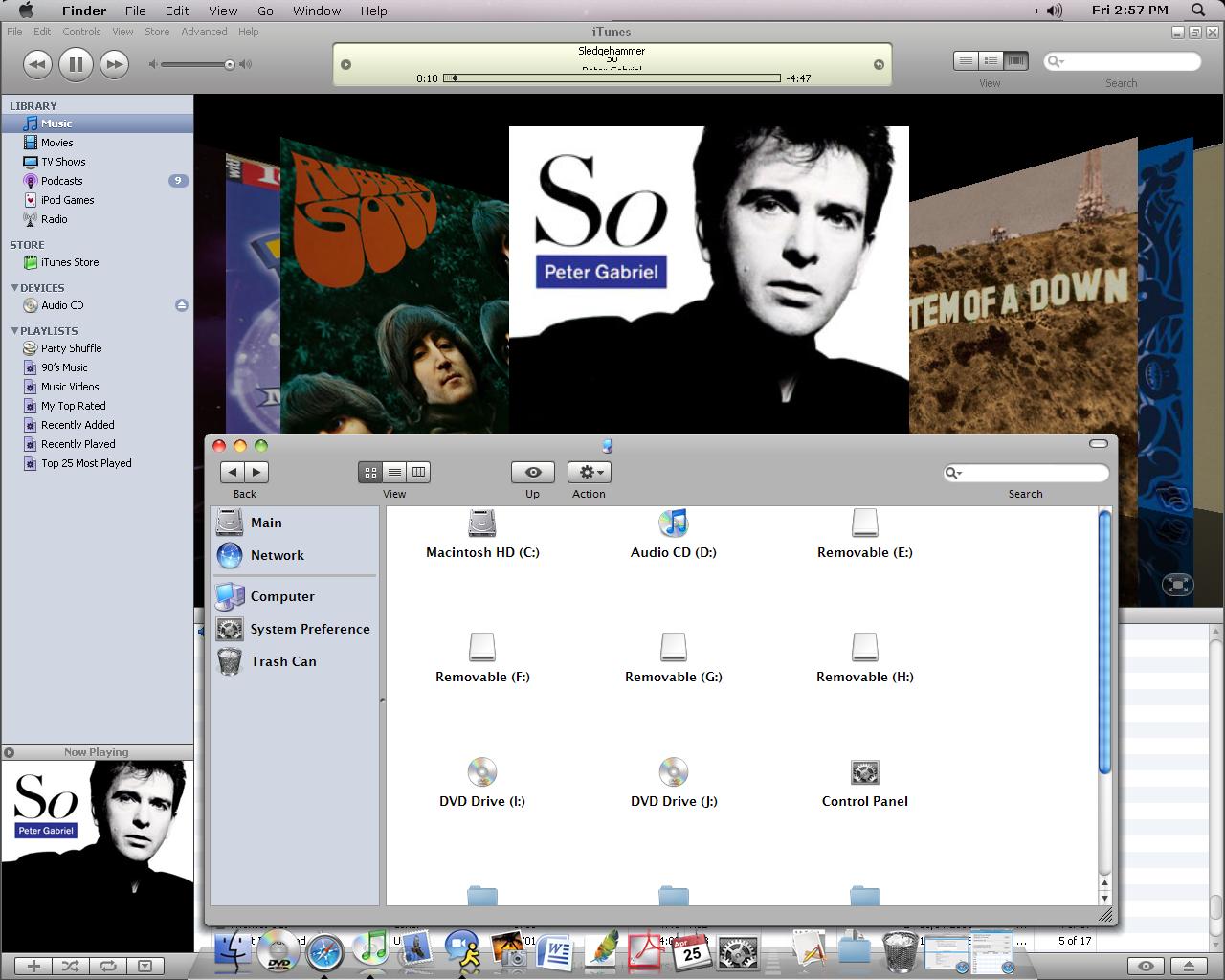
Shell32.dll icons

Hey, i have downloaded Darkfire's Shell 32.dll replacement, replaced it, and all that, but noticed that some, if not most of the icons have not changed at all, or some have reverted to thier orginal selves.

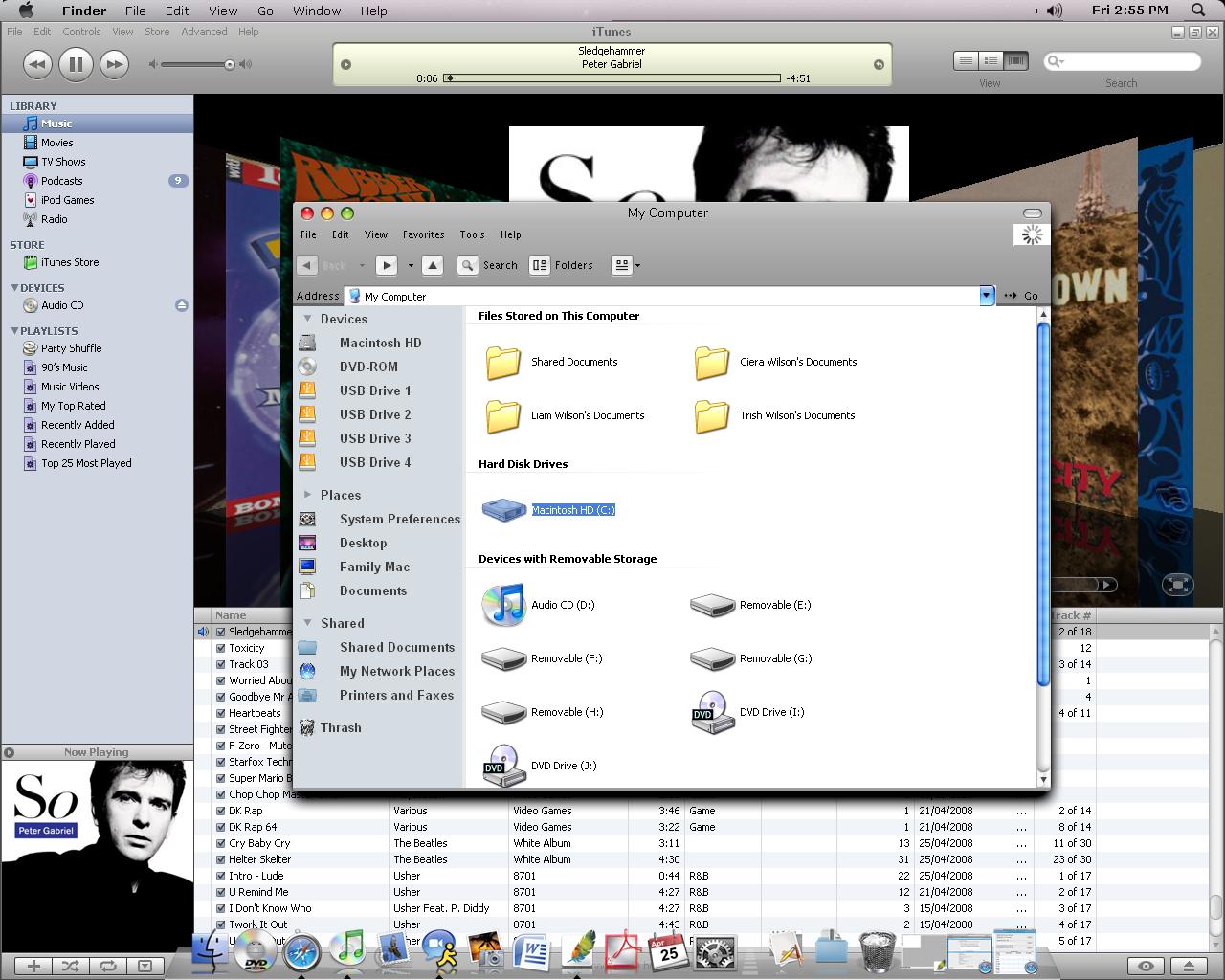
I checked in my shell32.dll, and all of the icons are still there, as shown by the 1st screenshot shown below, which shows all of the icons still in their modified state. You can also see some of the files in the OS X format, which i have modified by downloading some icon packs.

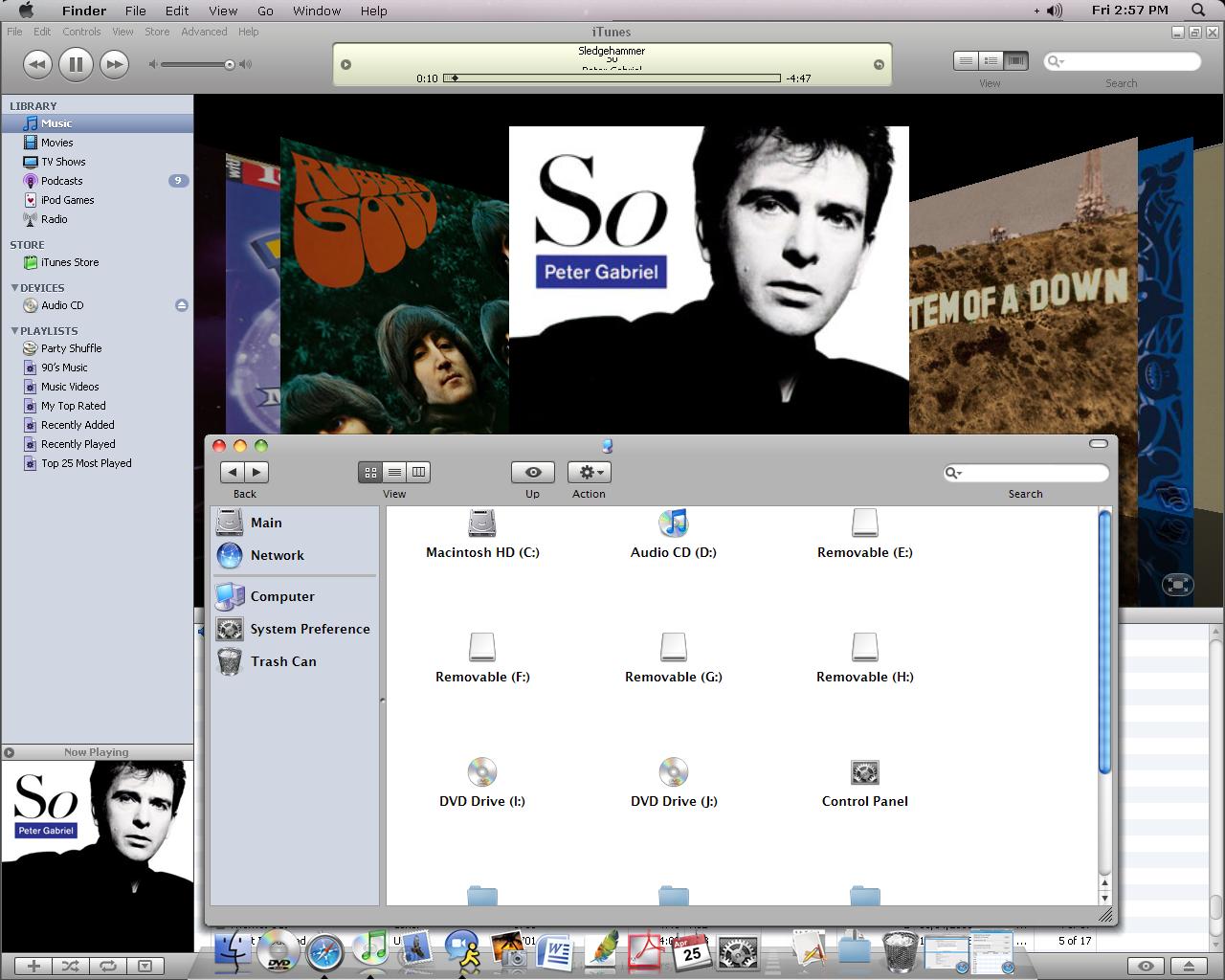
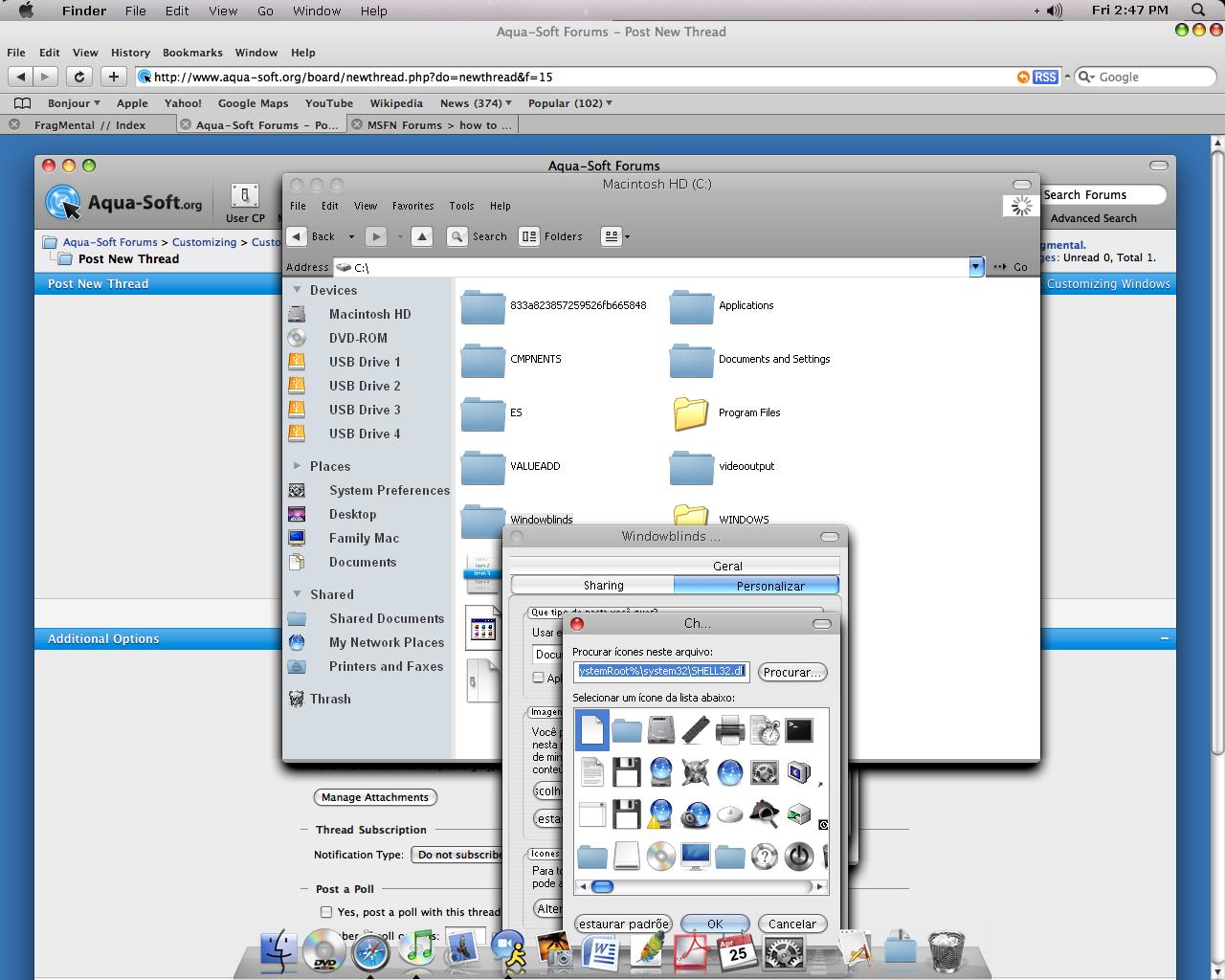
You can see in the 2nd screenshot that the drive icons have not changed, and some of the folders have not been affected by the new shell32.dll. When i try to change them, not only does it affect my explorer, but it doesn't affect them at all. But this is only when they are viewed n Windows Explorer, when i view my files and drives in NeXplorer, they are see as the modified type, as shown by screenshot 3.

If you can, help, would greatly appreciate it.
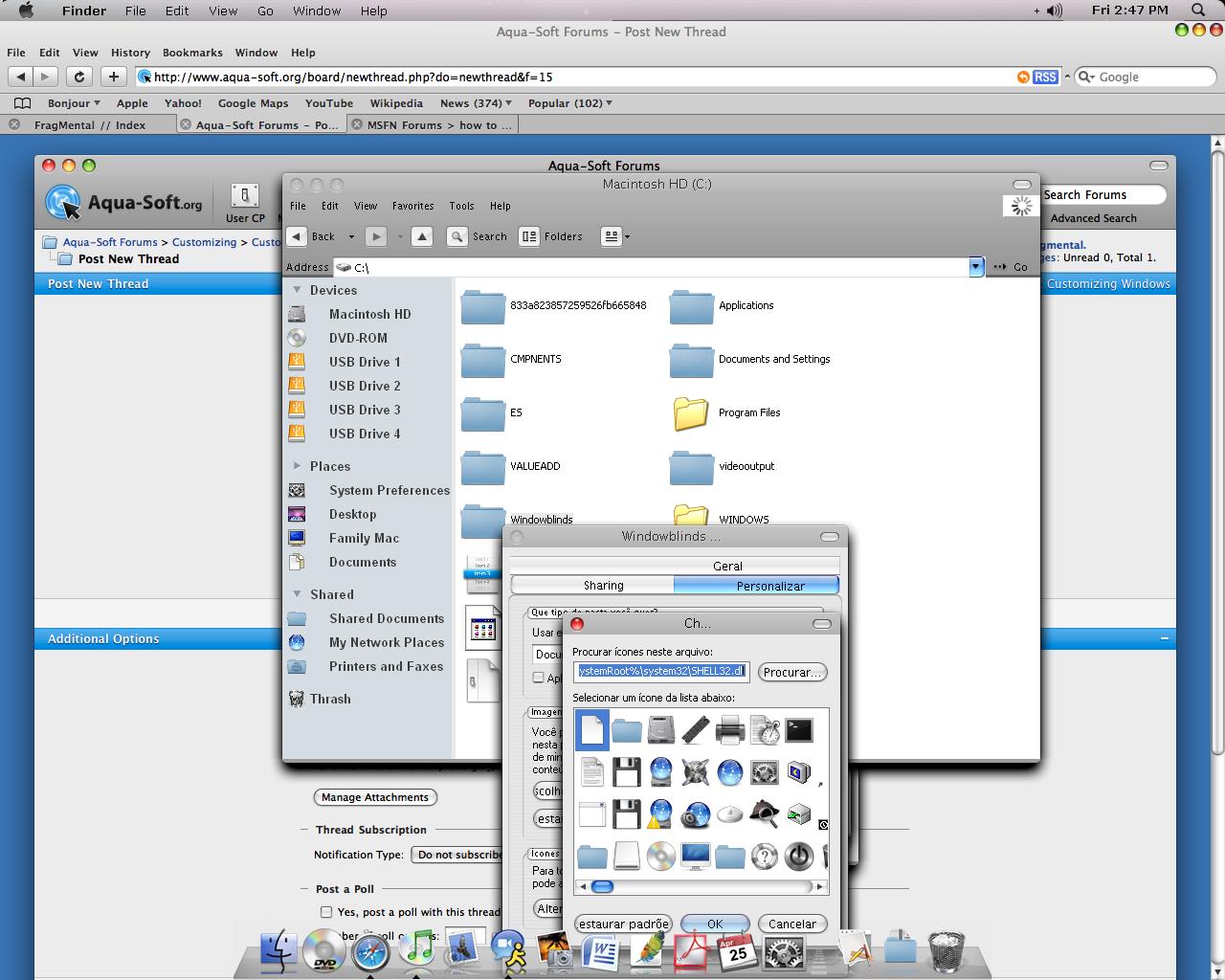
post-79654-1209131986_thumb.jpg

post-15-1209131986_thumb.jpg

post-15-1209131987_thumb.jpg

Desktop Help-1.JPG
Desktop Help-1.JPG
Desktop Help-2.JPG
Desktop Help-2.JPG
Desktop Help-3.JPG
Desktop Help-3.JPG

#498848

Hm..

Really Strange..

It happens with me too...

But only with "My Images" Folder..

If someone know why, please, tell us..

Thx!!

#498851

Use the "Rebuild Icon Cahche" Tool included in Flyakiteosx. It should fix any issues.

#498859

Nope..

Ive just did it and nothing happens...

My Images folder still with old icon...

Any other theory?

Cyaa

#498877

Im not using Flyakite. My theme is WB.

#498880

- Try to compare icon appearance at different icon size settings, i.e 32 px and 48 px.

- if you have an icon management app like icoFX, check out what sizes are those particular icons in shell32.dll. they should have at least 48 and 32 px sizes at 16 mil colors/xp colors.

- although most icons are found in shell32.dll, some icons are stored in other /system32 files...

#498924

I use Tweak Ui, to repair & rebuild icon cache

#498926

AAH, yes, that Tweak UI thing worked amazingly! Thanks a lot!

#498950

Ive tried Tweak UI..

But nothing happened...

My Pictures Folder still with the Wrong Icon..

But it is the only one..

So Ill leave it like that...

But Im very happy to see that fragmental got it.

Thx!!

#498955

Yeah thanks.

I'm still working on the English Version. Gotta. Translate. Every. Line. Im currently in the last stage, which is the 'Dialog'.

#498958

Ive tried Tweak UI..

But nothing happened...

My Pictures Folder still with the Wrong Icon..

But it is the only one..

So Ill leave it like that...

But Im very happy to see that fragmental got it.

Thx!!

In the Tweak UI, have you selected Repair My Pictures icon, DarkFire ?

#498961

Yeah...

Several times..

Ive restart explorer...

Ive repaired all icons, Pictures Folder...

Nothing...

But later ill try it again, with more time...

And i say the result here..

Cya!!!

#498970

I have one for you, copy your entire My pictures older, then put them n a folder called iPhoto, then delete your My pictures folder, and rename your iPhoto folder to My Pictures, then right click it, then select Properties, then Change Icon, Then Click browse, and then find your Shell32.dll file, then select the My pictures icon. If that don't work, download this icon to use instead:

My pictures.zip

Attachment: My pictures.zip

#498972

You should really use IconPackager. It changes a lot of the icons and much safer.

#498996

Reshacking your shell32.dll file is the best way since IP changes the icons in memory, the icons don't really get changed (try saving a file you downloaded, on the dialog where you choose where to save it at, the icons are defined by your shell32.dll).

My advice would be to create multiple shell32.dll files reshacked with different icon sets and just use replacer to change them.

#498997

Reshacking your shell32.dll file is the best way since IP changes the icons in memory, the icons don't really get changed (try saving a file you downloaded, on the dialog where you choose where to save it at, the icons are defined by your shell32.dll).

My advice would be to create multiple shell32.dll files reshacked with different icon sets and just use replacer to change them.

Sorry..

But i didnt understand you at all...

Ive made it with ResHacker..

And What do you mean about creating multiple Shell32???

Cya!!

#499001

Basically, create another shell32.dll with different icons, and don't save it n the system-32 folder, save it somewhere else.

#499020

Find the file called mydocs.dll in shell32 and change icons in reshacker, there is an icon for my documents and for pictures folder

#499084

OR, do my method, above.

#499150