 Aqua-Soft Forums
Hi there everyone. I am currently trying to get the best emulation of OS X as I can on Vista. Looking through the forums here, I stumbled across the skonner thread. I am unable to post a picture, but it displayed the system preferences window open, and it was almost identical layout to the real OS X one. I'm wondering how the system preferences window was achieved? Is it a seperate program running? How can I achieve the same system preferences window? Any help would be much appreciated.
System Preferences
Probably you are talking about a app called Tiger SystemPreferences with Leopard Skin..
You can get it here: http://www.markraats.com/Apple_Emulation_Themes.htm
But i dont know if it is compatible to Vista...
PS.: If you want to post a link, do it like that: ttp://www...
Without the "h" or anyother letter...
Cyaa
Thankyou very much, that is exactly what I was looking for. In case anybody else is wondering I am on Vista, and am running Tiger Preferences v2 fine.
Instead of starting another thread, I may aswell ask another question which I have struggled to find an answer to through the forums. I am using RK launcher, and as everyone knows, they utilise beautiful reflective icons. When using a stack however, the icons which come out of the stack are very fuzzy. I am simply linking the stack to a folder on my computer containing the Microsoft Office applications. Lookingn around the forum, I see that many of the screenshots have crystal clear icons coming from the stacks aswell. How can I achieve this?
Thankyou
Hm...
Try to do this..
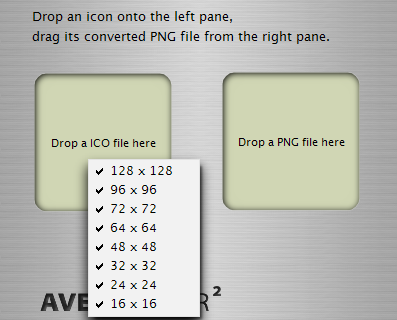
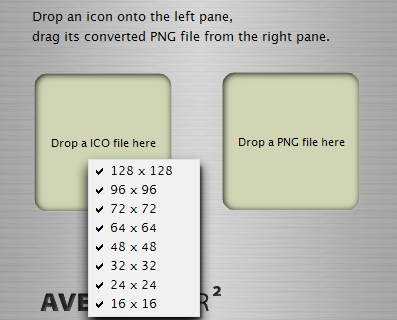
Download a nice MAC Office 208 pack and convert it with AveIcon to ICO file if it is in PNG format...
PS.: Activate all the resolutions option... (take a look at attachment)
Then, enter the folder where the l apps are and one by one change their default icons to the icons you have just converted...
I think thats wil solve your problem, because Icon resolution of new ICOs are better than the other....
** Link for Download **
AveIconifier 2 -> http://www.box.net/public/static/r874dej620.zip
Cya!!!
Where can you get Mac Office icons?
Currently getting little joy with that idea. It might just be that I'm using a poor icon set. Does anyone have a link to a good one to use? At the moment, the icons are still becoming very fuzzy when at the size that the stack displays them.
Here -> http://browse.deviantart.com/customization...es&q=Office+Mac
I think thats the best site to find nice icons, themes, skins...
So, pick yours and be happy = )
Cyaa