Update error

I get this error in Update Utility when trying to update products of iLife (don't know if any other apps are affected, iLife updates are the only ones available right now).

Take a look:

picture1cc3.png

This all started to happen after I used a program to get rid of some unneeded language packs and what not.

I also tried reinstalling iLife (dragging to Trash, then installing all over again) but still no joy, it won't update.

Help? :(

#493698

Not sure. It worked for me. I updated iPhoto a few days ago and today GarageBand...

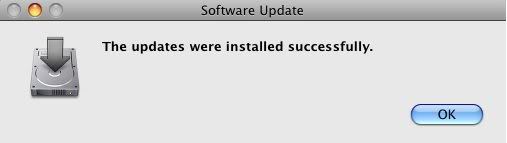
picture1hv4.png

#493710

I used Monolingual to get rid of unused languages of my Mac and now I got these errors :confused:

#493713

I updated iPhoto and iMovie today....i dunno what is wrong...try reinstalling the language packs and stuff...maybe that will help SWDFR.jpg

#493721

Yeah I reinstalled all language packs and even reinstalled iLife but still no go :(

#493780

Crazy question but do you have iLife '08 or an older version?

#493784

I am not a Macowner just yet, but i remember one of my friends had a somewhat similar problem. What he experienced was, that he had moved some ilife files (shortcuts I believe) from their original install path to another, and when he corrected this by adding the files again in the right path he could update with no problem. So check that you have all your files in the right place and didn't delete any by accident, as his problem was that update couldn't find one of the files specific to the ilife update.

Just my two cents, but maybe it is helpful. If you need to know exactly what he did let me know and I'll find out.

Regards,

Dodgers.

EDIT: from peachpit.com/articles/article.aspx?p=454796&seqNum=14

Just in case you haven't googled it yourself ;-). Maybe that'll help.

One third down:

"In some cases Software Update may list an update but fail to successfully install it. You may get an error message such as one that says, "Some of the checked updates couldn't be installed. Software Update could not expand the package correctly." In the Software Update window, an exclamation-point icon will appear to the left of the name of each update that was not installed. If this happens, remove any package and receipt files for prior versions of the problem software (prior updates to iTunes, for example, if that is what you are updating) from the /Library/Packages and /Library/Receipts folders. Then try again. Otherwise, choose Download Only, to have Software Update just download the update package to your Desktop. Then double-click the package to launch Installer, which will hopefully succeed where Software Update failed.".

#493795

Okay, I just erased items in /Library/Receipts, but /Library/Packages seems to not exist.

I will try to update again..

EDIT:

Still no joy :( Still gives the same error.

I am running iLife '08

EDIT: Another update.

I downloaded the updates from Apple's websites and when I tried to install them they told me "A compatible program in /Applications was not found" or something like that.

I reinstalled iLife... let me try it again :slant:

#493799

Just had a talk with my mate, and I was partly off in describing his problem. What he told me is, that he had deleted three applications from his ilife 08 folder, and then deleted the ilife 08 folder itself ,in an attempt to save some storage space. Then when trying to autoupdate, update couldn't find the three apps (and the folder) and because of that giving him an install error. The apps involved was iPhoto, garageband and the last of which he couldn't remember the name, sry! Now, what he did to remedy the situation is that he copied the ilife 08 folder, with the three apps in it, from his wifes iMac, and it was all good.

So it seems to me that update can't find an app or part of one in one of your folders possibly the ilife 08 folder. Again possibly you have moved one or more apps from that folder which is creating the problem? If you have opportunity to copy the ilife 08 folder from another machine with the apps you know was in your original ilife 08 folder then it should hopfully work. Otherwise it should also be possible to create a new ilife 08 folder, name it as the original and drag the apps you know shold be in there into the folder and then it shold work. Possibly you have to reboot for it to work, my mate didn't specify that.

Wow, a lot of "possibly's" lol. I really would like this to help, otherwise i hope there will be a Mac guru along so you won't have a PC user with no Mac knowledge trying to help you out :-).

Regards,

Dodgers.

#493805

Well there is no iLife 08 folder for me, all the iLife apps are in the /Applications folder.

I'm going to try reinstalling them again, and putting them into a folder... see if that'll work.

#493806

From what i can find at apple' support page its normal that there is no ilife 08 folder on Leopard. My mate must have upgraded from 06 and from Tiger to leopard, since he and his wife both have the folder. I've got it from this thread at apple:

discussions.apple.com/thread.jspa?messageID=6632117&tstart=0

I'm sorry that I can't help you out, I hope you'll get it pinned down and solved. Good luck.

Regards,

Dodgers.

#493810

Think I might have to call up Apple Care.

Thanks a bunch for your all your help!

#493811

You're welcome.

One last note. It seems that a lot of people for various reasons get an error message much similar to yours. When searching apple support for the frase " software update could not expand the package correctly" there are plenty of hits. When going over them there is no easy solution, but there is a possibility that installing updates one at a time will fix your problem. At least some of the threads state that.

Again, good luck.

Dodgers.

#493813