 Aqua-Soft Forums
Hi all. It's my first post here and I hope you will help me 
Here is the problem.
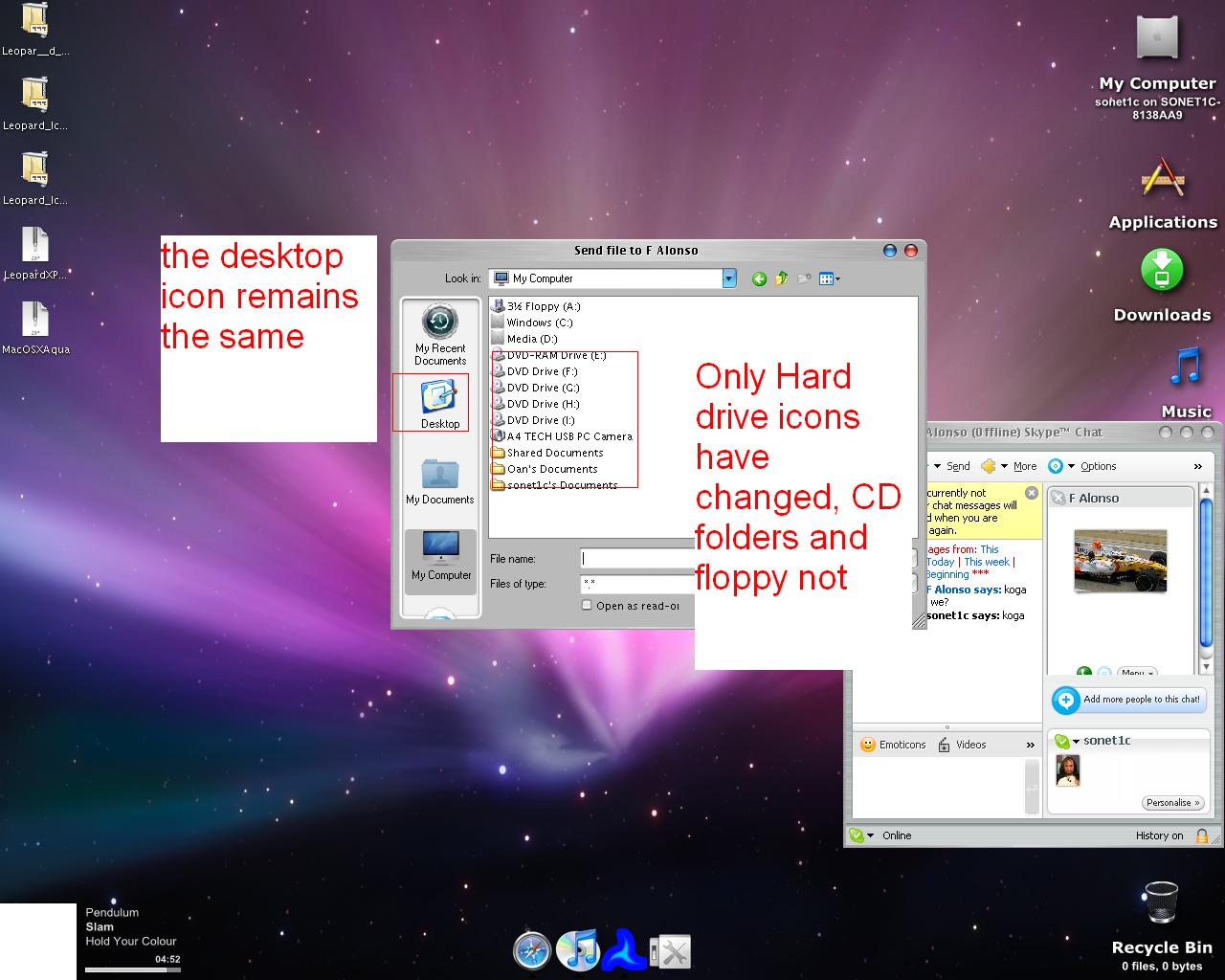
Look how the desktop and some others icons look like , although I have changed them too[1]
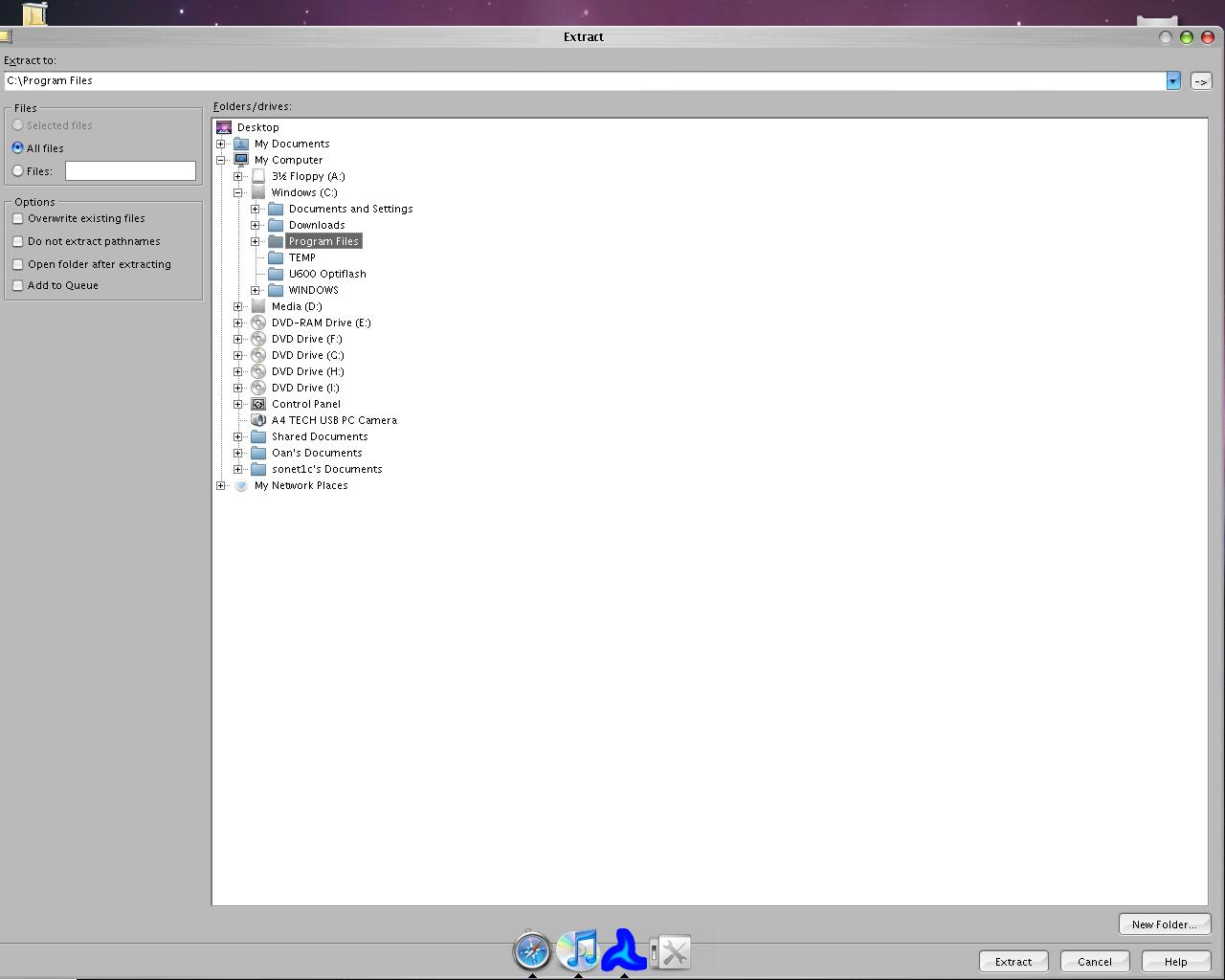
It should look like this maybe:[2]

Hi all. It's my first post here and I hope you will help me
Here is the problem.
Look how the desktop and some others icons look like , although I have changed them too[1]
It should look like this maybe:[2]
What did you use to change them? A altered shell32.dll?
Try clearing your icon cache.
tweakui
I reinstalled windows and the situation is the same with the same icons
Did you rebuild the icon cache?
Yes I did with RefreshEm but still the same
did you replace the icons using an iconpackager theme? or changed the icons individually? try loading a different theme bundled with IP installer and see if there are changes. You can also restore the windows default icons option in IP.
with a bundled ip theme again the same.
Yeah, I think that the reason some of the icons have not changed, is when browsing for a file, Windows doesn't use the IconPackager icons, it uses the icons from shell32.dll. (I think)
I had this problem with the stacks docklet, when I created a folder stack, they were all the Windows default yellow folders, and not my Leopard blue IconPackager ones.
The fix for me, was to also use a Leopard shell32.dll (there's one in the system file modifications releases sub forum on Aqua-soft), and replacing the default Windows shell32.dll with this one using Replacer.
Now I have correct Leopard icons in explorer, but also with stacks docklet, and when browsing for a file in Firefox etc.
May be what your problem is, but I'm not completely sure.
open IP, click 'Settings' on left panel, check out the options...when satisfied with your setup, click "Icons and Cursors". check the icons individually by clicking the appropriate menus, on top of IP window. btw i assume that you have IP ver 3.1...
On the second screenshot , all icons are fine , but on the first not all.IP version is 3.2
WOW MANS! I entered the other account on the windows-my sister's . I saw that the desktop and the icons , which were not changed at my accound were changed here. The others weren't!
WOW MANS! I entered the other account on the windows-my sister's . I saw that the desktop and the icons , which were not changed at my accound were changed here. The others weren't!
jeez! all the while everybody was assuming that you are messing around with an ADMINISTRATOR account! WHEW!... just a suggestion, next time don't muck around with your PC if you don't know what you're doing.
Everything allright now . Thanks all for the help