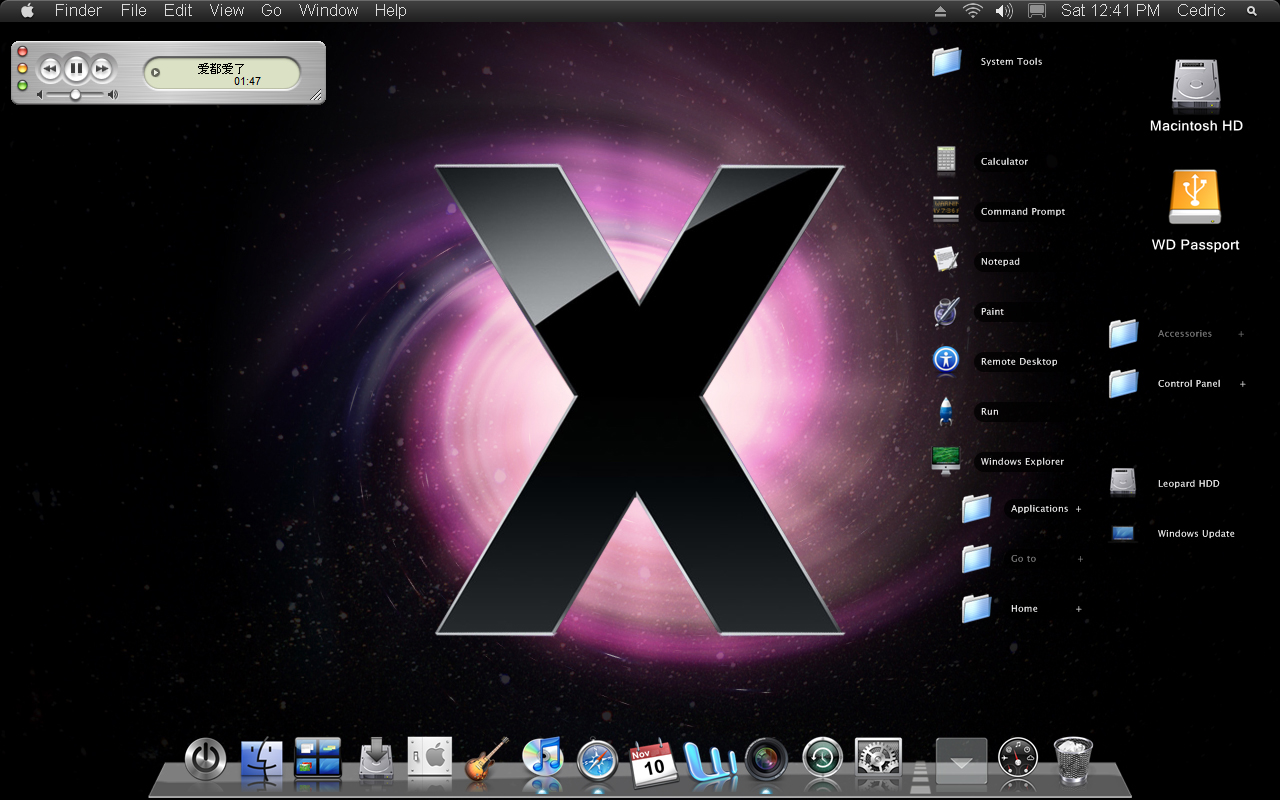
Desktop icons in different sizes

Hi all

im new in this board and that's my first post.

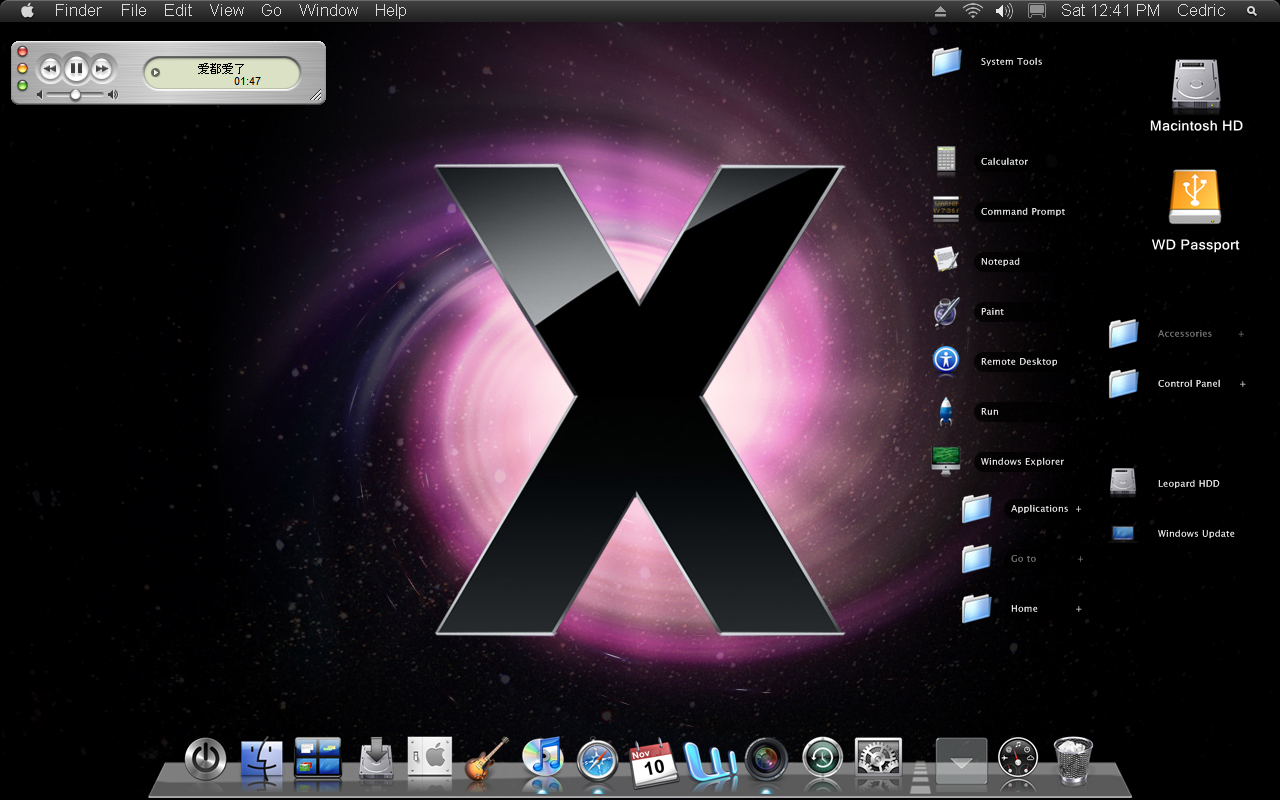
few days ago i saw the picture in the attachement

now my question: id like to change my desktop icons like this, actually not the icons, but rather the way they are, i would like to have the labeling (with the black background) on the right side of the icon, and it would be great if i can have the icons in different sizes.

does anyone know hou i can get that look?

i hope you understand what i mean, if not just ask, its not easy to describe for me.

im using vista home premium build 6000

regards, rafael
post-75614-1202412718_thumb.jpg

Untitled-1_original.jpg

#490718

use AveDesk

#490741

Yes, CLid (or something like that) shortcuts on avedesk

it's been a while since i stopped using avedesk, i got sick of widgets and wanted a clean desktop

#490758

based on the screenshot, i think the following apps were used:

Avedesk pidlshortcuts, for the 2 big icons (Mac and WD)

KK Menu docklet with Leopard skin (note the '+' sign beside the folders). these are not actually desktop icons, but just the docklet being clicked open.

If you want something similar (icons with labels in the right side), you can have that effect by running WindowFX, showing the icons in TILE form.

#490772

hi thanks

but avedesk doesnt work on my pc, when i open it, the screen just gets darker and on the right side is the avedesk sign, but no widget will appear, i can add as much widget i want, nothing happens.

@kinsemon: ah i see what you mean. ive uninstalled kk menu short time age, now im using stacks.

window fx? you mean that one on the stardock website? does it work for vista? i thougt its just for xp, but i will check that immediately. thanks

edit: i can't find an option called tile form

regards

#490798

am sorry, i should have said - go to Desktop Icons in the 'Features'. you'll see a choice of Large icons, Small icons, and Tiles. of course am referring to Stardock WindowFX ver 3.0.

regarding your problem with Avedesk on Vista, try to find your answers here: http://www.aqua-soft.org/board/forumdisplay.php?f=47

#490799

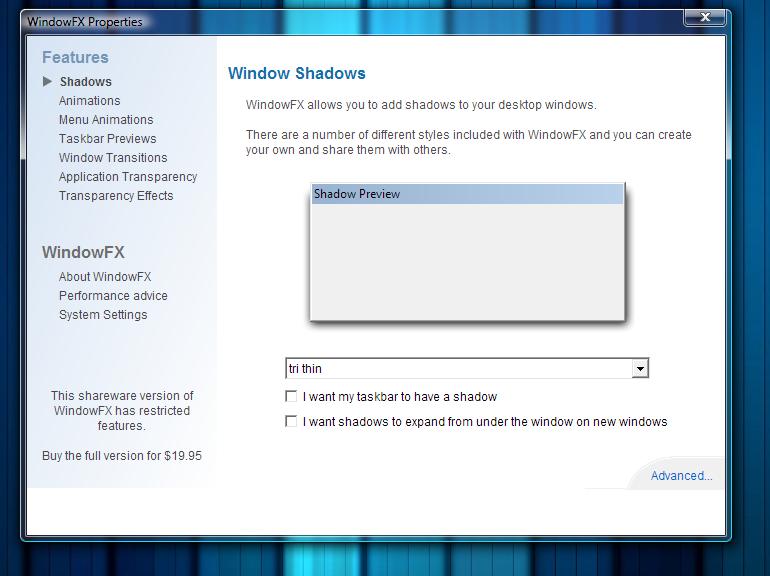
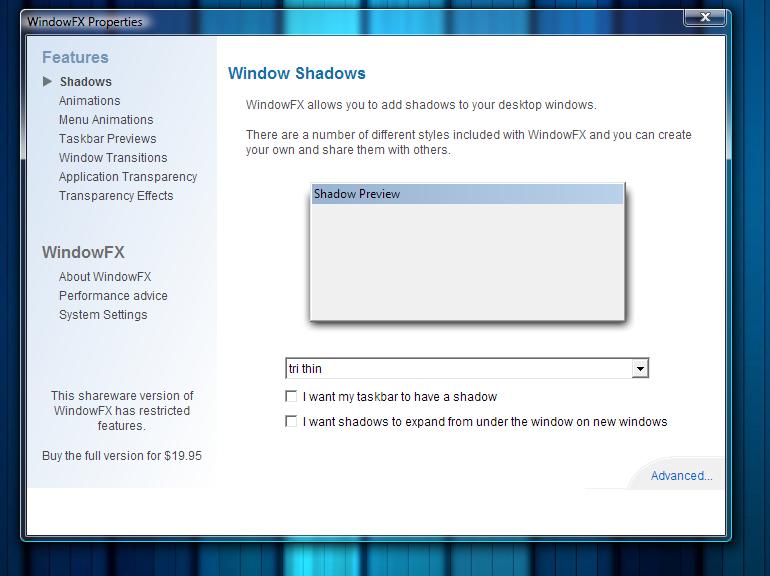
don't no whether i look on the wrong place or if its because im using vista, anyway i cant find the option you named. but im sure im using version 3.0

screenshot is in the attachement.

regards

post-75614-1202474443_thumb.jpg

Unbenannt.jpg
Unbenannt.jpg

#490804

ouch! you have the shareware version. i was referring the the FULL version. i guess you'll just have to figure out avedesk pidlshortcuts. it should run on your pc. you just have to figure it out am using ver 1.3, and from the threads, ver 2.0 beta is also available.

#490918

ah ok. i don't want to buy th full release.

is there another way the have such a desktop customization?

regards

#491026