 Aqua-Soft Forums
This is how my Miranda looks like:

I'm using 0.7.3 Unicode with Modern Clist + IEView + TabSRM etc.
Who can help? 
This is how my Miranda looks like:
I'm using 0.7.3 Unicode with Modern Clist + IEView + TabSRM etc.
Who can help?
have you tried to change the setting in "option" ?
Dunno which setting...
can you share your skin?
Try this to fix the text
go in miranda options --> contact list --> row items --> text --> uncheck trim long text with ellipsis
Have you tried checking the option to resize the list automatically, or tried resizing the window manually?
Just keep on search in that option,here are my setting,I hope it'll work on your,good luck
Have you tried checking the option to resize the list automatically, or tried resizing the window manually?
The option "automatically resize" doesn't effect anything.
When I try to resize miranda manually it looks like this:

edit:
@Husaini HB: Thanks, I will try it now...
see my attachment,please
Thanks, but it doesn't help...
Can you please make a screen of your settings at "Contact List > Row Items > Text"?
Here is mine,what do you mean it doesn't help,that option is the only way to get the HUD setting
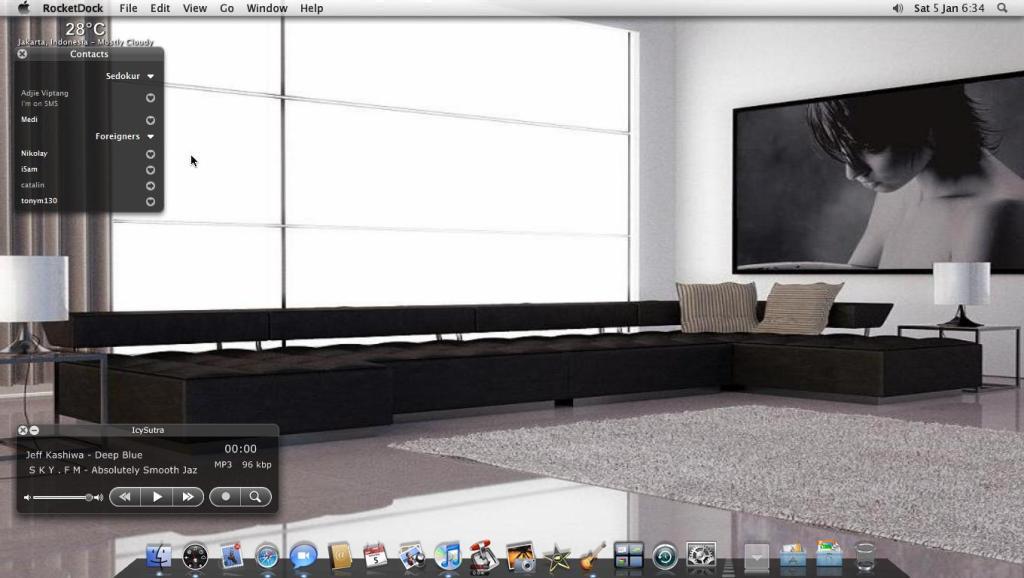


I tried all your settings, but the problem still exists...
Had the same problem. Try this:
Go to Contact > List Row items > Extra Icons tab and uncheck everything, then click Apply and OK.
Hope this helps 
Had the same problem. Try this:Go to Contact > List Row items > Extra Icons tab and uncheck everything, then click Apply and OK.
Hope this helps
Thank you very much, it works now...
But there is still a small problem left:

How can I fix it? (the dark-black line)
edit: I fixed it: I had to disable "automatically resize window"
Thanks all...
Thank you very much, it works now...But there is still a small problem left:
How can I fix it? (the dark-black line)
edit: I fixed it: I had to disable "automatically resize window"
Thanks all...
i have the same problem with the black line. i find it goes away after a few contacts come online

 .
.