 Aqua-Soft Forums
my last screenshot for 07.... hope everyone has a happy new year 
keep up the amazing screenshots folks....
http://halcyon-days.deviantart.com/art/new-york-07-73025373
no previews... i like surprizes 
my last screenshot for 07.... hope everyone has a happy new year
keep up the amazing screenshots folks....
http://halcyon-days.deviantart.com/art/new-york-07-73025373
no previews... i like surprizes
Image snipped
Any chance you can tell us what the program running in the center screen is - the media player one? It looks like a modded CoverSutra with CoverFlow...very nice!
Any chance you can tell us what the program running in the center screen is - the media player one? It looks like a modded CoverSutra with CoverFlow...very nice!
Its Yahoo! Widgets...mod
Will there be a January '08 Desktops thread? I started loving this thread
Edit: Ok, I see there is a November '07 thread, an October '07 thread... have just answered myself 
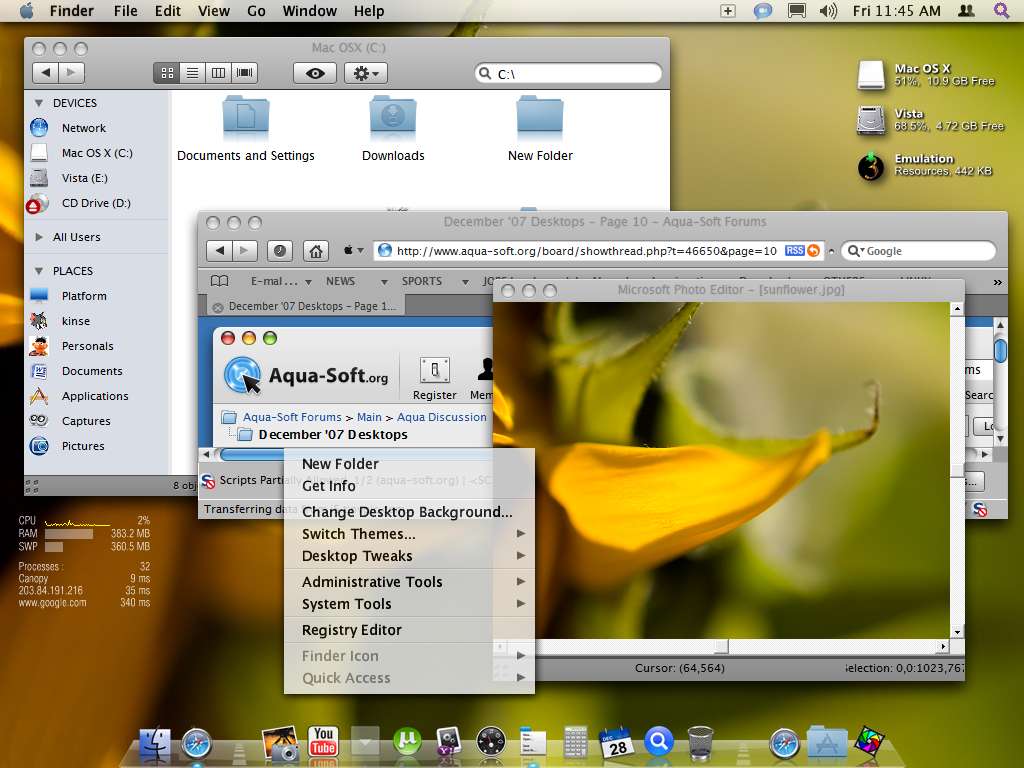
my own version of mac osx on xp home sp2. sunflower wall from InterfaceLIFT...

kinsemon, I am new to Windows XP, how do you hide the "File, Ect..." text, and have the folder details on the bottom?
I'm pretty desperate for a solution about now.
kinsemon, I am new to Windows XP, how do you hide the "File, Ect..." text, and have the folder details on the bottom?I'm pretty desperate for a solution about now.
You mean the Menu bar on open windows?, i use Styler toolbar (it's free), has an option to hide/unhide Explorer menubar (but then you have to run Objectbar (the topbar) so that you won't get lost.
for the folder details on bottom, i think you mean Status Bar. on your window/explorer, click View, then Statusbar...
EDIT:
oops, that was your desktop above, nice one...
you're already running Styler...right click the Styler icon on your systray, then 'show', then on toolbar tab, check 'hide menubar(explorer), then close. there you go! for the status bar, open any window (e.g. c:Program files), click 'View' in objectbar, then statusbar...
for firefox, install Compact Menu add-on...
You mean the Menu bar on open windows?, i use Styler toolbar (it's free), has an option to hide/unhide Explorer menubar (but then you have to run Objectbar (the topbar) so that you won't get lost.for the folder details on bottom, i think you mean Status Bar. on your window/explorer, click View, then Statusbar...
EDIT:
oops, that was your desktop above, nice one...
you're already running Styler...right click the Styler icon on your systray, then 'show', then on toolbar tab, check 'hide menubar(explorer), then close. there you go! for the status bar, open any window (e.g. c:Program files), click 'View' in objectbar, then statusbar...
for firefox, install Compact Menu add-on...
Thanks dude! Now I have what I need.
(Hello Korrea. )
^^ You really have to make your image smaller or hotlink to something else.


