FlyakiteOSX RAM consumption

Hi! first before all, THANKS!

Im really glad and amazed about what FlyakiteOSX can do! =3

BUT

Since I installed it I have some lack of memory performance.

Dont take me wrong, its really great for any user, but I actually use software like 3DMax, Photoshop, etc.

So It can be really problematic when I have to work on really high resolution stuff.

Is there any tip, or there will be a release with this possibly problem fixed?

- - - - -

Actually when I have to start to "work" I only close explorer.exe and other applications and Im done.

But it could be really nice if I could work without close anything =3

- - - - -

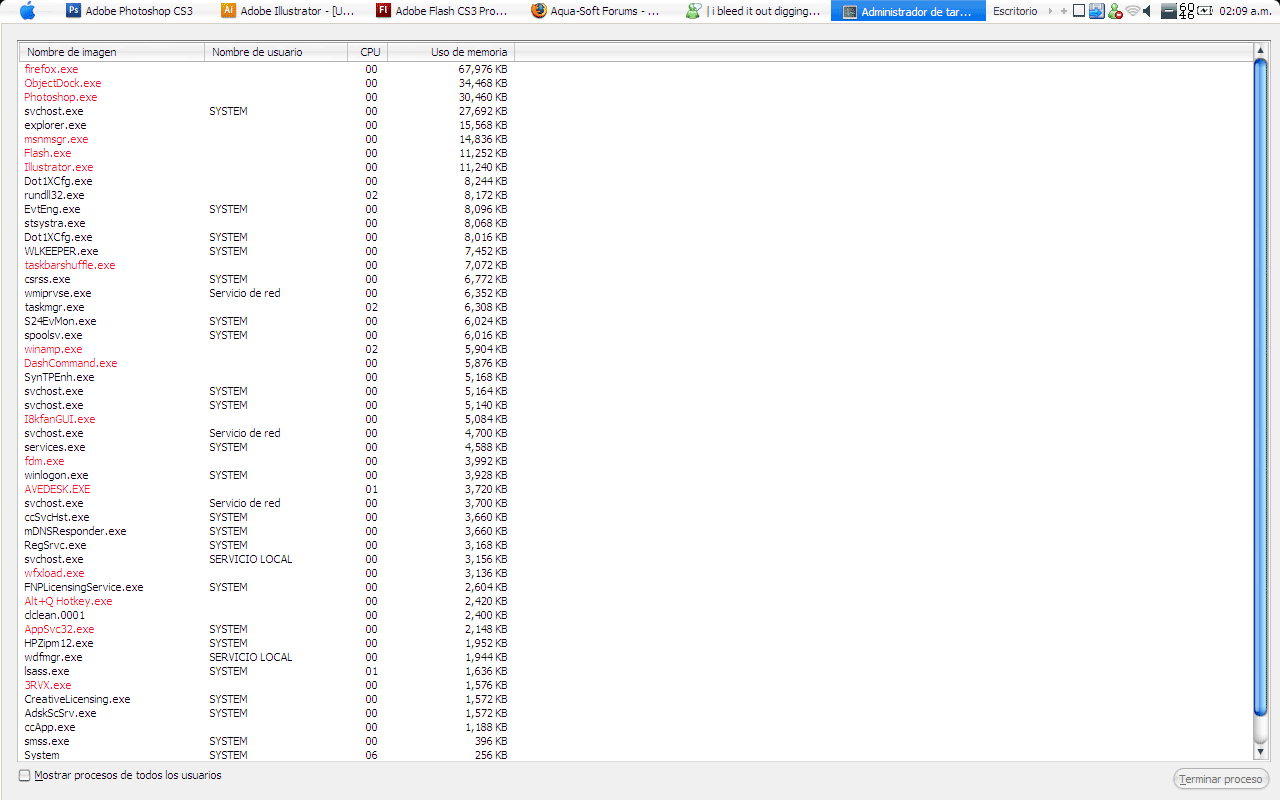
There is the actual apareance of my PC since I started to use FlyakiteOSX

post-72437-1196499156_thumb.jpg

screencap_04.jpg
screencap_04.jpg

#482029

Flyakite shouldn't actively consume too much RAM ... it might take a bit longer to load the system resources that now have a larger file size, but the additional programs (i.e. RK Launcher) aren't too memory-intensive.

-NC

#482119

Sorry,off the topic,may I know what apps that you use in the middle light green (play music etc),where can I have,thank's

#482138

nightcrawler1089 is right, it's a shell replacement. The only thing that is really taking any ram is RK Launcher or color folders.

#482143

Weird.

I have a Pentium 4 1.7, 512 RAM.

Running FlyaKite, Object Dock, WindowBlinds, Styler, and FinderBar.

With half the RAM, and a fraction the CPU, and a lot of apps and extras, my PC runs like a charm. Almost like a fresh install of XP.

#482157

Sorry,off the topic,may I know what apps that you use in the middle light green (play music etc),where can I have,thank's

LoL, its a QuickSilver emulation for Windows called DashCommand

Can fin it here:

http://trydash.com/home/

Much better than other I have try it before (Launchy, Colibri, etc)

> Faster

> Use only 5mb of RAM

Bad News:

Is not freeware, I bought it xD

Pretty cheap =3

nightcrawler1089 is right, it's a shell replacement. The only thing that is really taking any ram is RK Launcher or color folders.

Mmm... weird.

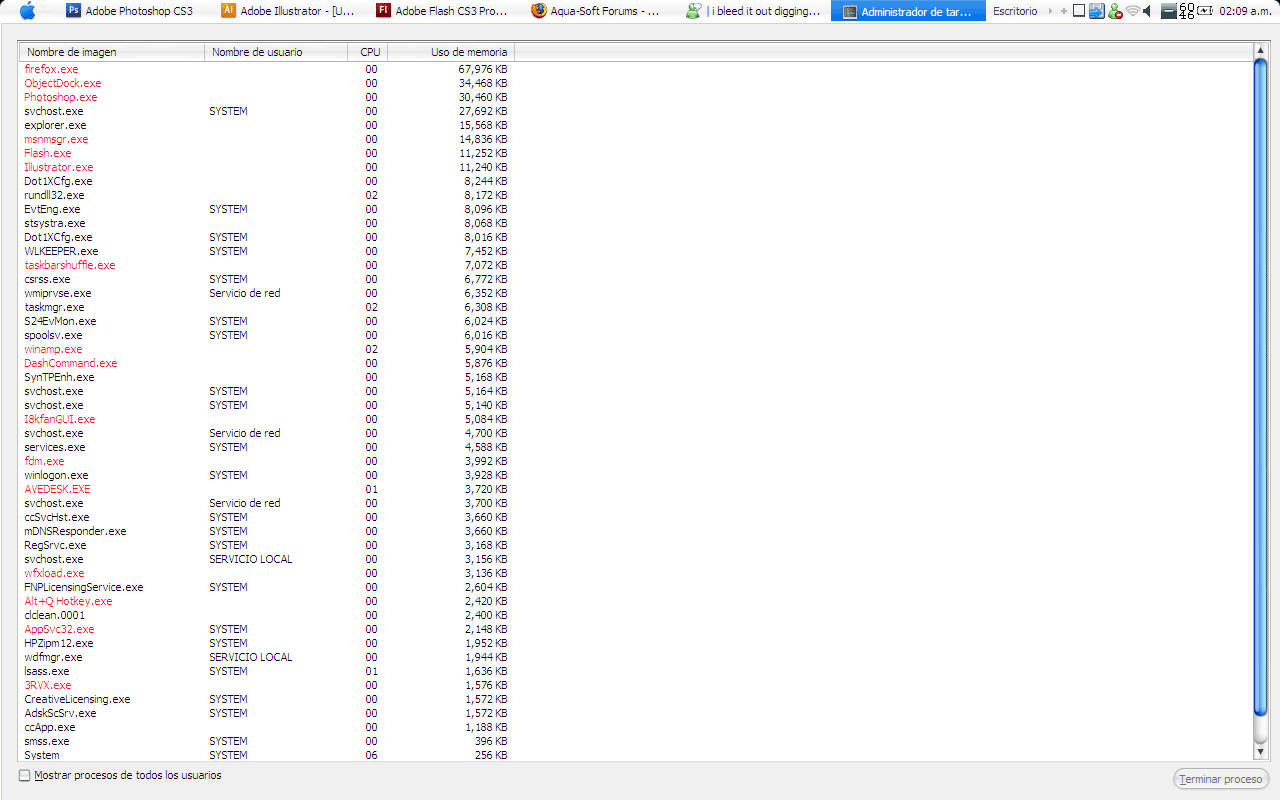
Here I added a screen cap of all my process.

I colored in red all the know process and process I can close (and usually I do)

post-72437-1196583277_thumb.png

process_01.png
process_01.png

#482168

Try not to run all that stuff at once unless you need to.

Sometimes I leave Photoshop open when I'm not using it, but thats it.

Try to limit it to 2 or 3 programs at one time.

#482187

Yeah, I do that.

But working on posters or other printing files Photoshop can use around 500 or 600mb RAM

There are days I work only with 10 or 2mb of RAM

So I have to close all programas (that I marked in red)

I just wanted to know if there is a way I can work without close all them.

#482291