 Aqua-Soft Forums
Is there a way I can have all (inactive or active) tray icons be **Automatically** hidden, but can be accessed by clicking the expand arrow?
Thanks!
Is there a way I can have all (inactive or active) tray icons be **Automatically** hidden, but can be accessed by clicking the expand arrow?
Thanks!
Google is your friend.
First link using this search "Windows XP hide all system tray icons"
http://www.tech-recipes.com/rx/1639/xp_how...stem_tray_icons
Google is your friend.First link using this search "Windows XP hide all system tray icons"
http://www.tech-recipes.com/rx/1639/xp_how...stem_tray_icons
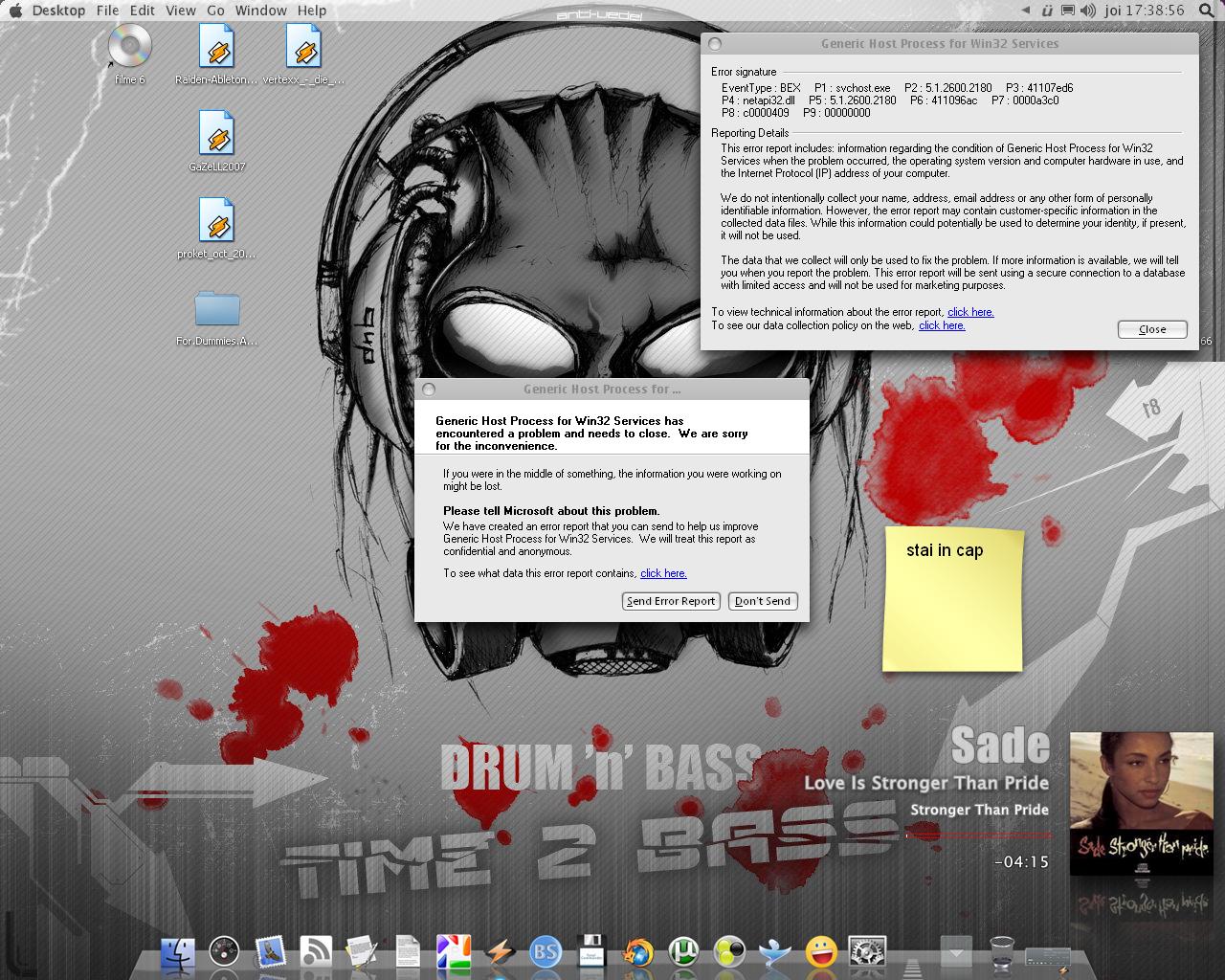
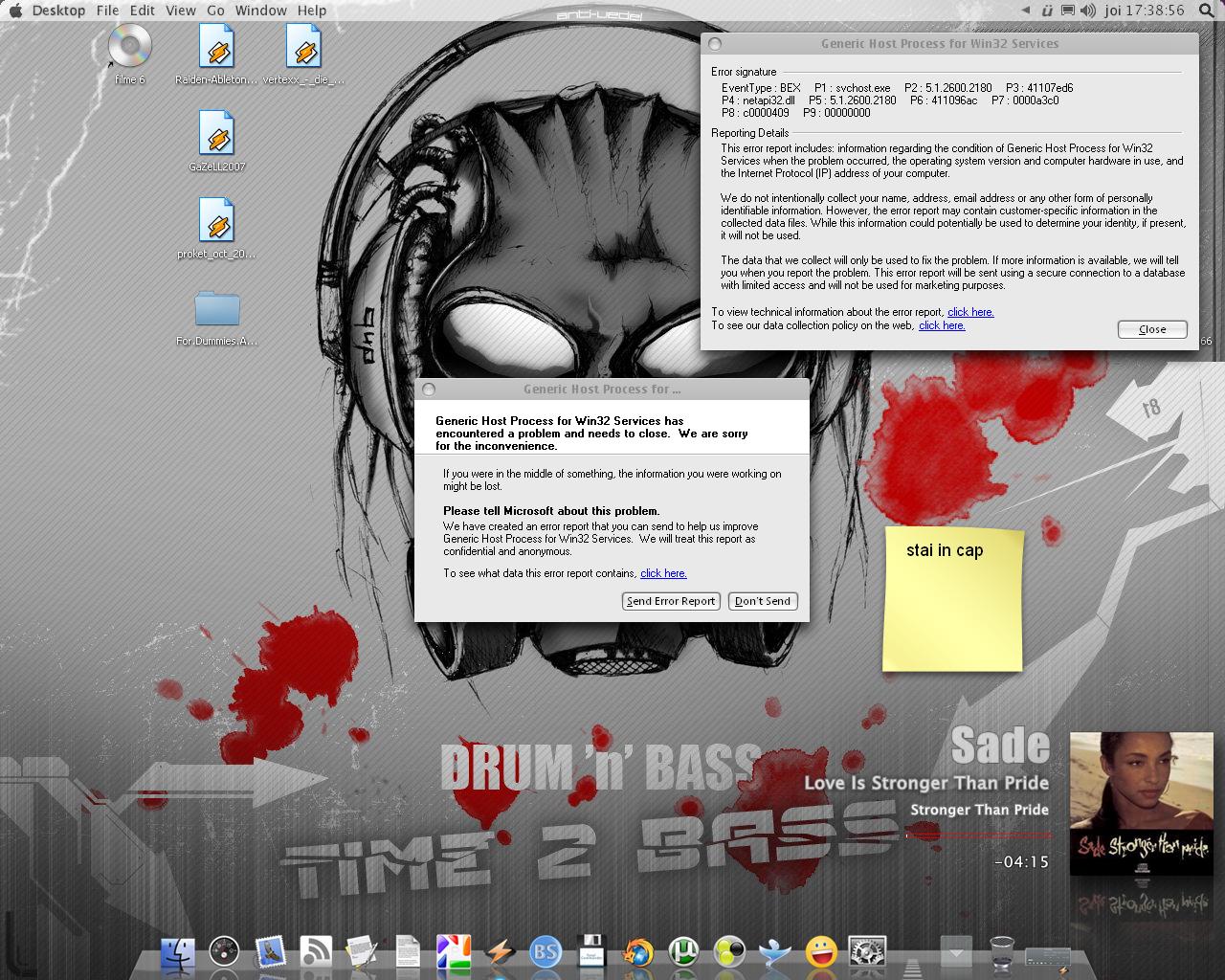
just did that and now i get an erorr win32 something and it crashes my windowblinds and the soundboard ... how do i undo it? i`ve deleted from regedit but still same eror
any ideeas?
sory for my english
it takes like 16 clicks to hide them manually... why cant you just do that?
Open Taskbar and Start Menu Properties,Taskbar,click hide inactive icons,open Customize,click Behavior,choose always hide, click 2 times,goodluck
i know that but i was curious to see what that reg file do
... and i`m still geting this error ...
any ideea what to do?
Did you do my way?
don`t need ... i have this error now ... i don`t want to hide my systray icons anymore i just want to get rid of this error
pls any help will do
Did you delete the regkey manually through regedit or did you follow the instructions in that article to reverse it?
My suggestion would be to run the reg hack again then change the number like they said in the article and run the changed file to remove it.
It worked for me to remove/unremove it. It looks like it may disable the tray in a way which might be the cause of your problems.
Personally, the way Husaini HB suggested is the best IMO because sometimes you want one or two apps to show.
Never delete a reg key unless you are certain it isn't necessary.
From the article:
Change:
"NoTrayItemsDisplay"=dword:00000001
To this:
"NoTrayItemsDisplay"=dword:00000000
does not work .. same error afte only 20 seconds after i boot my system the error apears and windows does not find a drive for my sound card and windowblind crashes ...
i`ll have to reinstal windows ... god damn it
Wait, wait don't reinstall unless you need to.
Had something similar with my sound card a while back that was related to the tray. Try to reinstall your sound card first.
That might fix the issue. Don't have window blinds but, I had to do a repair install of Styler at that time to. The only thing I could come up with at the time is the connection between the tray volume control with the sound card was screwed.
Well, I wanted to have it so Windows sets it as "always Hide" for me. I did the REG hack, but I want to expand them and see them still.
Guess I have to do it manually every time i boot Windows, cuz it always reverses.
Thanks anyway.
Oh,come on try my way,easiest way ! !
Well, I wanted to have it so Windows sets it as "always Hide" for me. I did the REG hack, but I want to expand them and see them still.Guess I have to do it manually every time i boot Windows, cuz it always reverses.
Thanks anyway.
Husaini HB's way should work even when you cold boot those settings should be there. Unless a cleaner type app is erasing them?
Personally, I usually use sleep or hibernate but, even when I restart or cold boot those settings are saved.
Here is the link exactly how to do it,next time,good luck,tx
Well what I am asking, is that can I have it hide all of them, but If a new one pops up (installed something maybe?) It will hide it, without me setting it Husaini's way (i knew about doing that. Been on Windows 6 years, lol)
Whatever, that Wil have to do. Thanks anyway
Is there a way I can have all (inactive or active) tray icons be **Automatically** hidden, but can be accessed by clicking the expand arrow?Thanks!
This file worked for me[ATTACH]11061[/ATTACH]
???????????????????????
Got a Headache ,ha ha