Aqua-Soft Forums
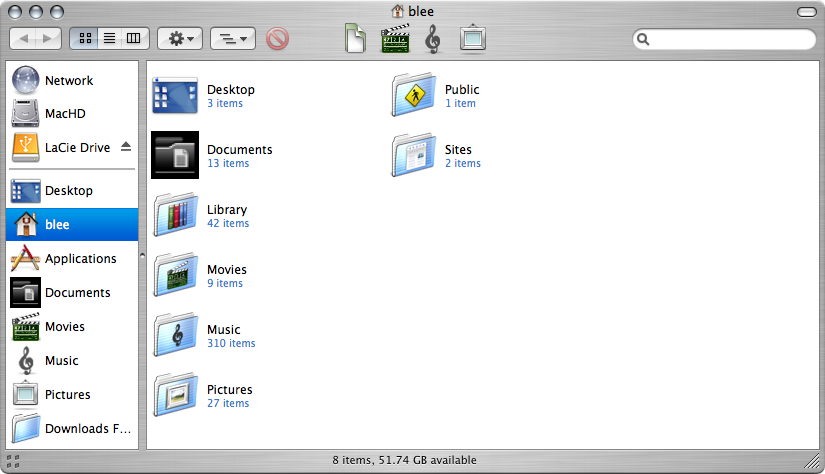
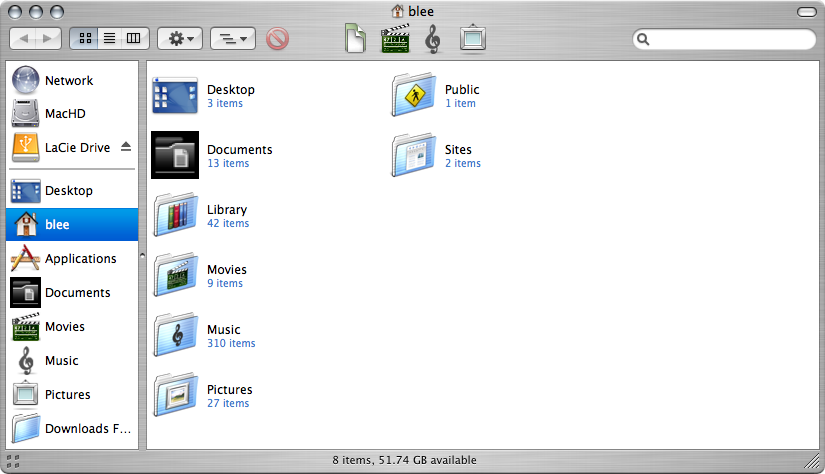
I just got a new MacBook about 2 weeks ago and I decided that I was going to play around with candybar and change some icons around, however, when I apply an icontainer package it won't change my Documents folder in finder so I tried to change it manually by copying and pasting the desired icon as suggested on a few posts I read and the icon changed except it now shows the icon in very poor quality and with a black box around it.
I am wondering why it does that and how I can fix this problem to at least get it back to it's original default icon. Attached is a screenshot of the problem so you can see what i'm talking about.
TIA