Windows Explorer Folder Icons

Hi Guys

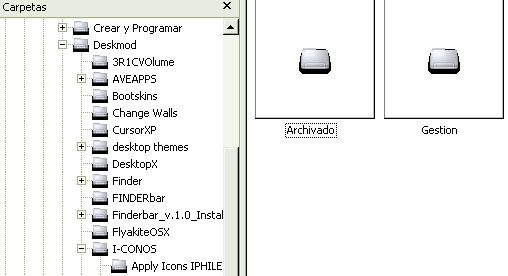
i've a problem customizing my folders in Windows Explorer. When i change the icon of the closed or open folders, this appear with a black border and dont look very good. I use Win2000, but i dont think this is the problem.

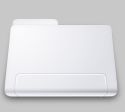
I post a image that how look, i an image of the icon, see the difference

Do you have any idea to repair this?. This dont happen to me when i use 16x16 icons, but i dont have variety of icons in this format
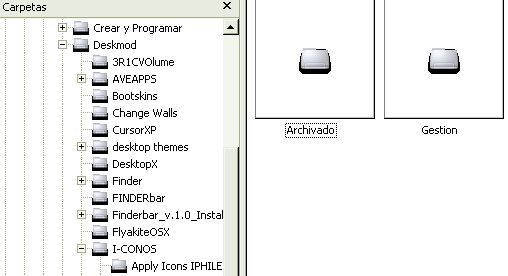
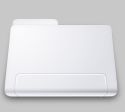
post-8741-1193345368_thumb.jpg

post-15-1193345368.jpg

folders.jpg
folders.jpg
icon.ICO.jpg
icon.ICO.jpg

#477817

first of all, why are you even using 2000?

it could be the icon you're using.

#477820

Does this happen with different icons or just with the Minium set?

It looks like an icon issue. MS scales to nearest value. So, make sure the icon has appropriate sizes. If not then obviously scaling down a 48px icon is going to look like crap.

#477823

Does this happen with different icons or just with the Minium set?

It looks like an icon issue. MS scales to nearest value. So, make sure the icon has appropriate sizes. If not then obviously scaling down a 48px icon is going to look like crap.

always with all icons sets that look good (32bits color)

but not with the 16x16 ones. Any way to change the size of icons the left panel?

#477835

anyone?

#479033

Oops! Thought I'd answered you.

To my knowledge, there isn't a way to change the icon size in tree View.

#479035

Emmm... was the Windows 2000 propably show the transparent icons? AFAIR there was problems with the transparency. From XP we've got the fully-supported transparency in icons as far as I know.

#479038

tihiy at msfn.org made a 32 bit icon patch for 2000

#479347

tihiy at msfn.org made a 32 bit icon patch for 2000

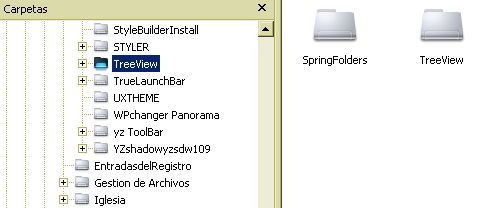
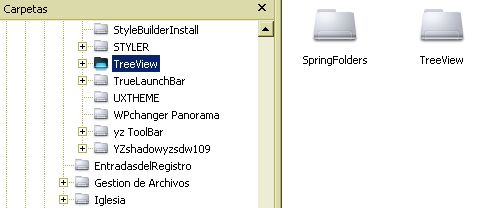
YES!!!

WORK PERFECT

[ATTACH]11043[/ATTACH]

http://www.msfn.org/board/Windows_2000_Rev...ack_t93160.html

[ATTACH]11044[/ATTACH]

post-8741-1194359682_thumb.jpg

RPL2k202.zip

perfect.jpg
perfect.jpg

Attachment: RPL2k202.zip

#479543