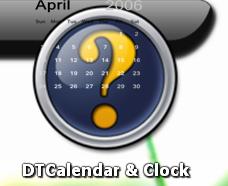
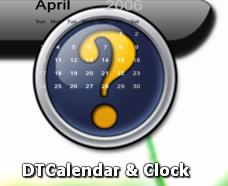
Blue question-mark wont disappear with OD+

Hello all.

I'm running ObjectDock plus 1.5 on Windows Vista, and I just installed Sysstats 2.5.11.

Everything seems to work out fine, but I have one slight problem: whenever I load a docklet, the blue question-mark stays behind the icon for the docklet. Depending on which docklet this is, it is a real nuissance.

I've tried clicking for 2 seconds on the icon to bring up the dock entry settings, but can't get it to work.

Any help would be greatly appreciate

Thnx

#448919

[EDIT]

Well, that was embarassing. I posted in attempt to help you, and somehow or another missed the incredibly obvious fact that you were referring to objectdock, and not AveDesk. Whoo...sorry. It's 3:02 AM, I shouldn't be on the internet with an 8AM class, haha.

Sorry bro, wish I could help.

#448921

Thanx for the help, but I can't seem to get that to work.

I suspect that it may be a avedesk-specific command (As your screenshot is from Avedesk) and I use ObjectDock.

Cheers

#448922

This is a lame workaround, but can't you delete the (default docklet) blue question mark icon file? Then OD+ either won't show it or crash...and if it crashes, just restore the file :D.

-NC

#448929

Hey. That's a pretty nifty idea.

And if it does crash with no icon, I could always try to make a transparent icon or something and replace it with that.

I'll see what I can do.

Thankx a lot for your help :-)

#448937

Nope. Still nothin'

Either I didn't replace the right file, or there's something more to this.

What I did is I replaced the file called NoOverlays.png in the images folder with basicly a copy of the transparent.png renamed to NoOverlays.png. But when I start OD+ and add a sysstats doklet it pops up with the same blue question mark, and when I load a config file the question mark stays on behind the new icon :-(

Does anyone else have an idea??

#448961

ObjectDock is susceptible to graphics card settings that have to do with video overlays, and I'm WAGuessing that your problem may be somehow related...

You'll have to explore your graphics card settings (I don't have Vista). In XP there are also some overlay controls (for video anyway) in Windows Media Player (under tools->options->performance->advanced). It won't hurt to see if these help.

Have you looked on the Stardock forums (http://forums.wincustomize.com/) as there are some threads there that deal with somewhat similar issues (maybe not specifically on Vista, tho)?

#449012

Hi guys,

Same issue than Bacalhaudanoruega.

Also on Vista Ultimate.

Trying to find a solution.

I will and will be back here.

Bye bye

#467137

Hey, can you post an SS(Screenshot) of it?

#467148

see the ss.

post-67746-1186327201_thumb.jpg

Untitled.jpg
Untitled.jpg

#467230

no answer?

#468088

This happens on my 32bit Vista Premium with UAC on or off, but not on my laptop in XP.

SOLUTION:

That image appears in 2 places. The file needing to be deleted is in the root objectdock folder, not 'Bundled Images' folder.

IE: C:Program FilesStardockObjectDockdefault.png

It needs to be deleted or renamed. Replacing with blank png works.... but it still doesn't show the real Sysstats blue ? unless it's deleted or renamed.

#480402