Changing Branding to the Original Windows XP Logo

Hi to all in the forum!

I have a question about changing some details in Flyakite OSX 3.5.

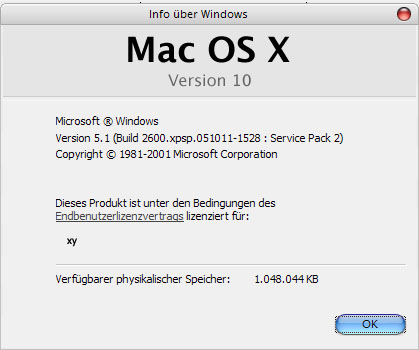
I like the Aqua-Style very much, but in fact that my OS is still Windows XP and not Mac OS Version 10, i want to change the "Mac OS"-Logos back into the Original XP-Logos.

I've patched the msgina.dll and logonui.exe by changing the Bitmaps successfully. Now the Log on and Log off Dialouge shows the WinXP Logo again.

But in the menue My Computer -> "?" -> "Info" there is still the "Mac OS Version 10" Logo!

I've tried to change the winbrand.dll as well but there is allways the Mac-Logo...

Do somebody know how to change the "Mac OS"-Logo in the "info-Menue"?

Which files i have to patch?

I've tried to search in the forum, but i didn't found anything about this.

Thank you for helping me.

Retti
#443912

Do you mean the OEM logo? Take a look at the first post here and see if it's what you want:

http://hardware.mcse.ms/archive84-2004-5-10653.html

Hope this helps!

-NC

#443994

No, sorry, this is not what I mean. I don't want to change the OEM-Logo.

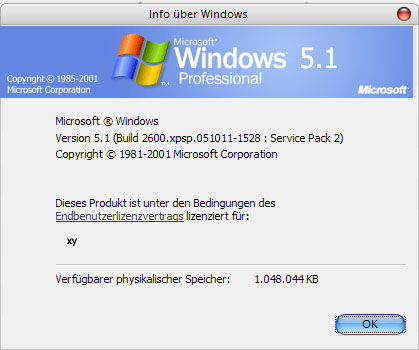
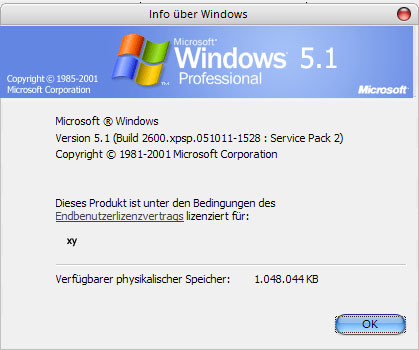
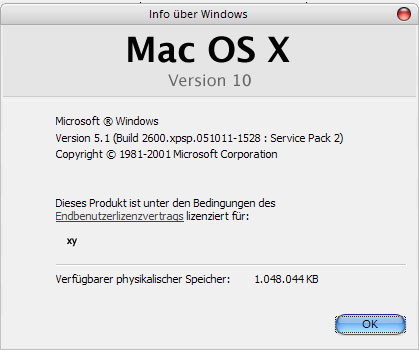
I mean the "MacOS Version 10" Logo in the Window that is shown when you go to the "?" -> "Info" in the Menue of a "My Computer" or a "Windows Explorer"-Window.

There is some Information about Windows like exact Version and Bulid-Number and so on...

In top of this Window is the Flyakite MacOS Logo which i want to change into the Original XP logo.

I've attached 2 Files where is shown what i mean.

Does anybody know which files i have to manipulate?

post-60580-1172428359_thumb.jpg

post-84-1172428359_thumb.jpg

Mac OS X.jpg
Mac OS X.jpg
Win XP.jpg
Win XP.jpg

#444191

Yeah I would like to know this too... I think it's a bit cheap and whatnot...

How can I get rid of all this stuff?

#446592