Universal Focus Rectangle Remover

focusrectangle.png

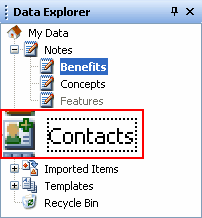
Since Windows 3.11 or even earlier, we had this ugly focus rectangle shown in almost every window, and most annoyingly, on items that are selected and have different signs to tell us they are in focus.

So I've made a little program to remove this thing.

It should work on every 32-bit version of Windows. A 64-bit version might come later, but I'm not sure.

Installation:

1. Put RemoveFocusRect in your system32 directory.

2. Click Start and select Run.

3. Type "regsvr32 RemoveFocusRect.dll" (without the quotes) and press OK.

4. Next time a program is started, it won't have focus rectangles.

Note: In Windows Vista, all those steps should be done with administrative privileges.

Click here to download.

Enjoy :)

#439258

Very nice. I've been wanting something to do this forever. Gonna try it out now. Thank you. :D

EDIT: It worked. But in the readme file the path you have given is different from the one you put in the thread. The path in the thread is the correct one. The path in the readme is wrong.

Thanks again. :D

#439262

What path?

#439265

regsvr32 RemoveFocusRect.dll is the right one .... in the readme it looks like this ...

regsvr32 /u RemoveFocusRect.dll or similar.

#439267

regsvr32 RemoveFocusRect.dll is the right one .... in the readme it looks like this ...

regsvr32 /u RemoveFocusRect.dll or similar.

That's written in the uninstallation section, and it's correct.

#439270

Oh, finally! Thank you for this localhost. Huge kudos to you!

#439272

That's written in the uninstallation section, and it's correct.

Oh, sorry. I stand corrected. :D

#439276

Just tried to register the dll and got the following error.

DllRegisterServer in RemoveFocusRect.dll failed. Return code was 0x80004005

Running Xp home, SP2.

If you need any more info just ask.

#439299

Make sure you run it with administrative privilieges.

#439300

^^ That was the error I got at first. There are two paths you can use I didn't notice until I was yold but check and make sure you're not useing the uninstall path to register it.

#439301

Yeah I'm running under admin rights.

I've C&P'd the text from both the thread and the help file. I've also typed in the path manually, with no joy.

#439303

Nice work!

THX!

#439304

I think I found the problem in the installation code.

Try adding a string value called AppInit_DLLs to the following registry key:

HKLMSoftwareMicrosoftWindows NTCurrentVersionWindows

And then run the installation.

#439305

That worked

Thanks for your help and dedication to the cause ;)

#439306

I've updated the download to fix the installation failures, and added some better error reporting. Now it will specify a meaningful error code (for me, at least) if the installation fails, and not just 0x8004005.

#439308