 Aqua-Soft Forums
Is there a patch for this? I don't know how to hack the system files...see the screenie...those ugly dots ?!
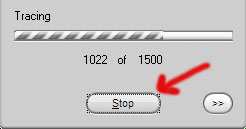
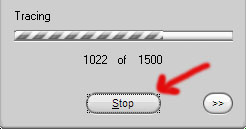
Is there a patch for this? I don't know how to hack the system files...see the screenie...those ugly dots ?!
For solution, follow the white rabbit or the black sheep
thanx, but if I knew how to bypass the WPS I would not need any help. I also wanna keep me own icons ...  any other ideas ?
as Clearly said aby ArchDevil in one the thread Vale46 mentioned :
You can remove it by right-click to desktop -> select appearance tab -> Effects button -> select "Hide underlined letters for keyboard navigation Until I press the Alt key" then apply this settings of courseand voila here they are gone

as Clearly said aby ArchDevil in one the thread Vale46 mentioned :
That sort of works, but doesn't work for the internet. Every button or tab or image, anything clickable in Firefox has that effect for me.
Webpage and web-button controls are implemented differently per browser, besides the nature of Buttons/Checkbox/Similar Controls and Textual/Graphical hyperlinks are different than each other.
Dotted Lines (or Focus Rectangle as normally known) can hide using simple javascript by webpage developer, but that throws off Tab navigation out of the window on webpage. While in windows application you can still do Tab navigation with focus rectangle turned off.
It'd be cool if the dotted lines were skinnable, and someone made it so that instead of those dotted lines, buttons just had a glow effect.